Practical AI Tips for Modern Event Organizers: From Industry Experts

AI is no longer sitting on the sidelines of event planning. It’s already embedded in how teams plan, promote, run, and evaluate events. From solo organizers to large teams managing complex event programs across physical venues or virtual event platforms, AI is becoming part of the everyday workflow.
As adoption accelerates, the real question isn’t if event organizers should use AI, but how to use it effectively. This article rounds up 21 practical AI tips from experts who are already putting AI to work in events and learning what actually delivers value. If you’re already using AI, or want to start using it, these tips will help.
{{table-of-contents}}
AI for Events
.webp)
AI has quietly crossed a threshold in the events industry. What once felt experimental or reserved for tech-forward teams is now becoming part of everyday event work. Not because it’s flashy, but because workloads are heavier, timelines tighter, and expectations higher.
For event organizers, AI shows up as practical support. It helps with decisions, scales effort without adding headcount, and reduces the mental load that comes with managing dozens of moving parts at once. It doesn’t replace experience or judgment, it simply removes friction.
Where AI Is Already Being Used in Events
That shift isn’t theoretical. AI is already embedded in specific parts of the event lifecycle, often in ways teams don’t consciously label as “AI.”
You’ll see AI at work in places like:
- Session, content, and networking recommendations based on attendee behavior
- Chatbots that answer common questions and guide attendees in real time
- Lead scoring and engagement tracking to focus follow-ups where they matter most
- Predictive signals around event metrics such as attendance, drop-off, and interest
- AI event marketing and content tasks, from drafting copy to optimizing campaigns
None of these tools transform events overnight. But together, they remove small points of friction, reveal what’s actually happening, and give teams more time to focus on the experience, not just the logistics.
For the State of XR & AI in Events Report 2025, we spoke directly with the experts building and using AI in real event environments. Their insights reveal what’s actually working today, and what’s worth trying next. So we’ve compiled 21 practical AI tips event organizers can apply right now.
Using AI to Get Started and Build Momentum
AI adoption doesn’t start with expertise; it starts with use. These tips show how to build momentum by using AI early, often, and with intention.
TIP #1: Make AI part of your daily workflow.
AI isn’t something to experiment with once in a while anymore. Using it daily for low-risk tasks helps you quickly see where it actually saves time and improves decisions. The goal is not perfection, it’s familiarity. Teams that build this habit early understand AI’s value long before it becomes a baseline expectation.
TIP 2: Use AI as a competitive tailwind, not a catch-up tool.
Early adoption compounds. The more you use it, the faster you learn, and the better the results become. Waiting until everyone else has figured it out turns AI from an advantage into a scramble to keep up.
TIP 3: Design AI adoption intentionally, with onboarding built in.
AI doesn’t fail because it’s ineffective; it fails when teams are left to figure it out alone. If you drop AI tools into a team without context, don’t expect adoption to follow. Walk people through how to use it, where it helps, and what “good” looks like, because that’s what makes AI stick.
TIP 4: Prioritize curiosity over memorizing prompt formulas.
You get better results by interacting with AI, not by trying to perfect inputs. Questioning outputs, and refining responses builds far more capability than following rigid prompt templates.
TIP 5: Choose AI tools intentionally, not just because they’re free.
Free tools often come with trade-offs around data, privacy, and reliability. If you’re using AI on sensitive work, the cheapest option isn’t always the safest. Investing in the right AI tools gives you more control, especially when handling attendee, sponsor, or behavioral data.
Using AI for Speed, Delegation, and Control

AI can dramatically compress timelines and lighten workloads, but only if it’s used deliberately. These tips show you how to delegate without disengaging, and move faster without giving up judgment, quality, or accountability.
TIP 6: Use AI to move faster through ideas and decisions.
AI’s value for events is momentum. It lets you explore ideas, pressure-test them, discard what doesn’t work, and progress without getting stuck or overinvested. It helps you make progress without needing certainty at every step.
.webp)
TIP 7: Remove repetitive tasks with AI, but keep humans in charge of decisions.
AI takes care of the repetitive work that slows teams down. You don’t need to spend human energy on summaries, scheduling, or basic analysis anymore. That frees you up to focus on judgment, strategy, and decisions that actually require experience and context.
TIP 8: Treat AI like a teammate you can delegate to, not just a faster tool.
When your team is stretched thin, AI gives you someone to hand work off to without adding headcount. You can delegate research, drafts, prep, and analysis while staying in control of direction and decisions. That shift lets you operate more strategically instead of staying buried in execution.
TIP 9: Keep humans in the loop when working with advanced or agentic AI.
AI can assist, but it shouldn’t run unchecked. Stay involved so you can guide decisions, spot errors, make sure results align with your goals and standards, and apply context that systems still can’t understand on their own.
TIP 10: Fix broken workflows before layering AI on top of them.
If your workflow is unclear or inefficient, AI won’t fix it for you. It will simply move problems faster through the system. Clean up how work flows first, then use AI to make the process quicker and more consistent.
TIP 11: Treat AI as a collaborative partner, not a one-click answer.
Strong AI results come from iteration. The real skill is reacting to what it gives you, pointing out what’s off, and adjusting repeatedly. That back-and-forth is where quality comes from.
Using AI to Expand Creative Output
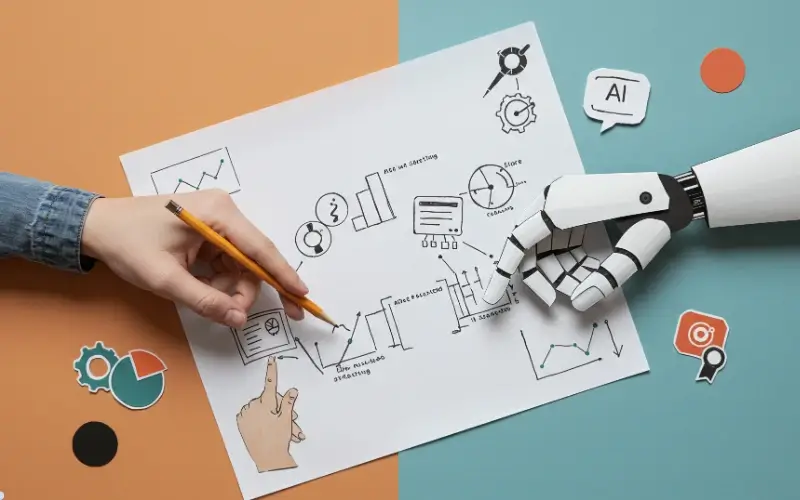
Creative ambition often outpaces budget. These tips show how AI helps event teams generate more ideas, content, and visuals without adding agencies, long timelines, or specialist overhead.
TIP 12: Use AI to expand creative output without expanding budgets.
AI lets you produce more drafts, concepts, and variations without committing heavy resources upfront. Instead of choosing one idea and hoping it lands, you can explore many and invest only in what proves valuable.
TIP 13: Use AI to lower barriers to complex creation.
AI removes the technical gatekeeping around complex ideas. You no longer need specialist teams just to explore what’s possible. You can prototype first and decide later, making experimentation faster and less risky.
TIP 14: Leverage no-code and generative AI tools for content creation.
You no longer need to wait on developers or studios to test an idea. No-code and generative tools let you build, preview, and iterate on content directly, shortening feedback loops and speeding up decision-making.
TIP 15: Protect authenticity when using AI-generated content.
Speed shouldn’t come at the cost of voice. AI works best when it supports your perspective, not replaces it, as human review ensures the output still sounds like you, not a generic version of everyone else.
Using AI to Measure What Actually Matters

AI turns event measurement from hindsight into insight, revealing what’s working while there’s still time to act. These tips focus on using AI to turn data into decisions, not just dashboards.
TIP #16: Apply AI to understand event performance beyond surface metrics.
Registrations and attendance only tell part of the story. AI helps you see how people actually move, engage, pause, and drop off, revealing friction points you’d never catch in a dashboard alone.
TIP #17: Use AI to replace gut-based decisions with measurable outcomes.
AI gives you evidence to back up decisions that used to rely on instinct. When engagement, flow, and sponsor value become measurable, it’s easier to justify budgets, prove impact, and improve future events.
TIP #18: Adopt predictive AI to improve event decision-making.
Instead of reacting after the fact, predictive AI helps you anticipate issues before they show up. That could mean adjusting schedules, improving matchmaking, or reallocating space while the event is still live.
TIP #19: Use AI to connect data across tools and reveal hidden patterns.
Event data lives in too many places, registration platforms, apps, CRM systems, badge scans. AI connects those dots for you, uncovering patterns and correlations no single tool can surface on its own.
Using AI to Improve Access and Operations
From accessibility upgrades to smoother operations, AI improves the event experience quietly, making things work better for more people without adding friction or complexity.
TIP #20: Apply AI to make events more accessible.
AI-powered captions and translations remove barriers instantly. Small changes like this expand who can participate, and signal that your event is designed for everyone, not just the default audience.
TIP #21: Use AI to optimize backstage logistics.
AI can help you manage flow in real time by redirecting crowds, adjusting layouts, or relieving congestion as it happens. That means fewer bottlenecks, happier attendees, and smoother operations without constant manual intervention.
Using AI to Support the Experience
AI is already shaping how events are planned, run, and measured. The real advantage doesn’t come from using it everywhere. It comes from applying it where it removes friction, sharpens decisions, and gives teams more space to focus on people and participation. When paired with the right virtual event platform, those gains become tangible.
Tools like Remo help teams put these ideas into action, combining intelligent workflows with interactive experiences that scale. Book a demo to see how these principles translate into day-to-day event execution.
Frequently Asked Questions about AI Tips
1. How do you start using AI in events?
Start with one simple task, like brainstorming, writing, or summarizing feedback. Use it regularly, learn what works, and build from there.
2. How do you measure ROI with AI?
Look for time saved, better decisions, and clearer insight. If AI reduces guesswork or speeds things up, it’s already delivering value.
3. How can AI personalize attendee experiences?
AI helps tailor recommendations, content, and connections based on behavior and interests, without adding manual work.
Aniqa Iqbal
Aniqa is a content writer at Remo, where she merges her love for storytelling from movies and TV shows with her passion for creating compelling content. With a knack for blending pop culture references and relatable narratives, Aniqa crafts content that informs and resonates deeply with readers. She aims to strike a chord with her audience, fostering genuine connections through words that inspire, engage, and entertain. When she's not writing, Aniqa can be found binge-watching her favorite shows, always on the lookout for the next story to tell.