The Zoom Alternative Purpose-Built for Virtual Events
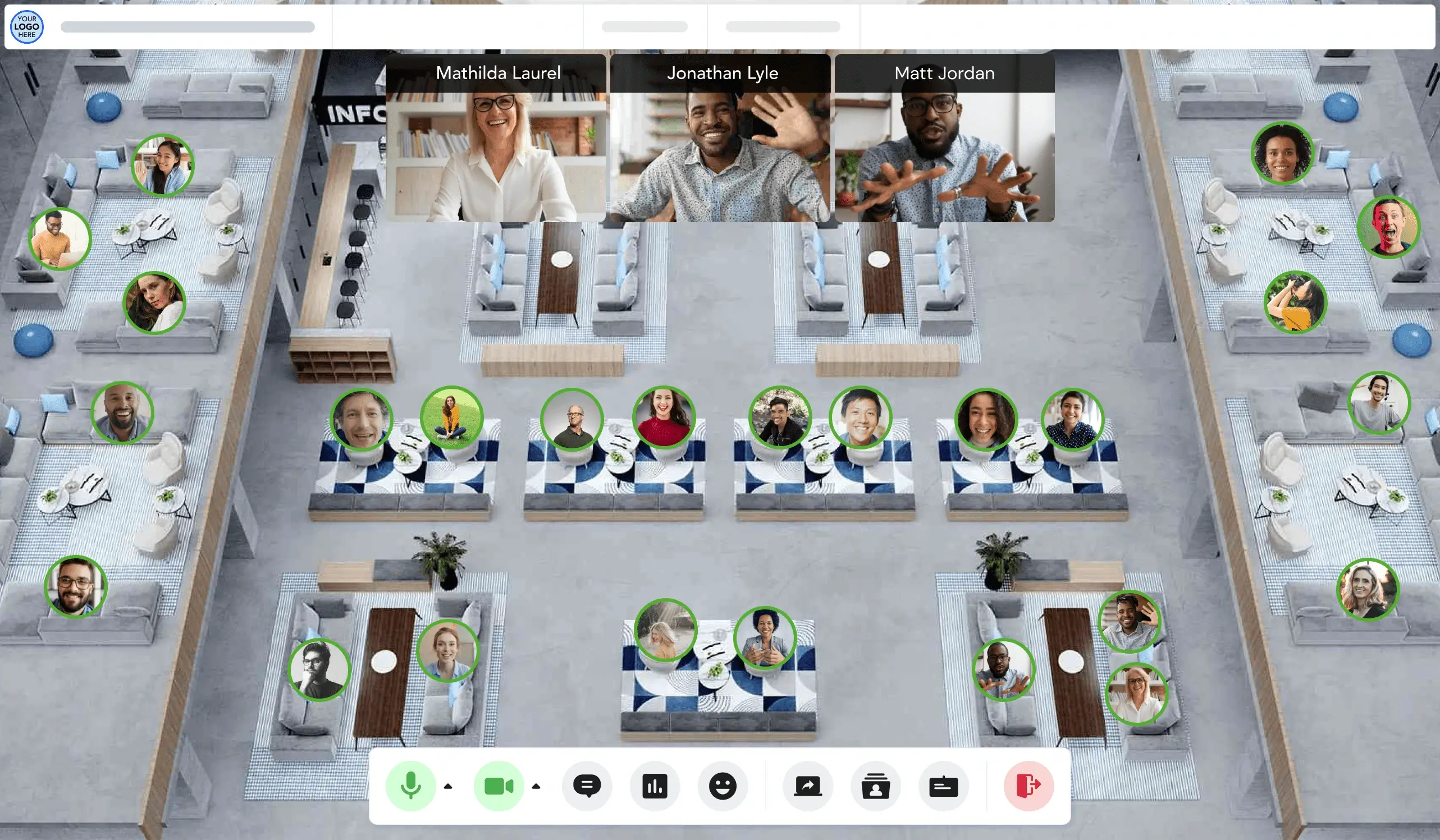
Remo gives attendees the freedom to explore, choose which conversations to join, and who to connect with. Why? Because your attendees don't want to sit through another video call.
Trusted by 1000+ event organizers, including teams who've switched from Zoom









Choose Remo if...
You want true attendee interaction where guests can choose where they go, who they meet, and how they participate.
Choose Zoom if...
You primarily run meetings, webinars, or presentation-first events where structured host control is the priority.
Remo vs Zoom: Side by Side
Compare Remo and Zoom across pricing, networking model, and support so you can see exactly where each platform stands.
Remo
Zoom
G2 Reviews Rating
4.5/5 from 323 reviews, recognized as a G2 Leader for Virtual Event Platforms (Summer 2026)
4.5/5 from 413 reviews
Attendee Experience
Attendees freely move between virtual tables, join conversations, and network on their own terms
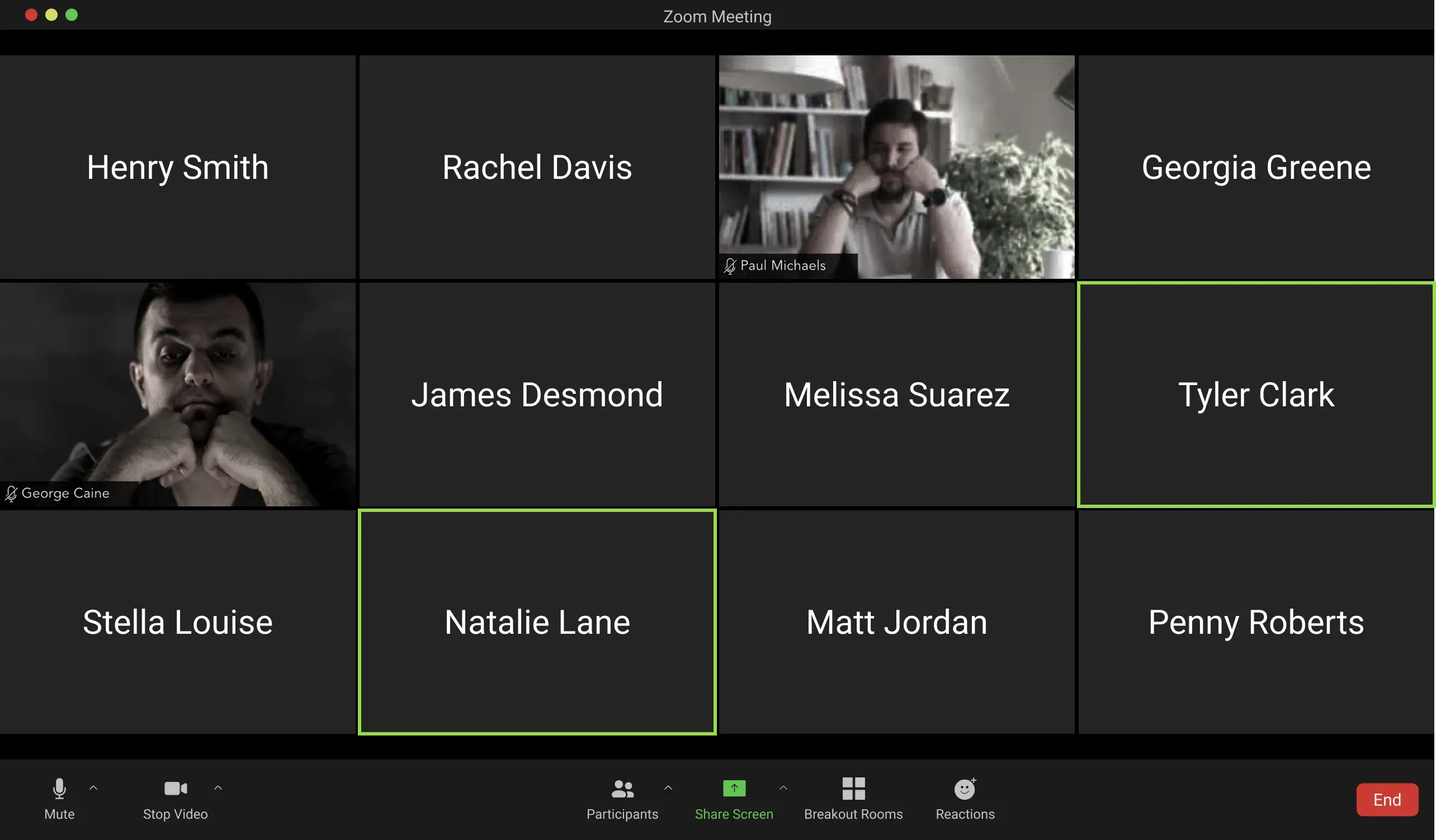
Attendees interact primarily through presenter-led sessions and host-controlled breakout rooms
Attendee Capacity
Up to 1,000 attendees per event space, with the option to connect multiple spaces for larger events
Up to 100,000 on enterprise plans, with expo-floor experiences capped at 1,500 concurrent attendees
Engagement tools
A broad interactive toolkit including polls, quizzes, Q&A, chat, clickable content offers, and the ability to bring attendees on stage
Supports core interactive tools like polls, Q&A, and chat, but built around a presenter-led session format
Branding & Customization
Create a fully branded virtual venue with customizable floor plans, event branding, and white-label options including custom domain
Branding options are available for registration pages only, with less customization options for the event itself
Integrations
Connects with thousands of tools through Zapier, Pabbly Connect, and an open API
Native integrations with Salesforce, HubSpot, Marketo, and Google Workspace, among others
Analytics & Reporting
Measure event ROI with analytics on session participation, networking activity, content interactions, and attendee satisfaction
Standard attendance and engagement metrics
Pricing
Starts at $299/month or $699 per one-time event, with core features included across all plans; 14-day free trial, no credit card required
Zoom Events start at $149/month for 100 attendees plus a paid Zoom Workplace license; No free trial for Zoom Events
Customer Support
Human support available 24/5 on all plans, with a dedicated account manager from onboarding through event execution
Support varies by plan, with premium support and faster response times only available on higher-tier subscriptions
Best For
Conferences, networking, webinars, career fairs, workshops, interactive town halls or all-hands, and events where attendee participation is a priority
Meetings, webinars, training, and town halls where presenter-led, broadcast-style communication is the main focus
Note: All comparisons are based on data retrieved from company websites and third-party software review sites, as of July 2026.
THE REMO DIFFERENCE
The Interaction Engine Traditional Video Platforms Are Missing
Traditional video platforms are built around the presenter, with interaction added through features like breakout rooms, chat, and reactions. Remo is built around interaction, giving attendees the freedom to move between conversations, choose who they connect with, and actively participate throughout the event.
The difference? Attendees don’t just watch your event. They’re part of it.
Why Organizers Choose Remo Over Zoom
From attendee-led networking to dedicated, consistent support, Remo is designed to help you create virtual events that are more interactive, engaging, and memorable. Here’s where Remo makes the biggest difference.

Lets Attendees Choose Who They Talk To
Instead of waiting to be assigned to a breakout room, attendees can freely move between virtual tables, join conversations that interest them, and make deliberate connections, just like they would in person.

Track Real Engagement, Down to Every Person
See session attendance, content interactions, who connected with whom and more. Use these real insights to measure success and improve future events.

Create a Branded Event Experience
Bring your brand to life with customizable floor plans, colors, and event spaces that feel like an extension of your organization, not a generic meeting room.

Support That Stays With You
From onboarding to event day, you’ll work with the same dedicated account manager who understands your goals and your event. Every customer gets fast, human support whenever they need it, regardless of their plan.
What Event Organizers Say After Switching From Zoom
Discover why event organizers choose Remo over Zoom to host their virtual events

“Having used Remo for three years as both a conference host and participant, I really like how user-friendly it is. Remo beats out Teams and Zoom by a mile!”

Amy Kavanaugh
Professional Development Director
“Zoom and Teams don't let your participants have any autonomy in their experience. Remo solves that by letting people freely move around and connect with those that matter most to them.”

Spud Marshall
Co-Founder + CEO
.png)
“I'm a big fan of Zoom and the break out rooms are useful, however it's amazing what a difference it makes having a 'physical' space and being able to move between virtual tables.”
Andy King
“I wanted a good networking option that had more control for the participant. Zoom breakout rooms are awkward and main zoom rooms are too big. Remo solved that and more at a great price.”
.webp)
Michael O'Brien
Advisor, Ally Power Inc
“Remo provides a more advanced set of features above what Zoom provides to create a more branded, client-friendly video conferencing experience.”
Aric Tucker
Founder, Tucker Media
“Zoom or Sessions are really good tools, but they lack interaction and the ability for participants to change "rooms" without being assigned.”
Susanne Krüger
Entrepreneur
See Remo’s Interaction Engine in Action
Zoom gives you tools to add interaction to meetings and webinars. Remo is built interaction-first, so attendee movement, conversation, participation, and connection are part of the event experience from the start.
Choose How Attendees Connect
Not every event needs the same networking format: some work best when attendees can explore freely, while others benefit from more structure. Remo gives you the flexibility to choose how attendees connect. From free movement to fully structured networking rounds.
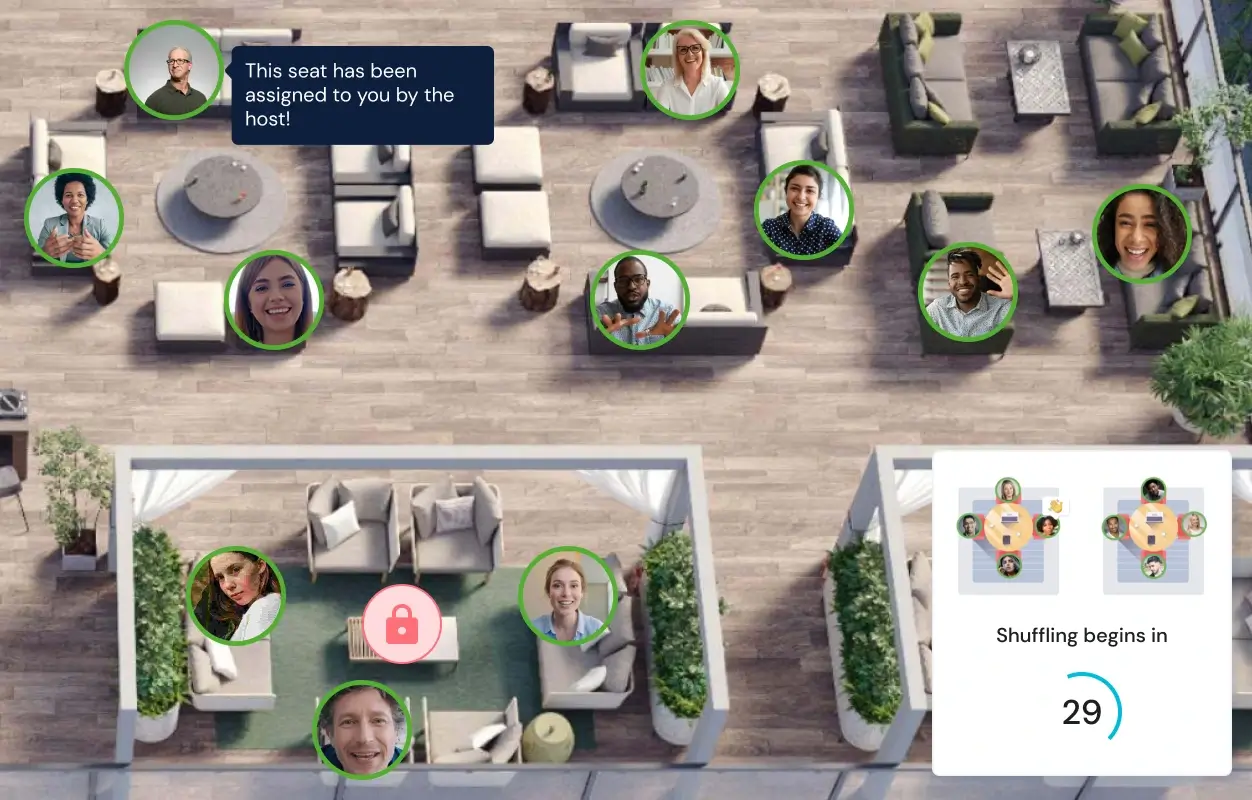
Switch Between Stage and Tables With One Click
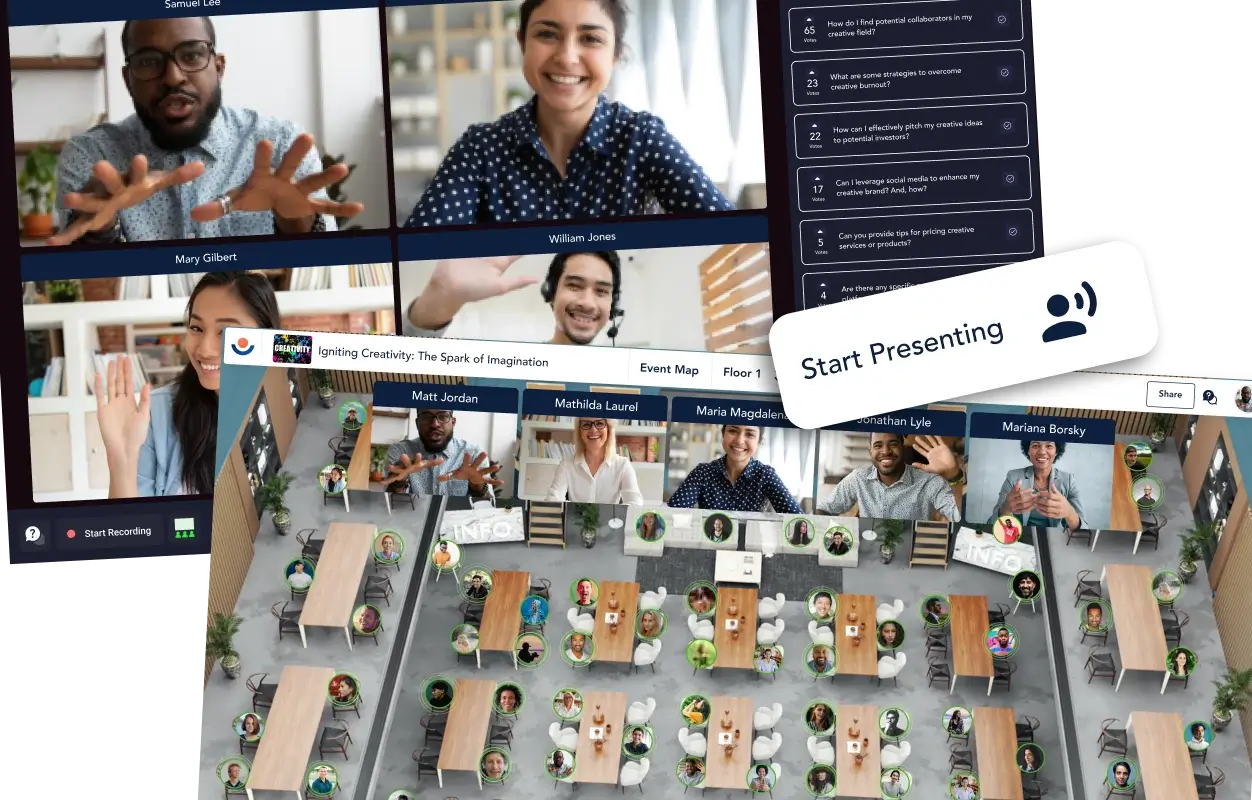
Virtual events rarely stay in one format. A keynote naturally leads to discussion, group discussions lead to new questions and insights. Remo lets you switch between Presentation Mode and Conversation Mode with a single click, so your event flows naturally from presentation to conversation and back again.
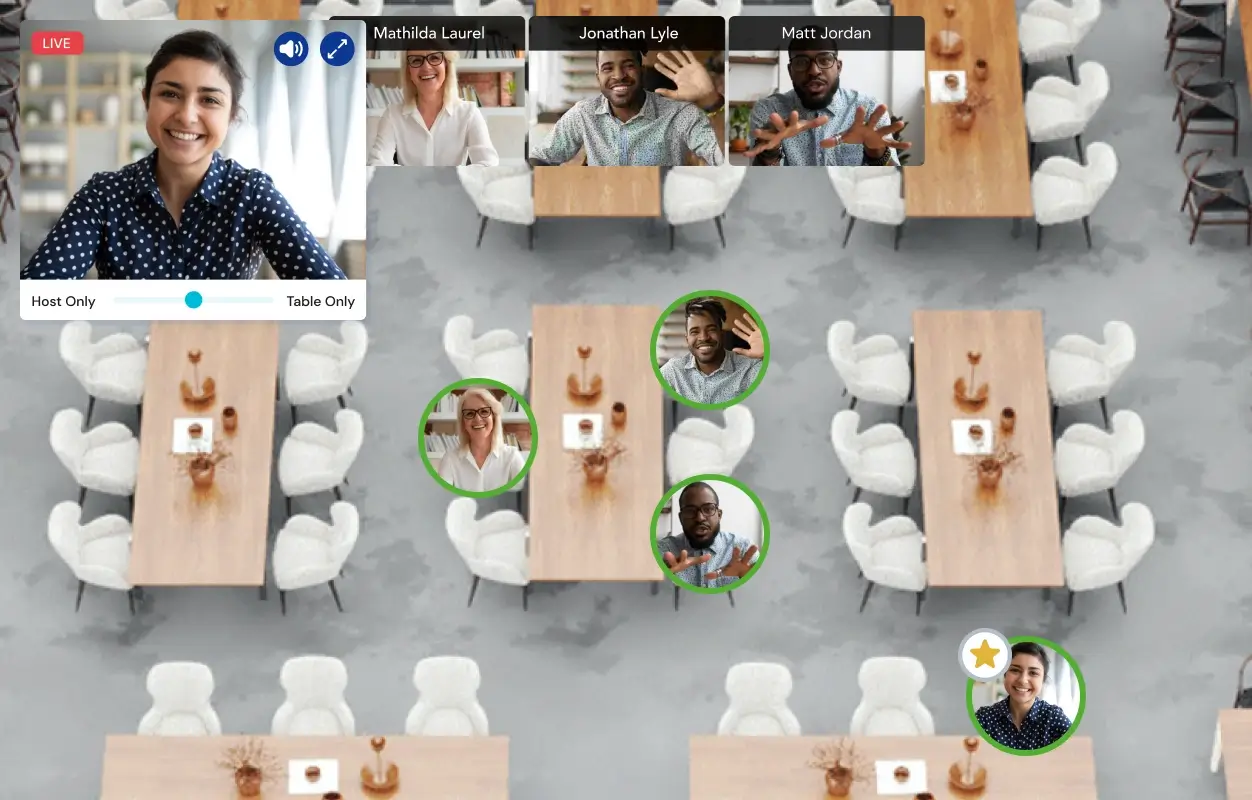
Make Announcements Without Ending Conversations
Need to remind attendees about the next session? Announce a sponsor message? Let everyone know lunch is about to begin? Broadcast in Conversation Mode lets you speak to every attendee at once without interrupting breakout conversations.
Interactive Tools Built for Two-Way Events
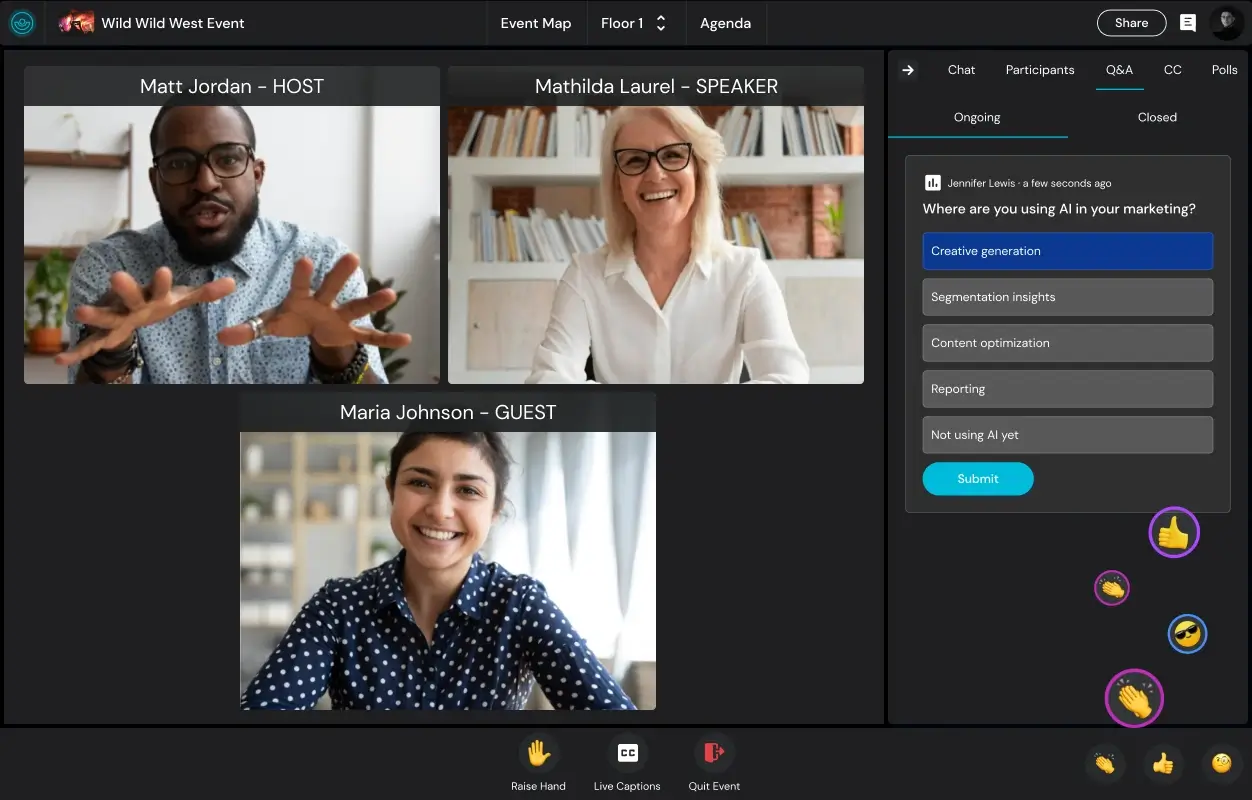
The best virtual events give attendees opportunities to actively contribute, not just passively consume content. Remo’s interactive tools make it easy to ask questions, gather feedback, test knowledge, and invite attendees onto the stage, helping every session feel more engaging and collaborative.
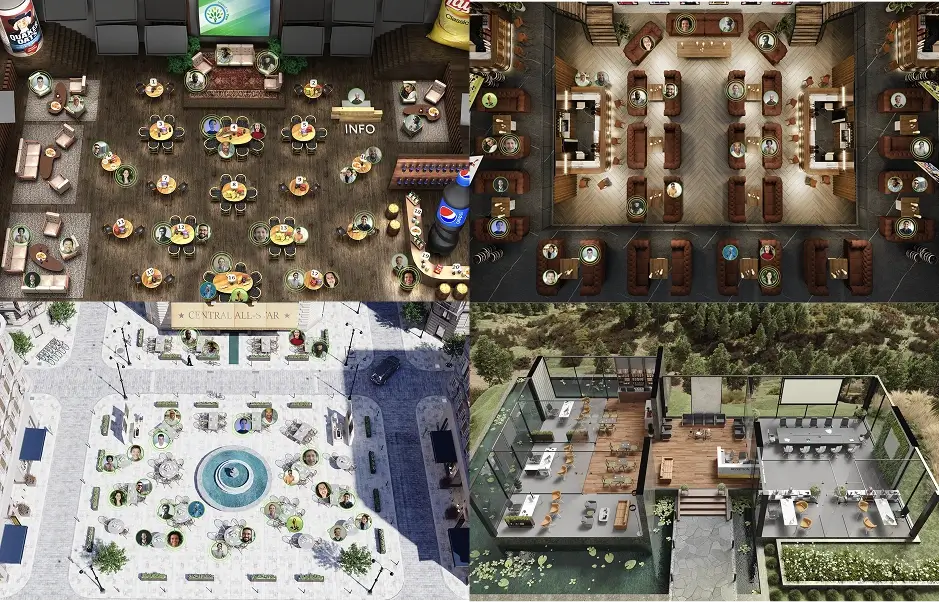
Design a Floor Plan That Matches How Your Event Runs
Most virtual platforms put attendees in the same generic grid of video tiles. Remo replaces that with a visually immersive floor plan, so attendees move, meet, and interact the way they would at a physical event venue. Choose from 80+ professionally designed venue templates or create your own custom floor plan.
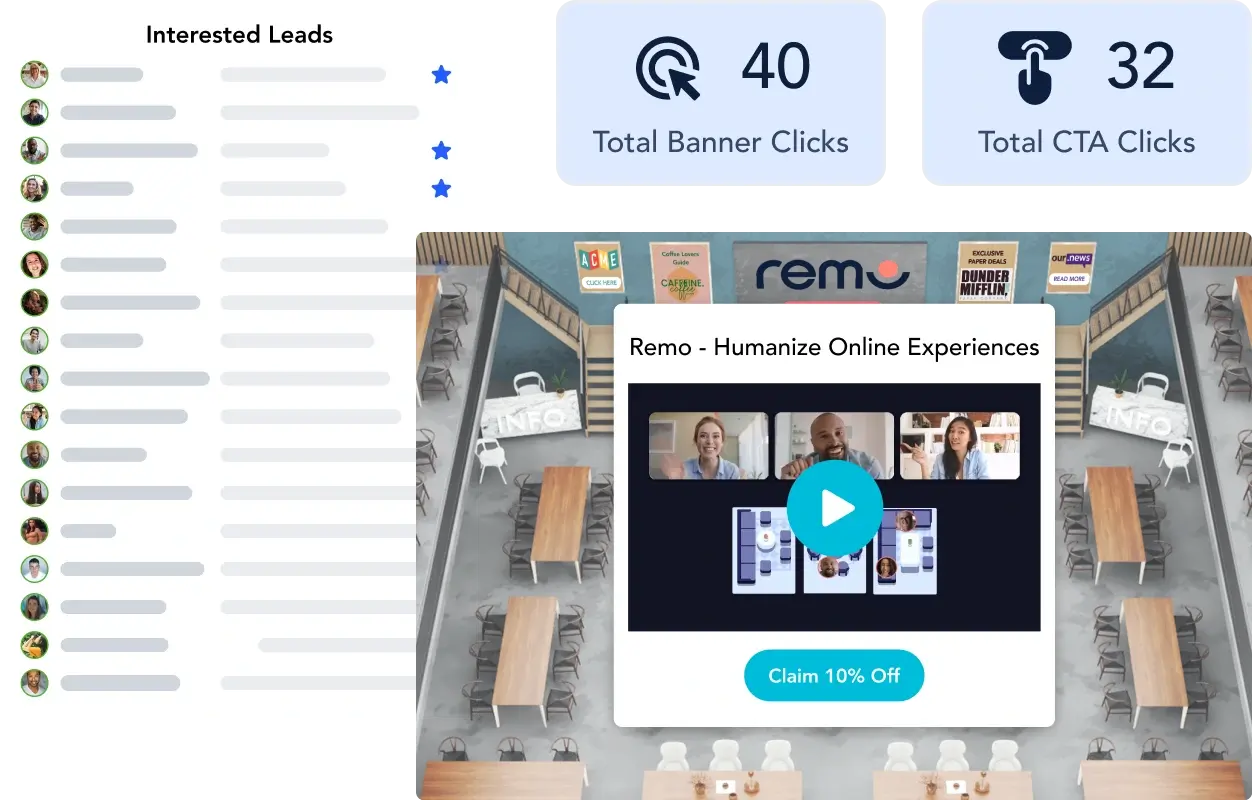
Content Banners That Get Clicked
Important content shouldn’t compete with an active chat or be easy to miss. Add clickable banners to promote sponsors, share resources, or highlight limited-time offers in a place attendees are far more likely to notice and click. Plus, track views and clicks, so you can see which content performed best, qualify leads, and measure event ROI.
ALREADY USING ZOOM?
Moving from Zoom Is Easier Than You Think
Remo is quick to set up and easy to learn. Your dedicated account manager can help you recreate what works and recommend new ideas to take your event even further.
.svg)
An account manager on every plan, with you from onboarding through event day
Walk through your Zoom events so we can tailor your event setup
Coaching for organizers and speakers to help you get more out of every feature
Live human support available prior to and throughout your event
So, Which Platform Should I Choose?
Both platforms have strengths. The right choice comes down to the type of event you’re hosting.
Choose Remo if...
Your success depends on attendees interacting, not just watching presentations
You want a branded experience from start to finish
You need one platform for registrations, presentations, networking, and workshops, not a separate tool for each
You want responsive human support before, during, and after your event
You believe virtual events should feel closer to in-person experiences than traditional video calls
Choose Zoom if...
Your event is presenter-led and does not require attendee interaction or networking
You need enterprise-scale webinar capacity for large broadcasts
You want a familiar experience
You prefer a host-managed event experience with structured attendee controls
You’re looking for a meeting or webinar platform rather than a purpose-built virtual event platform
Frequently Asked Questions
Is Remo better than Zoom for virtual events?
It depends on the type of virtual event you’re hosting. Remo is purpose-built for interactive virtual events, while Zoom is primarily designed for meetings and presenter-led webinars. So, if attendee interaction, networking, workshops, career fairs, or conferences are central to your event, Remo is generally the better choice. If you’re primarily running presenter-led webinars or meetings with limited audience interaction, Zoom may be a better fit.
What’s the difference between Remo and Zoom?
The biggest difference is the type of event each platform is designed for. Zoom is primarily a video conferencing platform, with networking managed through host-controlled breakout rooms. Remo is a purpose-built virtual event platform built interaction-first, where attendee connection shapes the entire event experience.
While both platforms support meetings, webinars, and virtual events, they optimize for different experiences. Zoom is designed for presenter-led sessions, whereas Remo is designed to balance attendee interaction with the content being presented.
Can I host webinars on Remo, or is it just for networking?
Yes. Remo supports fully featured webinars through its Presentation Mode, making it suitable for keynotes, lead generation webinars, product launches, training sessions, panel discussions, and other broadcast-style presentations.
Like Zoom, Remo supports both Presentation Mode for broadcast sessions and Conversation Mode for smaller group discussions within the same event. Organizers can switch between both modes with a single click, making it easy to move between presentations and networking without attendees leaving the event.
While Remo is best known for its networking experience, Presentation Mode includes the core features you’d expect from a modern webinar platform, including high-quality audio and video, polls, upvotable Q&A, reactions, plus interactive capabilities like bringing attendees on stage and launching clickable calls to action.
In other words, you don’t have to choose between a webinar platform and a networking platform. Remo is designed to deliver both in a single platform.
How does Remo’s pricing compare to Zoom?
Remo starts at $299/month for recurring events or $699 for one-time events, with core event features included across all plans. Zoom's Events and Webinars tools are priced separately from its meetings product, starting around $149/month for up to 100 attendees, but require an existing paid Zoom Workplace license on top of that.
While Zoom has a lower starting price, many organizations running virtual events with Zoom also rely on additional tools for registration, networking, branding, and attendee engagement. Remo brings those capabilities together in a single platform, helping reduce the need for multiple event tools.
What type of events is Remo best for?
Remo works best for virtual events where attendee interaction is an important part of the experience. This includes conferences, networking events, career fairs, workshops, training sessions, community events, product launches, customer events, and hybrid events where conversations matter as much as presentations.
If your event is primarily a one-way webinar or internal meeting, a presentation-first tool like Zoom may be a better fit. If your goal is to create an engaging virtual event where attendees actively participate, Remo is designed for that experience.
Which platform is better for branded virtual events?
Remo offers significantly more branding and customization options for virtual events. Instead of a standard video meeting interface, organizers can customize registration pages, build branded virtual venues, create custom floor plans, add sponsor branding, and even fully white-label the experience. Whereas Zoom's branding options are focused more on the registration page rather than the event experience itself.
If creating an event that reflects your organization’s brand is important, Remo provides much greater flexibility than a traditional webinar or meeting platform.
Can I switch from Zoom to Remo?
Yes. Switching from Zoom to Remo is straightforward, and our team helps guide the process. Your dedicated account manager will walk through your existing Zoom events to help recreate your event experience in Remo. They can also offer training for your team and event speakers, and provide live support throughout your event. Remo also offers a 14-day free trial so you can experience Remo for yourself without cancelling your Zoom subscription.
Give Attendees Something Better Than Another Video Call
Remo brings presentations, conversations, and true attendee interaction together in one virtual event experience. Book a demo and experience what’s possible beyond breakout rooms.