How to Use Breakout Rooms for More Engaging Virtual Sessions

Breakout rooms are smaller, separate spaces within a larger virtual meeting or event. They give participants a chance to split into smaller groups to talk, collaborate, or complete an activity before returning to the main room. Most video conferencing tools and virtual event platforms, including Zoom, Microsoft Teams, Google Meet, and Webex, offer breakout rooms.
The technology is usually straightforward. The real challenge is knowing how to use breakout rooms effectively once everyone gets there. Without a clear purpose or activity, a smaller room can become just as quiet and awkward as the main session.
That’s why breakout rooms can be so useful. They turn a large virtual audience into smaller groups where people have more opportunities to speak, collaborate, and participate. When each room has a clear purpose, they can make virtual sessions feel more interactive and personal.
This guide covers how breakout rooms work, how to use them effectively, seven breakout room activity ideas, and best practices for keeping participants engaged.
{{table-of-contents}}
What Are Breakout Rooms?

Breakout rooms are separate spaces within a larger virtual meeting where participants can meet in groups for discussion, collaboration, or activities. Instead of keeping everyone together in one main room, an organizer can divide participants into smaller groups for a specific conversation or task.
The important part isn’t simply creating separate rooms. It’s giving each room a clear reason to exist. Breakout rooms can be used for all sorts of virtual experiences, including group discussions, brainstorming, workshops, training, networking, team building, and problem-solving.
Why does that matter? In a room with 50 or 100 people, it’s pretty hard to have a real conversation. Someone might want to share an idea, but by the time they find the courage to unmute, the moment has passed. In a smaller group, people are much more likely to speak up, ask questions, and actually get to know one another.
That’s what makes breakout rooms useful. They create space for more focused conversations and give participants a reason to actively take part, rather than simply listen from the sidelines.
7 Breakout Room Ideas for Virtual Events
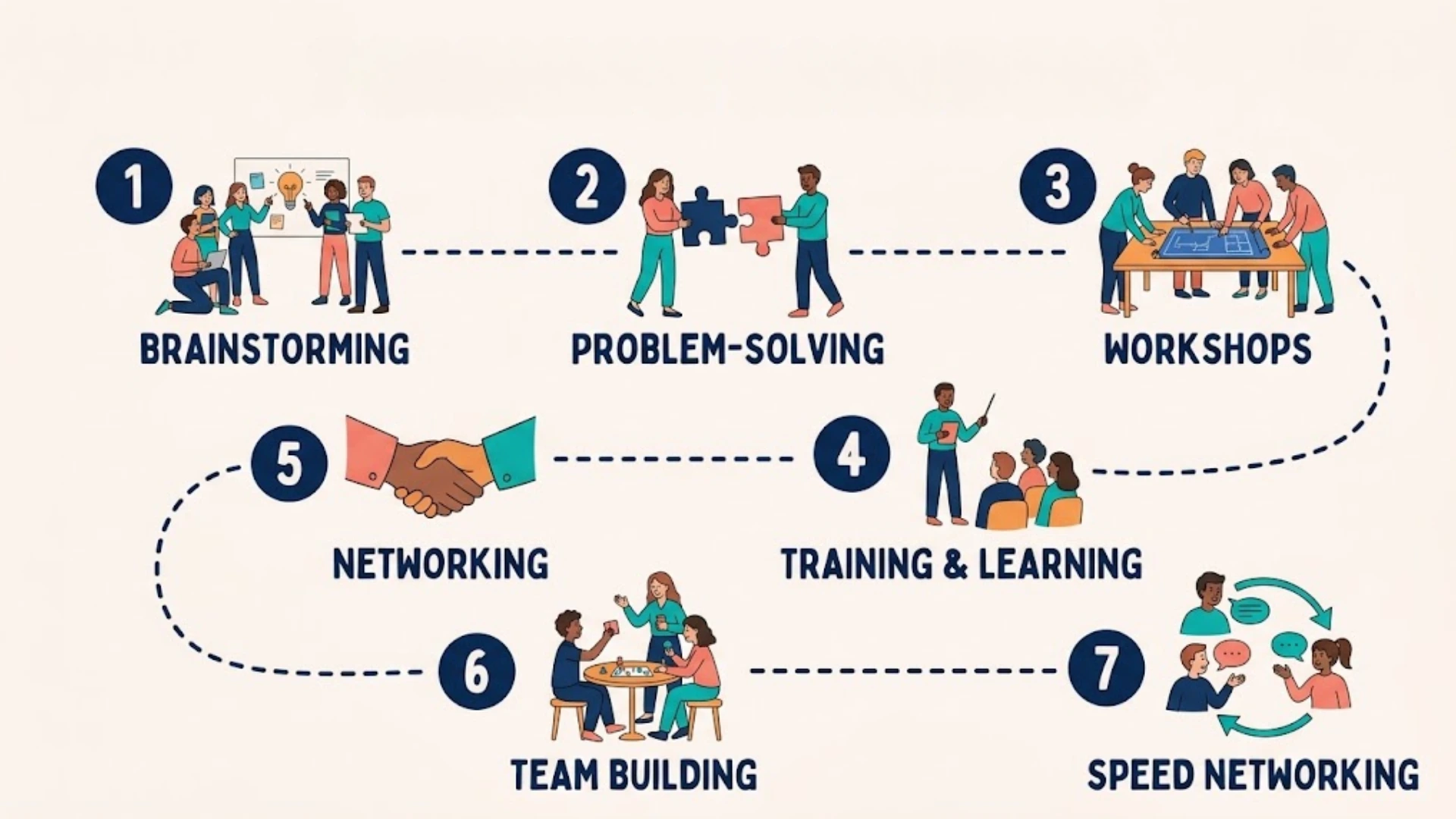
Breakout rooms can do a lot more than split a big audience into smaller groups. Give people the right activity, and suddenly that quiet virtual room has a reason to buzz. Here are seven practical breakout room ideas you can use for your next virtual event.
1. Brainstorming Breakout Rooms
Give each group a specific problem or question to tackle together. Rather than saying, “Come up with some ideas,” try something more focused, such as, “What are three ways we could improve the attendee experience?” A clear question gives people somewhere to start.
2. Problem-Solving Breakout Rooms
Present groups with a real challenge and ask them to come back with one concrete recommendation. This works particularly well for business events, workshops, and strategy sessions because participants have a clear finish line instead of simply chatting.
3. Workshop Breakout Rooms
Use breakout rooms for collaborative exercises where participants need to actually do something together. They might work through an activity, build an idea, review a scenario, or complete part of a larger workshop task.
.webp)
4. Training & Learning Breakout Rooms
Smaller groups can make learning much more hands-on. Participants can practice a skill, discuss a lesson, teach one another, or even take part in a quick role-play. It’s often easier to ask a “probably silly” question when you’re talking to five people instead of fifty.
5. Networking Breakout Rooms
Group participants around shared interests, industries, roles, or discussion topics to make introductions easier. Rather than the dreaded “So… what do you do?”, give people a conversation starter that gives them something interesting to talk about.
6. Team Building Breakout Rooms
Try a structured activity designed to get people interacting, whether that’s a quick challenge, collaborative game, or conversation exercise. The goal isn’t to force fun. It’s to create an easy reason for people to participate.
7. Peer Discussion and Speed Networking Rooms
Let participants exchange strategies, experiences, and solutions with people facing similar challenges. For a faster-paced format, try speed networking: give pairs a few minutes to talk before moving them into a new conversation. It’s simple, energetic, and can help participants meet more people without awkwardly wandering around a virtual room wondering who to approach.
Looking for more ways to make networking fun and engaging? Explore these virtual networking ideas for more activities you can try in your next virtual event.
The common thread? Don’t just send people into a breakout room and hope conversation happens. Give them something worth talking about.
How Do You Assign Participants to Breakout Rooms?
How you group people can have just as much impact as what you ask them to do once they’re there. The right approach depends on the type of conversation you want to create.
- Automatic or random assignment: Best for informal sessions or large events where you want to mix participants and keep the setup simple.
- Manual or intentional assignment: Useful when groups need to be organized around specific factors, such as departments, project teams, or shared interests.
- Let participants choose: A good fit for networking and topic-based discussions, where people can choose conversations that match their interests. Giving participants that choice can make them more invested in the conversation and more likely to actively participate.
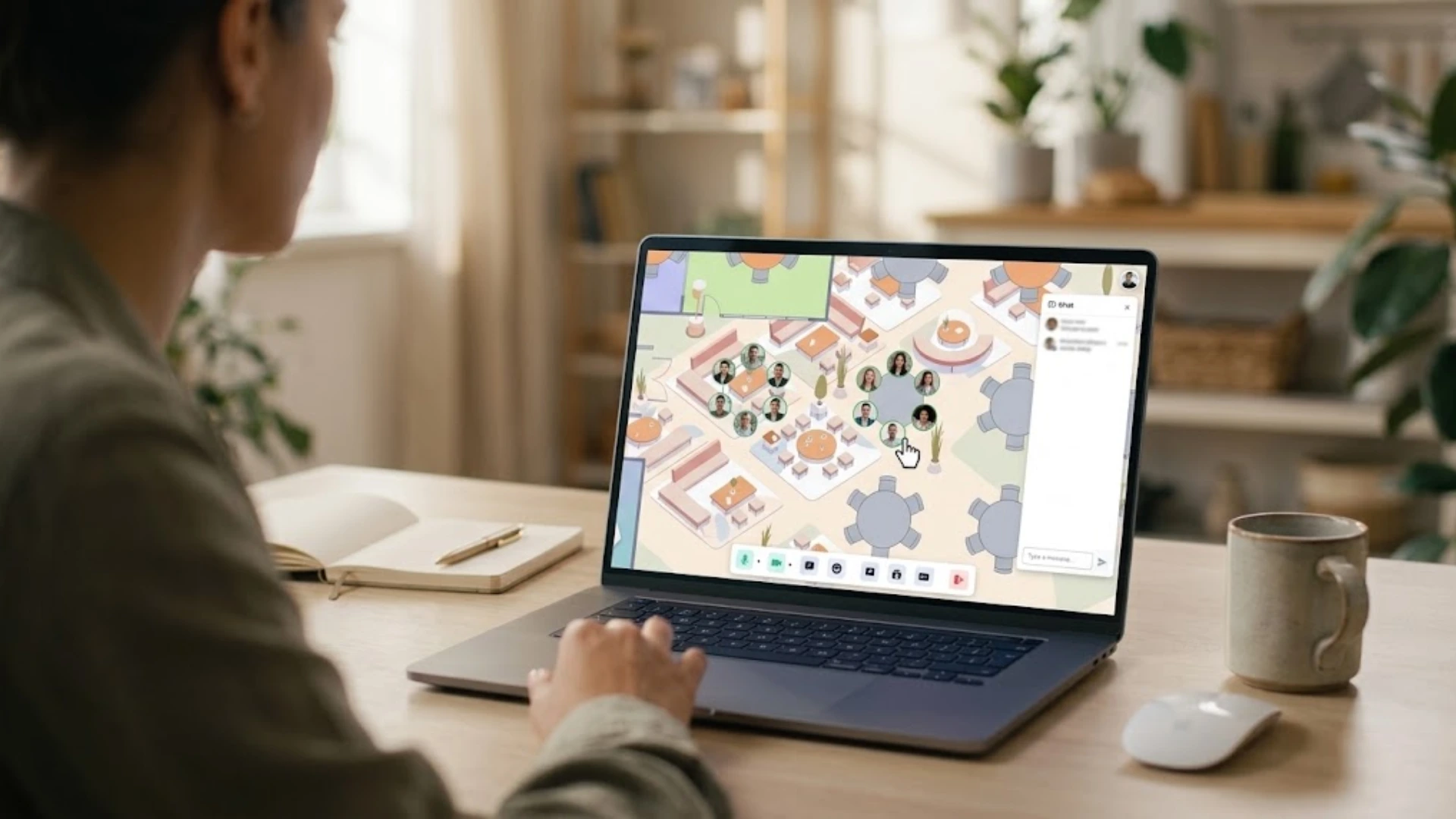
but Remo takes a more visual approach. Participants can see the virtual floor plan, move between tables, and join conversations that interest them, making networking feel more natural.
How Many People Should Be in a Breakout Room?
Three to six people can work well for many discussion-based breakouts, although the ideal group size depends on the activity. Smaller groups can be useful for speed networking, while slightly larger groups may work better for brainstorming, workshops, or discussions where you want a wider range of perspectives. The key is to choose a group size that gives everyone enough space to participate without making the conversation feel crowded.
You also need to consider how many rooms you can realistically manage. If you’re running a breakout session on your own, splitting 50 participants into 50 individual rooms can make it difficult to keep track of what’s happening and provide help when someone needs it. Fewer, slightly larger groups can give participants enough space to talk while keeping the session manageable for the host.
How Long Should a Breakout Session Last?
10–20 minutes is a useful starting range for many discussion-based activities, although the ideal length depends on the task and group. For speed networking, shorter rounds of around three to five minutes can keep conversations moving, while a workshop exercise with a specific deliverable may benefit from 20–30 minutes.
Breakout Room Best Practices
Creating breakout rooms is easy. The real challenge is making sure people know what to do once they get there. A little structure can turn a quiet room into a focused, useful conversation.
The important thing to remember is that the breakout room alone doesn’t create engagement. The activity, prompt, timing, and structure do.
Breakout Rooms: Video Conferencing Tools vs. Virtual Event Platforms
Both standard video conferencing tools and dedicated virtual event platforms can support breakout rooms. The better fit depends on what you want the overall event experience to feel like.
Make Breakout Rooms Work for Your Event
A breakout room is just a space. What happens inside it is what people remember.
Give participants a question worth answering, a reason to collaborate, and a clear idea of what they should bring back. Even a short 10-minute session can spark ideas, conversations, and connections that simply wouldn’t happen in a crowded main room.
The good news? You don’t need to make every breakout session complicated. Start with the experience you want your attendees to have, then choose the activities, group setup, timing, and platform that support it.
Looking for a virtual event space where breakout rooms feel a little more natural and interactive? Book a demo with Remo and see how you can bring your next event to life.
Frequently Asked Questions About Breakout Rooms
1. What is the purpose of breakout rooms?
The purpose of breakout rooms is to divide a large virtual gathering into smaller groups where participants can talk, collaborate, and interact more easily. They’re commonly used for discussions, brainstorming, workshops, training, networking, and problem-solving.
2. How do you make breakout rooms less awkward?
Give participants a clear reason to talk and an easy way to start the conversation. A specific question, simple activity, or shared topic works much better than sending people into a room with nothing but “Get to know each other.” It also helps to set a time limit and give groups a small goal, such as coming up with one idea or sharing three takeaways.
3. Can participants move freely between breakout rooms?
It depends on the platform and how the event is set up. Some platforms assign attendees to fixed rooms, while others let hosts enable room selection and switching. Dedicated event platforms, like Remo, can also offer more persistent, attendee-led movement between breakout rooms. For networking-focused events, that flexibility can make it easier for participants to discover and join conversations that interest them.
Zainab Asad
Zainab Asad is a Content Writer at Remo, contributing to the platform's mission of fostering authentic virtual connections. With a keen eye for detail and a passion for effective communication, she crafts engaging content that empowers event professionals to create memorable virtual experiences.