How Does a Virtual Job Fair Work: A Complete Guide for University Career Services

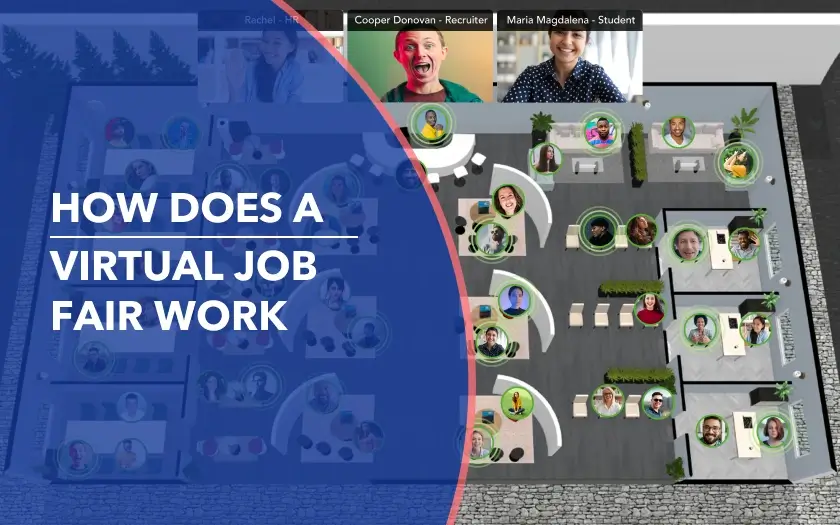
Think of the last time you ran an on-site job fair. You probably remember the smell of floor wax in the hall, the frantic scramble for extra power strips, and that one team member trying to juggle a stack of resumes while balancing a lukewarm coffee. The energy is electric, but it comes with trade-offs: crowded halls, long queues, and limited time with recruiters. Everything is shaped by physical constraints, space, schedules, and capacity, which means not every candidate gets equal access, and not every employer gets equal visibility. And behind the scenes, coordination is a constant balancing act.
So when universities move toward virtual job fairs, it isn’t just a change in format. It's a shift in how these events are structured. Done right, on a dedicated virtual job fair platform, it removes physical bottlenecks and expands access for students and employers. It also introduces something entirely new: visibility into what’s actually happening during the event.
This guide breaks down how virtual job fairs work in practice, from setup and onboarding to live interactions and post-event follow-up, and what universities need to run them effectively.
{{table-of-contents}}
What Is a Virtual Job Fair?
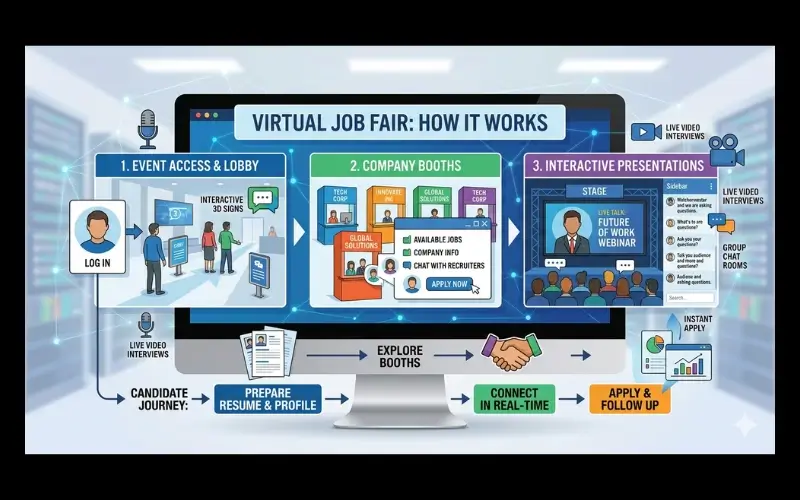
A virtual job fair is, at its core, a place where students and employers come together to start conversations about real opportunities. The goal hasn’t changed, only the setting has.
Instead of a gym or a conference hall, everything happens online. Students don’t walk from booth to booth. They click, explore, and freely move through an immersive floor plan. They can check out companies, join live chats, attend sessions, and even book one-on-one meetings with recruiters, all from wherever they are.
And here’s the part most people don’t see.
Behind that experience is a virtual event platform, quietly running everything. It manages registrations, organizes employer information, enables live conversations, and captures student profiles and resumes so recruiters can come back to them later.
For career services teams, that changes the game. They’re no longer limited by room size, travel budgets, or long lines forming at the most popular booths. Instead, they’re running an event where access is wider, movement is smoother, and every interaction has the potential to turn into something more.
How a Virtual Job Fair Works: The Complete Breakdown
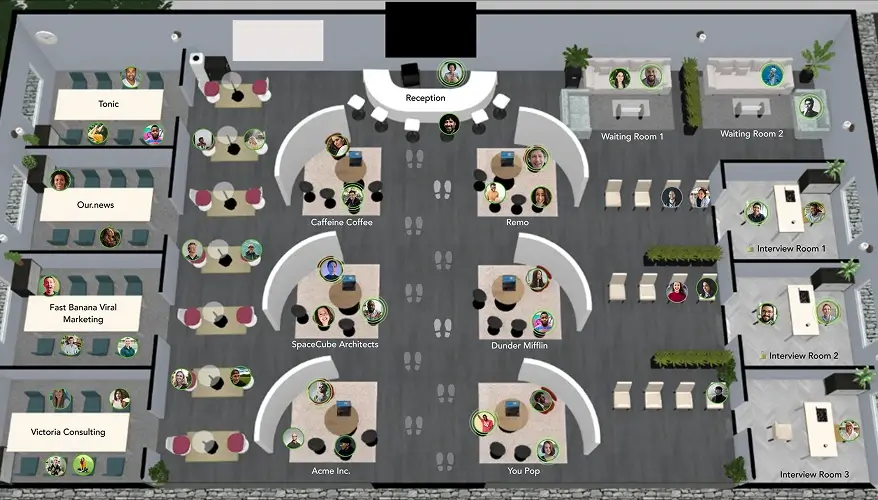
Planning a virtual job fair might sound like setting up a piece of software, but if you’ve worked in career services, you know it’s never that simple. What looks like a three-hour event is really the visible part of something that’s been in motion for weeks, sometimes months.
It’s easy to assume the platform does most of the work. In reality, the success of the event depends on everything built around it.
Like any well-run event, a virtual job fair moves through a series of stages. Understanding them helps turn what could feel like digital chaos into a system that actually works.
1. Choosing the Interaction Model
Deciding how students and employers actually interact is the most critical architectural choice you’ll make. And this is where most organizers pause. Do you want something structured and predictable, or something that feels more open and energetic?
- The Scheduled Model: Students book 10-minute slots in advance. It’s calm, professional, and data-rich. No one waits in line, but there’s less room for "happy accidents" where a student discovers a company they weren’t looking for.
- The Queue-Based Model: This mimics the physical gym experience. Students walk the floor and jump into lines. It’s great for discovery, but you need a virtual career fair platform that manages wait times effectively so students don’t spend three hours staring at a loading bar.
- The Hybrid or Extended-Access: This is the best of both worlds. You have scheduled high-impact sessions (like a keynote or a deep-dive panel) running alongside open "drop-in" booths where students can browse at their own pace.
Each structure has its own rhythm. Scheduled sessions create predictability. Queues encourage exploration. Hybrid formats offer a bit of both. Moreover, while the virtual job fair platform is being set up, career services teams are also working on something just as important: building the right employer lineup. That means prioritizing organizations that hire for relevant majors, offer early-career roles or internships, and represent industries students are actively exploring. When that alignment is right, the entire event becomes more meaningful for both sides.
2. Employer Onboarding
Once employers register, their first job is to build out their presence. Think of this as setting up their booth before the doors open.
At a minimum, that usually includes:
- a company overview
- open roles or internships
- eligibility criteria or target majors
- short videos or resources
It might seem like simple setup work, but this is often a deciding moment for students. If a booth feels clear, complete, and engaging, they step in. If it feels vague or empty, they move on without a second thought.
Next, employers decide how they’ll actually engage during the event.
- Group sessions: A quick way to introduce the company, explain roles, and answer common questions all at once.
- 1:1 meetings: Short, focused conversations that give recruiters a chance to get to know individual candidates.
Most employers use both. A group session builds awareness, and one-on-ones turn that interest into real conversations.
.webp)
3. Student Onboarding

For the student, onboarding is the transition from being a user to being a candidate.
Unlike employers, students aren’t building anything inside the virtual event platform. They’re preparing to step into it. And depending on how ready they feel, that experience can either feel exciting or slightly overwhelming.
It usually starts with registration. Students sign up, fill out their profiles, and add details such as:
- their major and academic background
- skills and interests
- career goals
- their resume
It might feel routine, but this profile does a lot of heavy lifting. It’s how recruiters quickly understand who a student is, sometimes before a conversation even begins.
Once registration is complete, the students who get the most out of a virtual job fair tend to do a bit more than just log in and see what happens. They spend time browsing employers, shortlisting who they want to meet, booking sessions if needed, and deciding which presentations to attend. Without this step, it’s easy to click around and leave without meaningful interactions. It doesn’t have to be perfect, but even a rough plan helps students move through the fair with more confidence and make far better use of their time.
4. Pre-Screening Candidates Before the Event
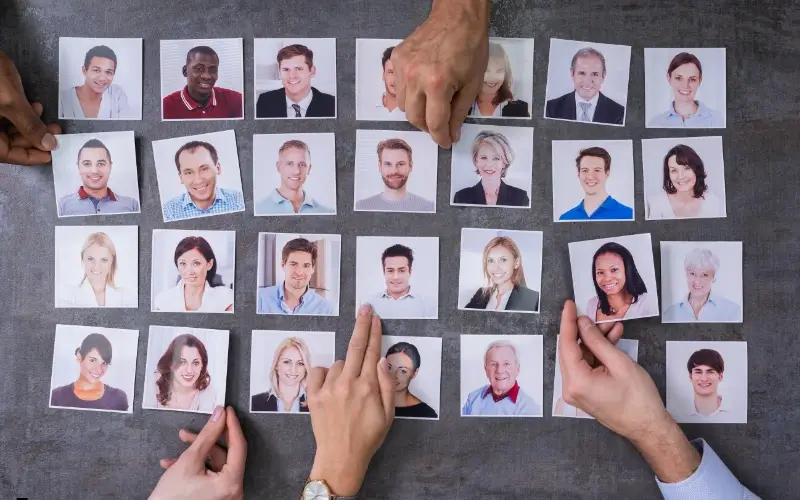
There’s one part of the process that often goes unnoticed, but has a significant impact on how conversations unfold: pre-screening through student profiles and resumes.
By the time the event begins, many students have already uploaded their information into the platform. That means recruiters aren’t walking in cold, they have visibility into who’s attending and what those students bring to the table.
And that changes how the event works.
Instead of relying only on quick, time-boxed conversations, employers can start identifying potential candidates early by reviewing profiles, filtering based on roles or criteria, and shortlisting who they want to prioritize during the event.
This helps make conversations more focused. Recruiters already have context, and students aren’t starting from zero, they’re building on information that’s already been shared.
At the same time, this system continues working in the background throughout the event.
Even if a conversation is brief, or doesn’t happen at all, that student’s presence is still captured. In practical terms, that means:
- they can be discovered even without a live conversation
- their interest in a company is still recorded
- recruiters can reach out after the event
In that sense, pre-screening doesn’t just happen before the event, it extends beyond it.
5. Setting Up Employer Booths
In a physical career fair, a booth’s presence is tactile and hard to miss. Students can see the banners, the crowd, the energy. In a virtual environment, that visibility depends entirely on how the booth is set up. If a student enters and can’t quickly understand who the company is or what they’re offering, they’re just as quick to leave.
This is why setting up employer booths isn’t just a checklist task, it directly shapes whether students engage or move on. A well-structured booth makes everything feel obvious from the moment a student clicks in. At a minimum, that usually includes:
- a clear company overview that explains what the organization does
- open roles or internships that students can immediately explore
- eligibility criteria or target majors to help students assess fit
- videos or resources that bring the company to life
- visible entry points into conversations, whether that’s a live chat, session, or queue
The goal isn’t to replicate a physical booth visually. It’s to recreate its function. Students should be able to understand the company, decide if they’re interested, and take the next step, all within a few seconds of entering.
6. Entering the Event Lobby
Most virtual job fairs begin in a central event lobby. Think of it as the digital equivalent of an in-person career fair waiting room.
From this starting point, students can usually see:
- the directory of participating employers
- the schedule of upcoming sessions
- announcements or reminders from the event organizers
- links to technical support or help desks
Some students arrive with a plan already mapped out, they know exactly which sessions they’re attending and which employers they want to meet. Others take a different approach. They log in, look around, and follow whatever catches their attention.
7. Exploring Employer Booths
If the lobby is where students orient themselves, the booths are where things actually start to happen.
Instead of tables, banners, and stacks of brochures, employer college career fair booths exist as digital spaces where students can learn about a company and start real conversations with the people behind it. Once inside, the experience can vary. A recruiter might be available for a quick chat. A group session might be underway. Or there might be a queue forming for upcoming conversations.
And this is the moment where the fair shifts from browsing to engaging. Students start asking questions. Recruiters begin introducing their teams, their roles, and what they’re actually looking for.
8. Different Formats of Conversation (Audio, Video, Text Chat)
Virtual job fairs give students and recruiters multiple ways to connect, depending on their comfort level and the depth of interaction needed. Participants can communicate through:
- Live chat: quick, low-pressure messages to introduce themselves or ask basic questions. Ideal for students who want to ease into networking before speaking.
- Audio calls: more natural, real-time conversations that allow for nuanced discussion and back-and-forth dialogue., without the added performance pressure"of a camera.
- Video meetings: face-to-face interaction for deeper engagement, enabling students to make a stronger impression and recruiters to evaluate communication skills.
This muti-modal approach gives the recruiters flexibility and the students some ease. Some conversations stay short and text-based, while others naturally evolve into longer discussions. The format can change, but the goal stays the same: making it easy for both sides to start talking.
9. One-on-One Conversations
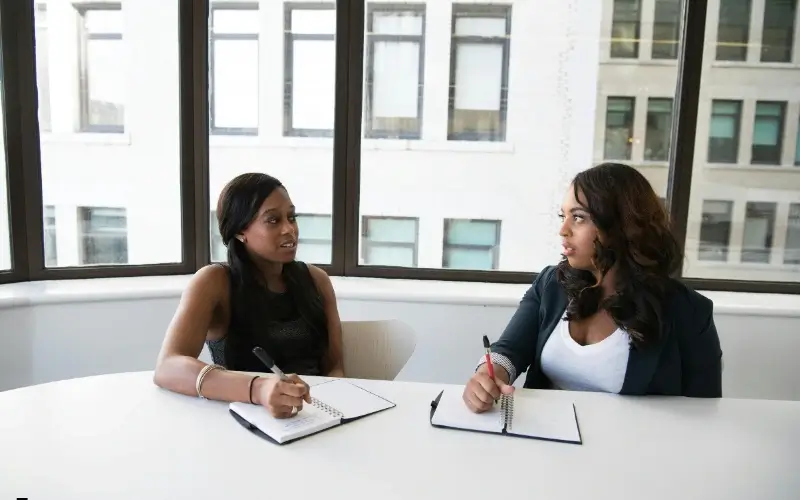
One-on-one meetings are often the most memorable part of a virtual job fair. They’re short, usually five to ten minutes, but they give students a direct line to a recruiter, without the noise of a larger group.
The conversation itself is usually simple and to the point. It might include:
- a quick introduction from the student
- a brief overview of the company or role
- a few questions about internships, responsibilities, or next steps
Nothing overly formal. But enough to make an impression.
For recruiters, these conversations often act as early screening moments. They’re not just listening, they’re actively evaluating. They get a sense of how a student communicates, how clearly they present their experience, and whether there’s a potential fit for the role.
And this is where virtual platforms quietly add a lot of value behind the scenes. During these conversations, recruiters can view a student’s resume or profile alongside the call, take structured notes that are directly tied to that candidate, and track interactions as they happen. Instead of relying on memory or scattered notes, everything is captured in one place, making it much easier to review candidates and follow up after the event.
For students, it’s a chance to move beyond browsing and actually be seen. Even a short conversation can open the door to a follow-up interview or a more serious opportunity later on.
10. Virtual Job Fair Queues
While queues are rarely the favorite part of any career fair, they are essential for fairness, ensuring all students get a chance to speak with recruiters. Virtual job fairs replicate this with digital queue systems, preventing chaos and maintaining order.
Key features include:
- Scheduled appointments: students reserve time slots for one-on-one conversations, creating a predictable flow for recruiters and attendees.
- Queue management tools: for drop-in booths, students can see their exact position in line, estimated wait time and receive automatic notifications when it’s their turn.
These virtual queues mimic the fairness of physical lines while giving students flexibility. They also allow recruiters to manage multiple interactions simultaneously, ensuring no student is overlooked and every conversation has structure.
11. Virtual Job Fair Group Sessions

Group sessions are the virtual equivalent of a recruiter standing in front of a crowd at a physical fair to introduce their company. They serve as the first point of engagement for students and help guide their next steps.
Group sessions can happen in two ways:
- At the booth itself: small sessions hosted by individual employers within their virtual space, ideal for targeted introductions and answering role-specific questions.
- Scheduled into the larger career fair programming: larger sessions open to all attendees, similar to keynote talks or panels, providing broad context about multiple organizations or industries.
Employers can use group sessions to:
- Explain their organization’s mission, culture, and opportunities
- Highlight available roles, internships, or early-career programs
- Scale their impact by addressing frequently asked questions for dozens of students at once.
For students, group sessions provide context that helps them decide which companies to engage with further, whether joining a queue, booking a 1:1 meeting, or exploring other sessions. They act as a structured way to orient participants and create meaningful first impressions at both the company and career fair level.
12. Accessibility Considerations
One of the biggest advantages of a virtual job fair is something you don’t always notice right away: flexibility.
Not every student wants (or is able) to engage in the same way. And unlike physical events, virtual fairs can adapt to that. Some of the best virtual job fair platforms are designed to support different participation styles, offering options like:
- Allowing students to join conversations without turning on a camera, accommodating those who are camera-shy or have bandwidth limitations
- Offering closed captions for group sessions, making content accessible for students who are deaf or hard of hearing
- Supporting low-bandwidth participation for students with limited internet connections
- Providing clear navigation and intuitive interface so students can move easily between booths, sessions, and chats
By prioritizing these accommodations, universities don't just host an event; they create a level playing field where every student, regardless of their circumstances, has the tools to connect with their future.
13. Post-Event Follow-Up and Hiring Workflow

When the last session wraps up and the chat windows start to quiet down, the event isn’t really over. In many ways, this is where the real work begins. All the conversations, clicks, and connections from the day start turning into next steps, for employers, and for the students.
For recruiters, the post-event phase is about sorting through everything they’ve gathered.
Instead of walking away with a stack of paper resumes, they leave with structured data and candidate insights. That usually includes:
- downloading resumes and student profiles
- reviewing who attended their sessions or visited their booth
- identifying candidates who stood out during conversations
From there, the process starts to look more like traditional hiring. Promising students are moved into internal systems, follow-up emails are sent, and interview processes begin to take shape.
For students, what happens after the fair can be just as important as what happened during it.
The strongest candidates don’t just attend; they follow up. That often looks like:
- sending a quick thank-you message to recruiters they spoke with
- connecting on LinkedIn to stay on their radar
- submitting formal applications for roles they discussed
- responding promptly if a recruiter reaches out
It doesn’t have to be complicated. But that small bit of follow-up helps turn a brief interaction into something more concrete.
After walking through what a virtual job fair looks like in action, exploring booths, participating in group sessions, joining queues, and using multiple conversation formats, it’s clear that running a smooth, stress-free event requires more than just a video call.
If you’re wondering what separates a smooth event from a stressful one, start with these 15 Must-Have Virtual Career Fair Platform Features.
From Job Fair to Job Opportunity
A virtual job fair isn't just a digital version of a gym floor; it’s a high-performance system designed to strip away logistical friction. By moving beyond the "physical bottleneck," universities can prioritize structured scheduling, real-time engagement, and, crucially, measurable outcomes. Every interaction, from a 30-second chat to a 10-minute deep dive, becomes a data-rich touchpoint that turns a brief introduction into a genuine career opportunity.
And that experience depends on what’s supporting it behind the scenes.
Platforms like Remo are built to recreate the flow of a real job fair, where students can move between booths, spot active conversations, and engage naturally. Instead of feeling like a series of calls, the event becomes a connected environment where discovery and interaction happen side by side. If you’re planning your next virtual or hybrid job fair, book a demo to see how Remo can bring structure, visibility, and real engagement to your event.
Frequently Asked Questions about How Virtual Job Fairs Work
1. How do I prepare for a virtual job fair?
Prepare by updating your resume, researching employers, practicing your introduction, and testing your tech setup before the event.
2. What do you wear to a virtual job fair?
Professional attire is recommended, especially for video meetings. Even if informal, looking presentable helps make a strong impression.
3. Can you join multiple sessions in a virtual job fair?
Yes. Most platforms allow you to attend multiple sessions, move between booths, and schedule different conversations.
Aniqa Iqbal
Aniqa is a content writer at Remo, where she merges her love for storytelling from movies and TV shows with her passion for creating compelling content. With a knack for blending pop culture references and relatable narratives, Aniqa crafts content that informs and resonates deeply with readers. She aims to strike a chord with her audience, fostering genuine connections through words that inspire, engage, and entertain. When she's not writing, Aniqa can be found binge-watching her favorite shows, always on the lookout for the next story to tell.