Lunch and Learn: What It Is and How to Host One

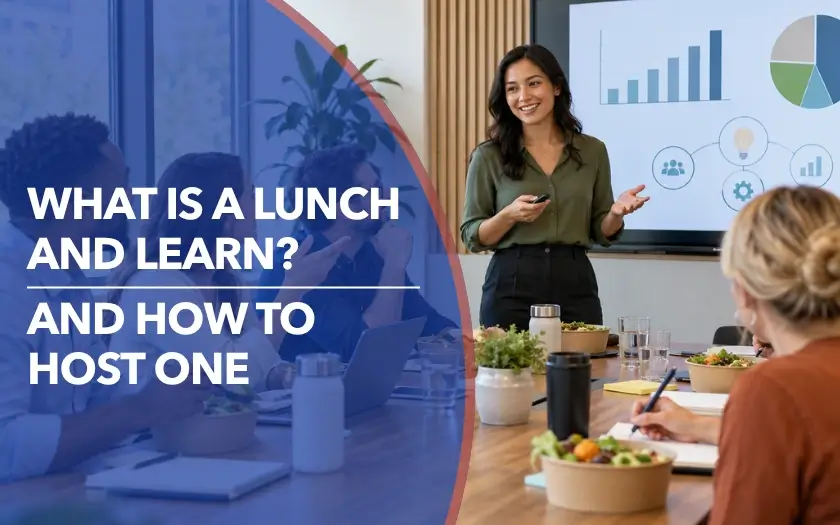
A lunch and learn is a short, informal educational session held around lunchtime, where people learn about a focused topic while they eat.
Think of it as the antithesis of a dull, two-hour corporate presentation, where you get to pick up a useful skill, ask questions, and eat your sandwich all at the same time. It swaps rigid agendas for low-pressure bite-sized learning, making complex ideas much easier to digest.
This guide covers how lunch and learns work, their benefits, topic ideas, and when the format makes sense.
{{table-of-contents}}
What Is a Lunch and Learn?

A lunch and learn is a short, informal session where people get together around lunchtime to learn something useful. It usually focuses on a single topic, giving attendees a chance to pick up new ideas in a more relaxed setting than a traditional lecture, formal training session, or webinar.
Companies often use lunch and learns internally for employee training, professional development, or knowledge sharing. They’re also used for external events, giving organizations a more informal way to educate customers, prospects, partners, or industry communities.
Most lunch and learns last around 30 to 60 minutes. A session might include a short presentation, Q&A, discussion, product demo, or guest speaker. It can be held in person, online, or in a hybrid format. If you’re unsure which setup makes the most sense, our in-person-vs-virtual-meetings guide includes an AI tool that can help you choose based on your goals, audience, and budget.
You may also hear lunch and learns called brown bag lunches or brown bag sessions, especially when attendees bring their own food.
What Are the Benefits of Lunch and Learns?
Lunch and learns can work for both internal audiences, such as employees, managers, and cross-functional teams, and external audiences, such as customers, prospects, partners, and industry communities.
Some of the main benefits include:
- Knowledge sharing: Attendees can learn new skills, hear different perspectives, or better understand a topic, team, product, or industry challenge.
- Professional development: Short, focused sessions give people a way to keep learning without committing to a full training day or workshop.
- Relationship building: The informal setting can create more opportunities for conversation between colleagues, customers, partners, or peers.
- Audience participation: Q&A, polls, discussions, and small-group activities give attendees more ways to contribute instead of simply listening.
- Sharing expertise: Internal speakers can share specialist knowledge with colleagues, while organizations can use external sessions to educate audiences around a problem or topic they understand well.
How to Host a Lunch and Learn
A successful lunch and learn does not need a complicated setup, but the pieces should work together. Start with what you want people to get from the session, then build the topic, format, food, and interaction around that goal.
1. Set a clear goal
The overall purpose of a lunch and learn is education, but be specific about what you want attendees to get from the session.
Should they understand a new idea? Learn a skill? Get an answer to a common problem? Hear different perspectives on an industry issue? Choose one clear outcome. It will make it much easier to decide what belongs in the session and what does not.
2. Choose one focused topic
Lunch and learns work best when they stay narrow.
Instead of trying to cram an entire subject into an hour, narrow it down to one question, skill, problem, or takeaway. For an internal session, that might mean giving better feedback, learning how to use a new tool, or understanding another team's work. For an external audience, you might focus on a pressing industry challenge, a practical how-to, or an emerging trend.
3. Pick the right format and speaker
Let the topic determine the format.
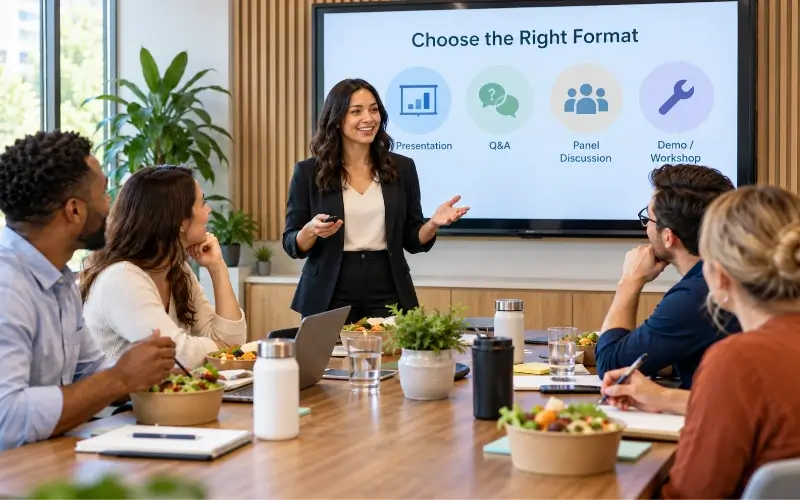
A topic that mainly needs explanation may suit a short presentation followed by Q&A. A practical skill may work better as a demonstration. Other options include panels, interviews, roundtables, peer-led discussions, or expert Q&As. You also do not necessarily need to bring in an outside speaker. Internal subject-matter experts, customers, partners, or practitioners can bring useful real-world perspectives to the session.
.webp)
4. Make the timing easy to attend
Keep the session short enough to fit comfortably around lunch. Around 30 to 60 minutes is common, although the right length depends on the topic and audience.
For virtual or hybrid lunch and learns, time zones need extra thought. If attendees are spread across different regions, one person's lunch hour may be another person's early morning or end of day. For a larger distributed team, consider running the same session in two or three time-zone-friendly groups. The speaker or leadership team can attend each session, while employees join the one that works best for their location.
5. Choose the venue or virtual platform
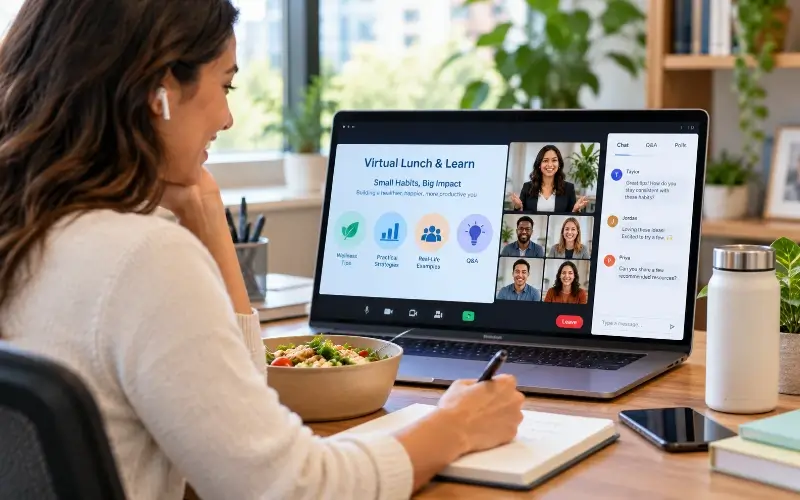
For an in-person lunch and learn, choose a space where attendees can eat comfortably while still seeing and hearing the speaker.
For a virtual session, choose a platform that supports the experience you want to create. The best virtual event platforms include features such as presentations, polls, Q&A, demonstrations, breakout discussions, or smaller networking conversations.
Before the event, test the platform, audio, slides, and any interactive features so technical problems do not eat into an already short session.
6. Plan the food
For in-person sessions, arrange lunch in advance and account for dietary requirements. For virtual sessions, attendees can bring their own lunch, or you can offer meal vouchers or delivery credits if the budget allows.
Think practically about the food, too. Meals that are easy to eat while listening or talking will work better than anything messy or difficult to manage during the session.
7. Send invitations and reminders
Make the topic and takeaway clear in the invitation so people understand why the session is worth attending.
Include the date, time, location or joining link, speaker details, and anything attendees need to prepare. For an internal lunch and learn, send the calendar invite early enough for people to protect their lunch hour. For a standalone external event, around two to four weeks' notice can give attendees more time to register and plan around it. Then send a reminder closer to the session with the joining details easy to find.
8. Build in participation
A lunch and learn should give attendees something to do, not just something to listen to. Choose one or two simple activities that fit the topic and are easy to take part in while people are eating.
For example:
- Quick poll: Ask attendees to vote on the biggest challenge they face before the speaker begins.
- Scenario discussion: Give small groups a realistic problem and ask how they would handle it.
- Live demo: Walk through a tool or process and let attendees ask questions as you go.
- Start-Stop-Continue: Ask participants what they should start doing, stop doing, and continue doing based on the topic.
- Ask-the-expert Q&A: Collect questions throughout the session and leave 10–15 minutes for answers.
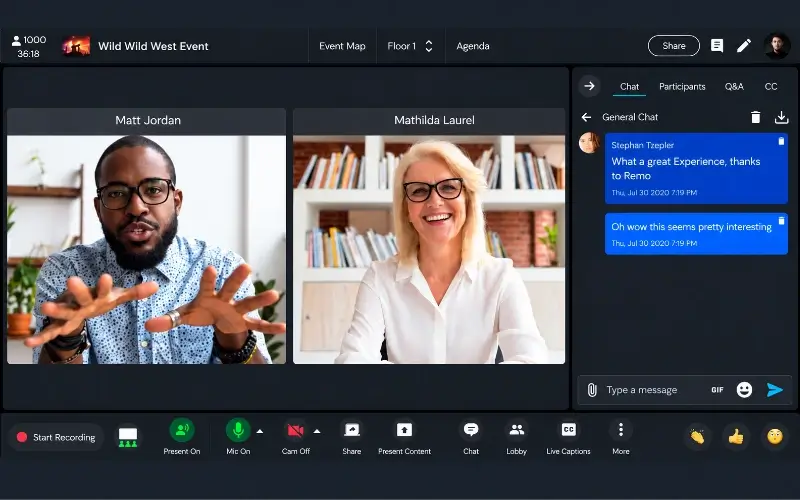
- Table or breakout discussion: Give each group one prompt, then ask them to share one takeaway with everyone. On platforms such as Remo, attendees can move into smaller virtual table conversations before coming back together for the main session.
The best lunch and learn activities require little setup, minimal typing, and simple instructions. Polls, short discussions, Q&A, and quick reflection exercises are easier to manage around a meal than worksheets, complicated tasks, or activities that require constant hands-on participation. If the activity starts demanding most of people's attention away from the food and conversation, it may be better suited to a workshop.
9. Follow up and decide what comes next
After the session, do not look only at attendance. Ask whether the experience actually worked as a lunch and learn.
Could attendees eat comfortably while participating? Was there enough time for both the meal and the learning? Did the activities feel easy to join, or did they make the session feel rushed? Use that feedback to improve the next event.
If the session was well received, you can also turn it into a recurring lunch and learn series, with a new topic each month or at another cadence that suits the audience. If another session is already planned, mention it in your follow-up email alongside the slides, recording, or other resources. That gives attendees a natural next step and lets you promote the next lunch and learn to people who have already shown interest.
Sample 60-Minute Lunch and Learn Agenda
A 60-minute lunch and learn should leave time for both the main content and audience participation.
Are Lunch and Learns Still a Good Idea?
Yes. Lunch and learns can still work well when the topic fits into a short session, the timing works for the audience, and people can comfortably learn while having lunch.
Lunch and learns are a good fit when:
- The topic is focused enough to cover in around 30–60 minutes.
- Attendees can follow the session comfortably while eating.
- The timing works for the people attending.
- Internal sessions do not require employees to give up their break for lengthy mandatory training.
- External sessions lead with useful education rather than a sales pitch.
- The format suits the content, whether that's a presentation, Q&A, demo, discussion, or guest talk.
Consider another format when:
- The topic requires several hours of explanation, practice, or discussion.
- Attendees need to complete complex hands-on activities that are difficult to do while eating.
- The session involves in-depth or mandatory training that deserves dedicated work time.
- A distributed audience makes it difficult to find a reasonable lunchtime across time zones.
The best lunch and learns are simple by design: one useful topic, a manageable session length, and an experience that works comfortably around the meal. They do not need to be highly interactive, but any questions, polls, or discussions you add should make the session easier to engage with, not harder.
If you’re taking that experience online, Remo gives you more ways to build interaction into the session, from live presentations and Q&A to polls, and smaller-group conversations. That makes it easier to move beyond a one-way presentation and create a virtual lunch and learn where attendees can actually take part. Book a demo to see how Remo can help you host interactive virtual lunch and learns, workshops, and educational events.
Frequently Asked Questions About Lunch and Learns
1. How long should a lunch and learn be?
Most lunch and learns last around 30 to 60 minutes. The session should be long enough to cover one focused topic while still leaving time for questions or discussion.
2. Should a company provide lunch?
If the session takes place during attendees' lunch break, providing food can make attendance easier and show consideration for their time. For virtual sessions, some organizations use meal vouchers or delivery credits instead.
3. How often should you hold lunch and learns?
For an ongoing series, monthly can be a practical starting point, but frequency should depend on audience interest and topic availability.
4. Should lunch and learns be mandatory?
Lunch and learns are generally better suited to voluntary participation, especially when they take place during a normal break. If attendance is required, schedule the session appropriately as work time and follow the employment requirements that apply to your workforce.
5. Can lunch and learns be virtual?
Yes. Virtual lunch and learns can include presentations, demonstrations, polls, Q&A, guest speakers, and small-group discussions. Organizers should also account for time zones, joining instructions, and ways to keep remote attendees involved. A virtual event platform like Remo can help support those interactions.
Aniqa Iqbal
Aniqa is a content writer at Remo, where she merges her love for storytelling from movies and TV shows with her passion for creating compelling content. With a knack for blending pop culture references and relatable narratives, Aniqa crafts content that informs and resonates deeply with readers. She aims to strike a chord with her audience, fostering genuine connections through words that inspire, engage, and entertain. When she's not writing, Aniqa can be found binge-watching her favorite shows, always on the lookout for the next story to tell.