13 Virtual Networking Event Ideas and How to Run Them

.webp)
The best virtual networking event ideas include speed networking, virtual networking lounges, team challenges and AI-powered matchmaking. These virtual networking ideas are the best because each idea gives attendees a reason to start conversations instead of leaving networking to chance. But creating meaningful connections online is still a challenge: only 15% of event organizers rate their networking experiences as “very effective,” according to a 2026 State of Events Report.
The good news? The right activity can make virtual networking feel more natural, engaging, and worth attending. After hosting more than 16,500 events and facilitating over 3 million networking connections, we’ve seen what helps people connect, and what gets in the way. Below, you’ll find 13 online networking event ideas, what each one is best for, and how to run them successfully.
{{table-of-contents}}
Virtual Networking Event Ideas at a Glance
Different formats work better for different networking goals. Use this table to quickly compare what each idea is best for, how attendees interact, and where it fits best.
What Is Virtual Event Networking?

Virtual event networking is the process of helping attendees meet, talk, and build connections online. It can be the main purpose of a dedicated virtual networking event, or it can happen alongside a wider conference, summit, career fair, or community event.
Networking might take the form of one-to-one meetings, small-group conversations, structured activities, or informal spaces where attendees can choose who they want to speak with. The key is giving attendees a clear reason to interact instead of simply putting them into a chat room or breakout session and hoping conversations happen naturally.
What Are the Top 13 Virtual Networking Event Ideas?
The best virtual networking formats give people a natural reason to connect. We’ve hosted more than 16,500 events and facilitated over 3 million networking connections, so we’ve had plenty of opportunities to see which formats help people actually interact. Drawing on that experience and the outcomes we’ve seen, we’ve rounded up 13 virtual networking event ideas worth trying.
1. Virtual Speed Networking
Best for: Networking breadth.
What it is: Virtual speed networking helps attendees meet more people in a limited amount of time. Participants have short one-to-one or small-group conversations before rotating to someone new.
How to run it: Set a time limit for each round. Five to ten minutes per conversation is a useful starting point, depending on whether you want quick introductions or deeper discussions. Give attendees simple prompts and speed networking questions to help them move beyond “What do you do?” and start more meaningful conversations. For larger groups, Remo’s shuffle guests feature can rotate guests between virtual tables without the host manually rearranging groups.
2. Speed Mentoring
Best for: Associations, professional communities, student or alumni events, and leadership programs.
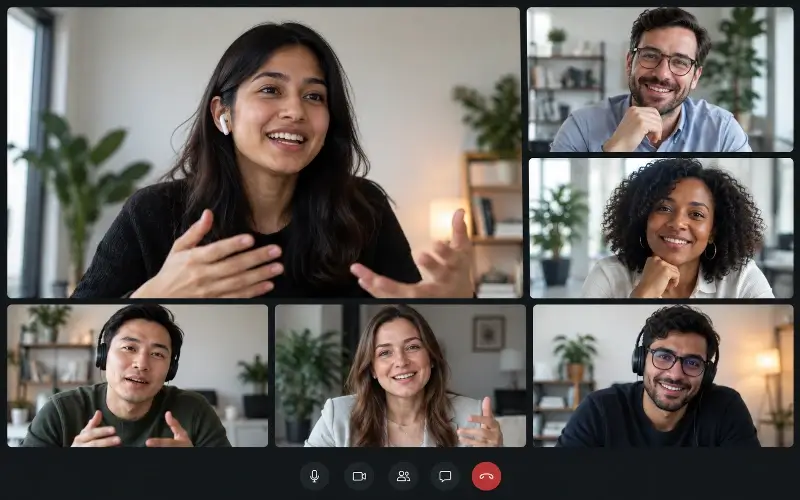
What it is: Speed mentoring uses the same short, rotating format as speed networking but gives each conversation a more focused purpose. Mentees meet several mentors or experienced peers in succession to ask questions, get advice, and hear different perspectives on a career, project, or professional challenge.
How to run it: Ask mentees to arrive with one specific goal or question rather than trying to cover an entire career path in a ten-minute conversation. You can also group mentors by expertise so attendees know which conversations are most relevant to them. Keep the sessions short enough for participants to meet several mentors, but leave enough time for each person to ask a meaningful question and receive useful advice.
3. AI-Powered Matchmaking
Best for: Relevant professional connections at larger events.
What it is: AI-powered matchmaking uses attendee information such as roles, industries, interests, goals, and networking preferences to identify people who are likely to benefit from meeting each other. Instead of leaving connections entirely to chance, attendees receive more relevant introductions based on what they are looking for.
How to run it: Ask targeted questions during registration about attendees’ goals, expertise, interests, and the types of connections they want to make. Use that information to generate relevant matches, then give attendees dedicated time for one-to-one conversations or small-group meetings. Keep the criteria broad enough to leave room for unexpected connections while still making the recommendations useful.
4. Topic-Based Roundtables

Best for: Meaningful peer discussion.
What it is: Topic-based roundtables bring small groups together around a specific question, challenge, industry trend, or shared interest. Starting with a clear topic gives everyone an easy way into the conversation.
How to run it: Create a few focused topics and keep groups small enough for everyone to participate. Aim for around six attendees per table as a starting point, so there is enough variety without making the discussion difficult to manage. Give each group one or two prompts to guide the conversation, then let attendees explore the topic naturally. On Remo, organizers can create topic-based virtual tables and control table sizes to make it easier to build focused discussions.
5. Virtual Networking Lounges
Best for: Recreating spontaneous conference-style networking within a larger virtual event.
What it is: A virtual networking lounge is a dedicated informal space inside a broader conference, summit, or virtual event where attendees can drop in, see who is around, and join conversations at their own pace. It works like the hotel lobby, ballroom, or coffee area at an in-person conference: a place for unplanned conversations between scheduled sessions.
How to run it: Keep the lounge open throughout the event so attendees always have a place to go during breaks, to continue conversations, or to join a different activity if a session is not relevant to them. Use multiple small tables or themed areas so guests can choose where they sit and move between conversations freely. Also, choose a platform that lets attendees see where conversations are happening, making it easy to join tables with people already talking instead of being assigned to an empty breakout room. A virtual event platform such as Remo is ideal for facilitating this kind of organic flow, as attendees can visually navigate the space and join different tables themselves instead of waiting for a host to manage breakout rooms.
6. Workshops and Skill-Sharing Sessions
Best for: Professional communities and educational events.
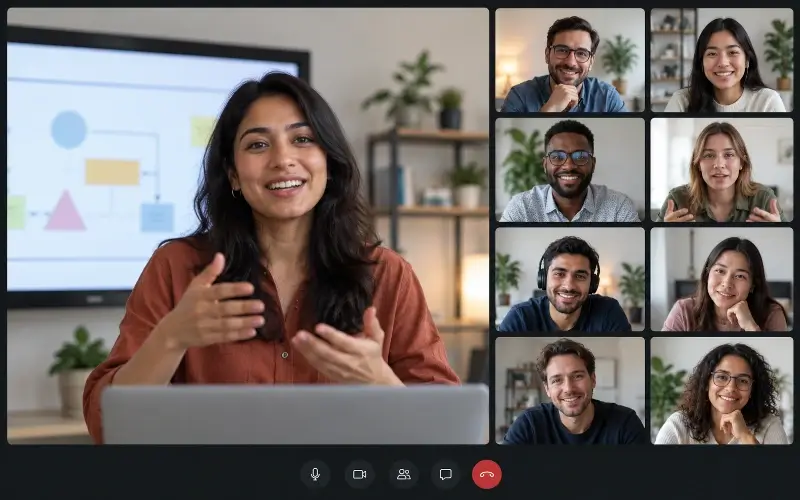
What it is: Workshops and skill-sharing sessions bring attendees together around something they can actively learn, practise, or solve. Instead of asking people to network for the sake of networking, the activity gives them a shared task that naturally creates conversation and collaboration.
How to run it: Start with a short teaching segment led by an expert or knowledgeable attendee, then move participants into small groups to apply what they have learned. Give each group a specific exercise, problem, or discussion prompt so there is a clear reason to interact. For the best experience, use a platform like Remo that supports both presentation and group conversations in the same event space. Attendees can move from the main presentation into smaller tables for the hands-on portion, while the facilitator moves between groups to answer questions or offer feedback.
.webp)
7. Trivia and Team Challenges

Best for: Breaking the ice in groups that do not already know one another.
What it is: Trivia and team challenges give attendees a shared activity to focus on, making it easier to start conversations without forcing small talk. Teams can work through questions, puzzles, or challenges together, creating natural moments for discussion and collaboration.
How to run it: Divide attendees into mixed teams and create short rounds with questions that encourage discussion before answering. You can include industry-related trivia, company or community questions, pop culture rounds, or quick team challenges such as naming items within a category or solving a puzzle together. Keep the focus on collaboration rather than competition so attendees have more opportunities to talk and connect.
8. Virtual Escape Rooms
Best for: Collaboration and team bonding.
What it is: Virtual escape rooms give small teams a shared problem to solve under time pressure. Participants work through clues, puzzles, and challenges together, which creates conversation naturally because everyone has to contribute to reach the same goal.
How to run it: Choose an experience that fits your audience, split attendees into small teams, and set a clear time limit. Give groups a few minutes to introduce themselves beforehand and time afterward to compare strategies or keep talking. If you do not want to build the experience yourself, look for a vendor that provides ready-made virtual escape rooms. If you are creating your own, plan a clear sequence of clues and challenges, set a time limit, and give teams a few minutes to introduce themselves before they begin. Remo can also work well for DIY escape rooms, giving you multiple virtual spaces for clues and challenges while letting attendees move freely between them. You can also brand the space around your theme for a more immersive experience.
9. Virtual Scavenger Hunts
Best for: Gamification and larger networking events.
What it is: A virtual scavenger hunt gives attendees a list of clues, objects, people, or places within the virtual event space to find. The best versions are designed around interaction, so participants have to speak to other attendees or explore the event space rather than simply search for items on their own.
How to run it: Create a list of tasks that encourage movement and conversation, such as finding someone who works in a particular industry, locating a themed table, or taking a screenshot with a new connection. Attendees can compete individually or in small teams, depending on the size of the event.
10. Themed Virtual Happy Hours
Best for: Casual networking and community events.
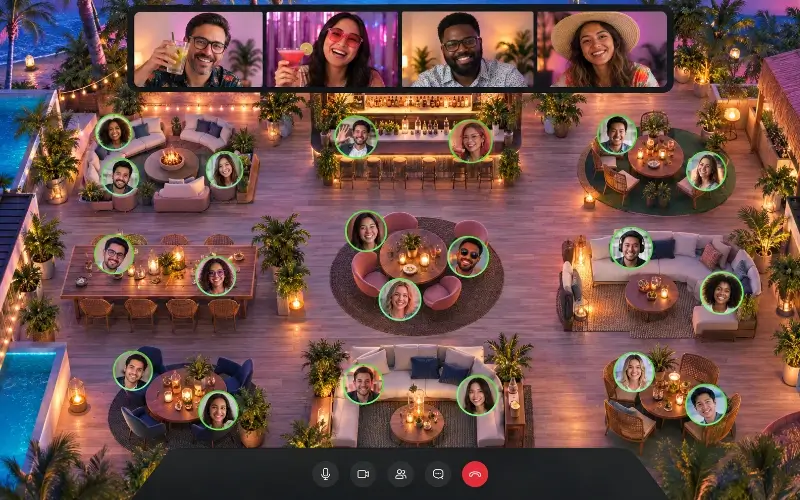
What it is: Themed virtual happy hours combine informal networking with a shared theme that gives attendees an easy conversation starter. The theme might be a decade, destination, film genre, or simply a seasonal celebration.
How to run it: Choose a theme that suits your audience and build a few optional activities around it, such as trivia, costumes, music, or a short mixology or mocktail session. Then leave enough unstructured time for attendees to mingle naturally in smaller groups. This works particularly well on platforms like Remo, where guests can move between virtual tables and mingle with different groups rather than staying in one large video call. Keep the activity light so the theme supports the networking rather than becoming the whole event.
11. Pre-Event Photo or Introduction Challenges
Best for: Reducing first-minute awkwardness and helping attendees arrive with something to talk about.
What it is: Pre-event challenges ask attendees to share something before the event starts, such as a photo, fun fact, short introduction, professional goal, or current challenge. Those submissions then become ready-made conversation starters once the networking begins.
How to run it: Choose one simple prompt and collect responses during registration or shortly before the event. Use the answers to introduce people, highlight common interests, or create a fun activity. Moreover, getting attendees involved before the event can also help build anticipation, work as a webinar promotion idea, and give them a stronger reason to come back when the event starts.
12. Storytelling and Conversation-Prompt Games
Best for: Icebreakers and smaller groups.
What it is: Storytelling games use structured prompts to help attendees share something more personal or memorable than their job title. Formats can include Two Truths and a Lie, collaborative storytelling, “tell us about a recent win,” or questions built around experiences, interests, and opinions.
How to run it: Pick prompts that match how well the group already knows one another. New groups may need lighter questions, while established communities can handle more reflective ones. Keep the activity short and move attendees into small groups of 4-6 so everyone gets a chance to speak. Use prompts that match the group, from light fun icebreaker questions for new attendees to more reflective questions for people who already know one another. For more ideas, use our free AI Icebreaker Question Generator to find questions that fit your audience and the situation.
13. Virtual Creative Showcases
Best for: Community-building and less formal audiences.
What it is: Virtual creative showcases give attendees something personal to share before the networking begins. That might be a talent, hobby, project, outfit, piece of artwork, DIY creation, or short performance. The point is not the showcase itself; it is giving people memorable material they can talk about afterward.
How to run it: Invite a few attendees to share in short slots, then open informal networking so people can continue conversations around what they saw. Keep participation optional so attendees can join without having to perform.
How Do You Choose the Right Virtual Networking Activity?
The best format depends on the kind of connection you want attendees to make. Start with the goal, then choose an activity that supports it.
Then consider the practical side: your group size, available time, budget, and how much structure your audience is likely to need.
How Do You Make Virtual Networking More Engaging and Less Awkward?
Good virtual networking ideas give attendees enough structure to start conversations without controlling every interaction. A few simple choices can make the experience feel much more natural:
- Give attendees conversation prompts. Do not drop strangers into a room and expect the conversation to take care of itself. A simple question or shared topic gives people an easy way in.
- Keep groups small. One-to-one conversations and small tables of 4-6 make it easier for everyone to contribute instead of becoming a passive observer.
- Match people when relevance matters. Use registration data such as interests, roles, goals, or industries to match people when the value of the event depends on attendees meeting the right people.
- Give attendees some freedom. Not every interaction needs to be organizer-assigned. Let people choose which conversations to join and move between groups when the format allows it. Platforms like Remo make this easier by letting guests see who is at each virtual table and move themselves.
- Plan how you will measure success. Track signals such as meetings completed, contact exchanges, follow-up conversations, and attendee feedback so you can see which networking formats were actually useful.
- Create a follow-up path. Encourage attendees to exchange LinkedIn profiles or contact details, join a post-event community, or continue conversations after the event ends.
Make Virtual Networking Easier to Join and Worth Staying For
The best virtual networking events do not rely on attendees to create good conversations on their own. They give people a reason to interact, enough structure to get started, and enough freedom to choose the connections that matter to them.
That might mean using speed networking for breadth, roundtables for deeper discussion, matchmaking for relevance, or an open networking lounge for more spontaneous interaction. The right format depends on your audience and goal, but the principle stays the same: make it easy for people to participate and give them more than one way to connect.
That is also where the platform you use matters. Remo is built for attendee-led networking, with virtual tables, small-group video conversations, free movement between tables, and options for more structured formats when you need them.
Want to see how it could work for your next event? Book a demo and see how Remo can help you create more natural, interactive networking experiences online.
Frequently Asked Questions About Virtual Networking Events
1. What are some good virtual networking event ideas?
Good virtual networking event ideas include speed networking, topic-based roundtables, interest-based matchmaking, virtual coffee chats, networking lounges, trivia, and skill-sharing workshops. The best option depends on whether you want attendees to meet more people, have deeper conversations, or connect around a specific professional goal.
2. How do you make a virtual networking event engaging?
Keep conversations small, focused, and easy to join. Use prompts, shared activities, or clear discussion topics so attendees are not left wondering what to say. It also helps to give people some choice over who they speak with and avoid making every interaction organizer-controlled.
3. How long should a virtual networking session last?
It depends on the format. Speed networking rounds often work well at around 5–10 minutes per conversation, while coffee chats, roundtables, and open networking sessions may run for 20–60 minutes. The key is giving attendees enough time to connect without letting the energy drop.
4. How do I choose the best virtual networking activity for my event?
Start with your goal. Choose speed networking for breadth, roundtables or coffee chats for deeper conversations, matchmaking for relevant professional connections, and games or challenges for icebreaking. Then consider your audience, group size, available time, budget, and how much structure attendees are likely to need.
5. What is the best platform for virtual networking?
The best platform depends on how attendees will interact. Look for small-group conversations, attendee profiles, easy movement, chat, and structured networking tools. Remo supports these with virtual tables, attendee-led movement, and Shuffle for rotating guests.
Aniqa Iqbal
Aniqa is a content writer at Remo, where she merges her love for storytelling from movies and TV shows with her passion for creating compelling content. With a knack for blending pop culture references and relatable narratives, Aniqa crafts content that informs and resonates deeply with readers. She aims to strike a chord with her audience, fostering genuine connections through words that inspire, engage, and entertain. When she's not writing, Aniqa can be found binge-watching her favorite shows, always on the lookout for the next story to tell.