8 Webinar Formats Explained (And How to Choose the Right One)


A webinar format determines how speakers deliver content, how attendees interact, and how the session unfolds. Choosing the right format depends on your goals, your audience's needs, and how you want attendees to participate.
Think about it. You’ve lined up a great speaker, picked an interesting topic, and sent out the invites. But if attendees show up expecting a conversation and get 45 minutes of slides instead, even the best topic can fall flat. A presentation might be perfect for explaining a complex idea, while an interview, panel discussion, or hands-on workshop creates a completely different experience.
In this guide, we’ll explore eight popular webinar formats, their strengths and limitations, how to choose the right one for your next event, and how different delivery modes fit into the picture.
{{table-of-contents}}
What Is a Webinar Format?
A webinar format is the structure of a webinar, determining how content is presented and how attendees participate. For example, a presentation helps explain a topic step by step, a panel brings different perspectives into the conversation, and a workshop gives attendees a chance to practice what they learn.
But choosing a format is different from choosing your webinar's objective or delivery mode. Your objective might be education, lead generation, or customer engagement, while your delivery mode could be live, simulive, automated, or on-demand. These choices work together. For instance, you could host a live product demonstration with a Q&A session, then make the recording available on demand for those who missed it.
8 Webinar Formats and When to Use Them
Not every webinar needs to be 45 minutes of slides followed by a rushed Q&A. Depending on your goals, you can teach a topic, interview an expert, explore different viewpoints, or let your attendees lead the conversation. Let's look at eight popular webinar formats and how to make each one work.
Quick Comparison of 8 Webinar Formats
Different webinar formats suit different goals, participation levels, and delivery methods. Here's a quick comparison to help you find the right fit.
These are recommended combinations, not fixed rules. A live panel discussion, for example, can later become an on-demand recording, although viewers won't experience the original live interaction.
1. Single-Speaker Presentation

A single-speaker presentation is a webinar where one presenter delivers structured information using slides, visuals, or screen sharing. It's one of the most straightforward webinar formats and works particularly well for educational webinars, industry updates, and thought leadership sessions where information needs to follow a logical sequence.
To make it work, organize your content around three or four key takeaways, supported by examples and visuals. Avoid turning your slides into a script. Nobody signed up to watch someone read PowerPoint aloud! Instead, plan interactive moments throughout your webinar, such as quick polls or check-in questions, to gauge understanding and keep attendees involved without disrupting the presentation.
2. Interview or Fireside Chat
Think of an interview webinar as a podcast episode your attendees get to watch live. A host guides a conversation with an expert, uncovering personal experiences, insights, and lessons that might not come through in a formal presentation. Fireside chats work best for thought leadership, expert interviews, and sharing personal experiences.
Start by choosing a well-known guest with a compelling story or unique expertise. Prepare six to eight open-ended questions that encourage storytelling. Rather than asking generic questions about their career, ask them to describe a specific challenge they faced, a difficult decision they made, or a lesson they learned along the way. Leave room for spontaneous follow-ups, but keep the conversation focused so attendees walk away with practical insights.
3. Panel Discussion
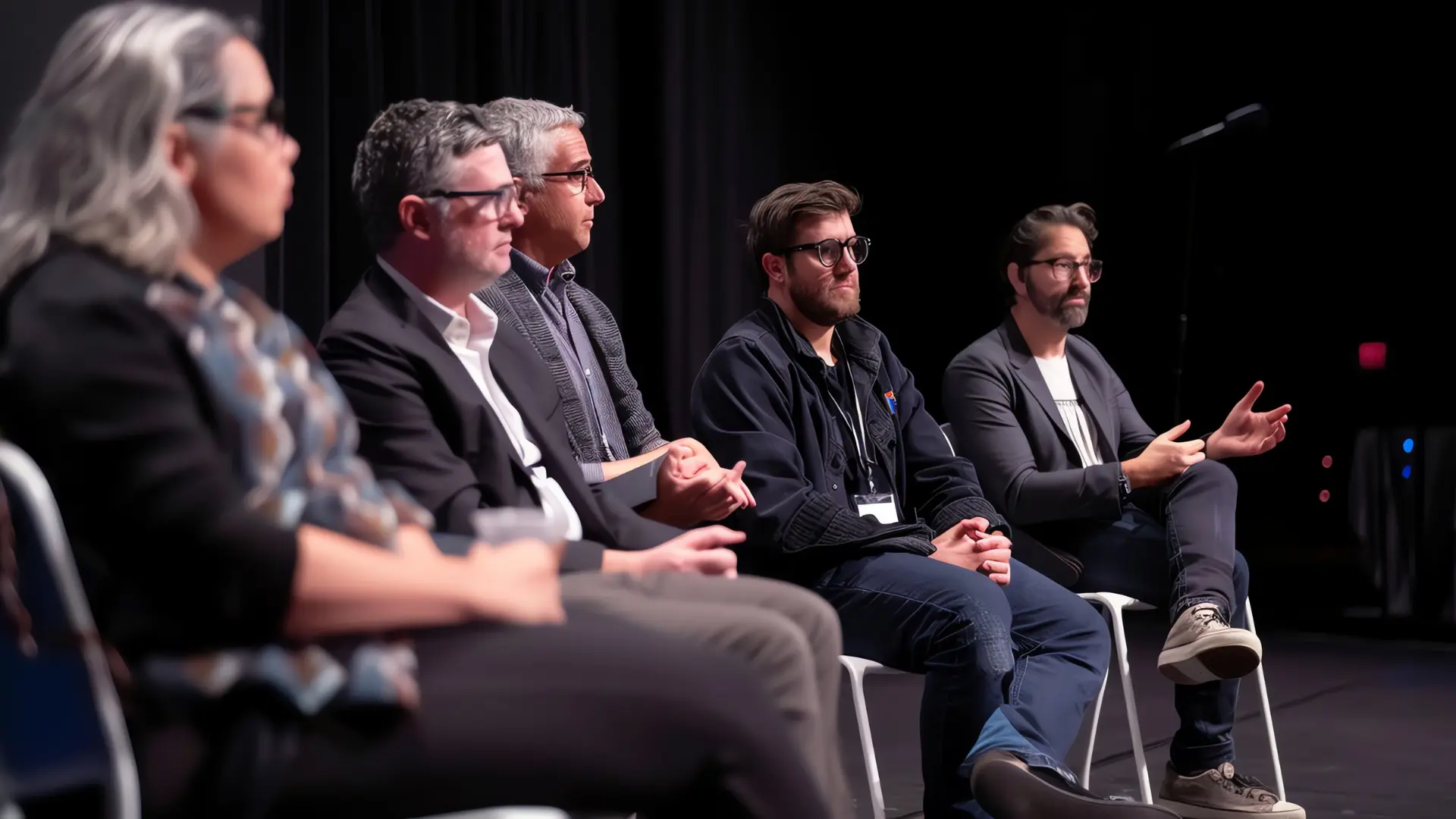
A panel discussion webinar brings together multiple experts to explore a topic through different perspectives. Unlike an interview, which focuses on one guest's experience, a panel allows speakers to compare ideas and challenge assumptions. It's particularly effective for industry trends, emerging challenges, and complex topics where different viewpoints help attendees understand the bigger picture.
For example, a webinar about AI in event marketing could feature an event organizer, marketing strategist, and AI expert discussing its impact on their work. Invite three or four panelists with distinct expertise and appoint a moderator to guide the discussion. Prepare questions that encourage speakers to respond to each other's ideas rather than deliver separate speeches. Otherwise, your panel could quickly become four mini-presentations.
4. Live Q&A or Ask-Me-Anything
A live Q&A or Ask-Me-Anything (AMA) webinar puts attendees in control of the conversation. Unlike a Q&A segment at the end of a presentation, audience questions drive most of the session. This format works well for customer education, community engagement, and expert sessions.
Collect questions during registration and have a moderator prioritize them during the webinar. Remo's Q&A feature supports anonymous questions and upvoting, helping you identify what matters most to attendees. Keep a few backup questions ready in case participation is slow.
.webp)
5. Product Demonstration

Seeing a product in action often tells you more than a long list of features. That's the idea behind a product demonstration webinar, where attendees see how a product solves real problems. It's particularly useful for product launches, feature education, and helping potential customers make purchasing decisions.
Focus on two or three problems your product solves and demonstrate the relevant workflows step by step. You can run the entire demo live or pre-record it to reduce the risk of technical hiccups, then play the recording during a scheduled session followed by a live Q&A. Either way, test your setup beforehand. The last thing you want during a product reveal is a forgotten password stealing the spotlight!
6. Workshop or Interactive Training
Want attendees to leave your webinar with a new skill rather than just another set of notes? A workshop webinar gets them actively involved through hands-on exercises, problem-solving, and practical activities. It's a great fit for employee training, customer onboarding, and skill development.
Choose one learning objective and design short activities around it. For example, in an AI training workshop, attendees could practice writing prompts individually, compare results in small groups, and review improvements together. To make this work, choose a platform like Remo that supports full-group presentations, smaller breakout discussions, and live broadcasts to everyone while they're working at their tables. Share worksheets beforehand, provide clear instructions, and leave enough time for practice and feedback. For more tips, explore our guide to virtual instructor-led training.
7. Case Study or Customer Success Story

Nothing builds credibility quite like hearing how someone actually solved a problem. A case study webinar explores a real customer's challenge, the solution they implemented, and the results they achieved. It's especially valuable for demonstrating ROI and helping prospects evaluate a product or service.
If possible, invite the customer to tell their story firsthand. Walk attendees through the original challenge, key decisions, and measurable outcomes. You can host the session live to allow audience questions or pre-record the story for a more polished presentation that can be shared on demand. Don't shy away from discussing obstacles along the way. Real experiences and specific results are far more convincing than polished sales claims.
8. Roundtable Discussion
Imagine a group of event marketers exchanging ideas about what's actually working in their campaigns. That's the kind of conversation a roundtable webinar encourages. Instead of listening to a panel of experts, attendees share their own experiences and perspectives. This makes roundtables ideal for peer learning, networking, and community building.
To make it work, keep groups small and give each one a focused discussion topic. For larger webinars, divide attendees into several facilitated roundtables so everyone has a chance to contribute. If you're hosting on Remo, you can set up virtual tables around different topics and let attendees choose which conversations to join. Assign a facilitator to each group to guide the discussion and encourage participation.
How to Choose the Right Webinar Format
The best webinar format isn't necessarily the one you've used before. Your event type is a useful starting point, but the outcome matters more. A product launch might call for a demonstration if attendees are new to the product, or a Q&A if they already know the basics.
1. Get specific about your objective
What do you want your webinar to achieve for your business? If your goal is to generate leads and build brand awareness, an expert interview or panel discussion can attract potential customers. If you want to drive purchase decisions, a product demonstration can help prospects evaluate your solution. For customer retention and product adoption, an interactive training session may be more effective.
2. Consider your audience's starting point
How familiar are your attendees with the topic you're covering? If they're beginners, a single-speaker presentation can help them understand the basics through structured explanations and examples. More experienced attendees may benefit from interactive webinar formats like roundtables or AMA sessions, where they can exchange insights, discuss specific challenges, and ask more advanced questions. Match the format to your audience's existing knowledge so the session isn't too basic or too difficult to follow.
3. Choose the level of participation
Do attendees need to listen, ask, or actually do something? Workshops need time for practice, while roundtables depend on people contributing. A presentation can succeed with lighter interaction.
4. Be realistic about your resources
A solo presentation needs a confident speaker and clear material. Panels demand a skilled moderator and coordinated guests. Product demonstrations need a tested setup. Choose something your team can deliver smoothly.
5. Combine formats when it helps
You might open with a brief explanation, show a product in action, and finish with questions. Just make sure each segment serves the same overall objective.
Here's a quick starting point based on the type of event you're planning.
Treat these as starting points, not fixed rules, especially if your audience expects something different.
How Delivery Mode Affects Your Webinar Format
Your webinar format determines how the session is structured, while the delivery mode determines how and when attendees experience it. Some formats thrive on real-time interaction, while others work just as well as recordings.
- Live webinars are ideal for Q&As, roundtables, and interactive workshops where real-time participation matters. Panels and interviews also benefit from live audience questions. Learn more in Remo's guide to live webinars.
- Simulive webinars combine scheduled pre-recorded content with live interaction. They're useful for presentations, interviews, and product demos where you want a polished recording but still need live Q&A.
- Automated webinars play pre-recorded sessions automatically at scheduled times, such as every Tuesday at 2 PM, without requiring a presenter. They're ideal for repeatable presentations and product demos.
- Just-in-time webinars are a type of automated webinar that offers sessions starting every few minutes. For example, someone registering at 1 PM might be offered a session at 1:05 PM, allowing them to join almost immediately instead of waiting days for the next webinar.
- On-demand webinars let attendees watch whenever they want. Presentations, product demonstrations, case studies, and training sessions work particularly well because viewers can revisit important information.
You can also combine delivery modes. For example, host a panel discussion live and make the recording available on demand afterward.
Choosing the Best Webinar Format for Your Audience
The best webinar format isn't necessarily the most popular one. It's the one that helps attendees get what they came for. Start with your objective, consider your audience's needs, and choose how much participation makes sense.
Since different webinar formats require different experiences, choosing a flexible platform matters. Remo lets you switch between full-group presentations and small-group conversations, making it possible to host presentations, workshops, and roundtables on the same platform. With built-in polls and Q&As, you can also encourage participation without changing your webinar format.
Ready to explore what Remo can do? Book a demo and see how you can bring different webinar formats to life.
Frequently Asked Questions about Webinar Formats
1. What is a webinar format?
A webinar format is the structure of an online session. It determines how speakers present information and how attendees participate. Examples include presentations, workshops, interviews, and Q&A sessions.
2. What are the different types of webinar formats?
Eight common webinar formats include single-speaker presentations, interviews, panel discussions, live Q&As, product demonstrations, interactive workshops, case studies, and roundtables. Each supports different learning and engagement goals.
3. How do you choose the right webinar format?
Consider your webinar objective, audience needs, desired level of interaction, and available resources. Choose the format that best supports what attendees should learn or accomplish.
4. What is the difference between a live webinar and an on-demand webinar?
Live webinars happen at a scheduled time and allow real-time interaction. On-demand webinars let attendees watch recorded content whenever it's convenient.
5. Can you combine different webinar formats?
Yes. You can start with a presentation, transition into a product demonstration or panel discussion, and finish with a live Q&A. Just make sure each segment supports your overall objective.
Zainab Asad
Zainab Asad is a Content Writer at Remo, contributing to the platform's mission of fostering authentic virtual connections. With a keen eye for detail and a passion for effective communication, she crafts engaging content that empowers event professionals to create memorable virtual experiences.