19 Webinar Ideas for Awareness, Leads, Engagement, and Community in 2026

%20(1).webp)
A good webinar idea gives the right audience a clear reason to show up and something worthwhile to get from the session. That might mean learning a useful skill, hearing first-hand experience, evaluating a solution, or connecting with people facing similar challenges.
The webinar format matters too. A fireside chat creates a very different experience from a hands-on workshop, even if both cover the same topic. This guide covers 19 webinar ideas for awareness, education, webinar lead generation, deeper engagement, and community building, with practical examples and guidance on how to run each one.
{{table-of-contents}}
Webinar Ideas and Topics at a Glance
Choose the webinar format based on your goal. Panels work well for reach and thought leadership, while workshops are better for hands-on learning and deeper participation.
Use this as a quick starting point before exploring each idea.
Once you’ve chosen the format, the next step is designing the experience around how attendees will participate. Our guide to designing interactive webinars explains how to build in polls, Q&A, breakout discussions, and other interactive moments without overcomplicating the session.
19 Webinar Ideas to Try in 2026
From expert-led conversations to practical workshops and peer networking, the ideas below can be adapted to different audiences, goals, and stages of the buyer journey.
1. Expert Panel
Best for: Awareness, reach, and thought leadership.
What it is: An expert panel is a live discussion where several specialists share different perspectives on the same subject, usually with a moderator guiding the conversation. The value comes from comparison: attendees get to hear where speakers agree, where they differ, and what shapes their point of view.
How to run it: Choose three or four speakers who can bring genuinely different experiences or opinions. Prepare a small number of strong discussion questions, brief the moderator on the main themes, and leave time for audience Q&A rather than trying to script every response.
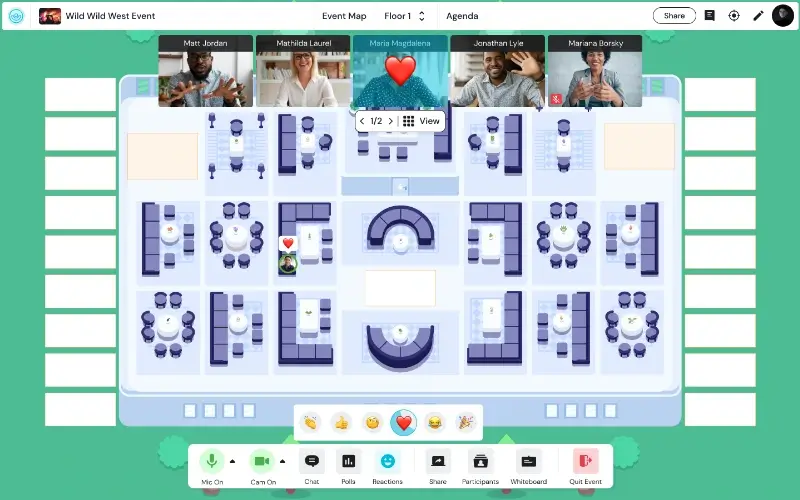
If you want to extend the discussion beyond the main stage, use a webinar platform that also gives attendees room to continue the conversation afterward. On Remo, for example, guests can move from the main webinar presentation into smaller virtual table discussions with each panelist instead of ending the event as soon as the panel finishes.
Example: A customer-experience company could host a webinar “What AI Will Actually Change About Customer Service Over the Next Two Years” with speakers from companies approaching AI-enabled support in different ways.
2. Fireside Chat
Best for: Executive visibility, awareness, and thought leadership.
What it is: A fireside chat is an informal interview-style webinar built around one guest and one host. Unlike a panel, it gives the audience more time with a single person's experience, decisions, mistakes, and lessons.
How to run it: Start with a guest who has a story or perspective your audience would genuinely want access to. Prepare a loose sequence of questions covering the main stages of that story, but give the interviewer room to ask follow-ups when an interesting point comes up.
Example: A founder could share their experience in a fireside chat on “What I Learned Scaling a Company From 20 to 500 Employees.”
3. Industry Trend Briefing
Best for: Awareness and timely demand generation.
What it is: An industry trend briefing is a webinar that explains an important change, development, or set of trends and what they mean for people within a given industry. It should go beyond reporting what is happening and help attendees understand how it could affect their work.
How to run it: Choose three to five developments that are genuinely relevant to your audience. For each one, explain what has changed, why it matters, and what organizations may need to rethink or do differently as a result.
Example: “Five Changes Shaping B2B Buying Behavior in 2026” could look at how changing research habits affect sales, content, trust, and vendor evaluation.
4. Research or Data Reveal
Best for: Authority building, PR, awareness, and demand generation.
What it is: A research reveal webinar presents original findings from surveys, customer data, internal research, or industry benchmarks. Instead of publishing a report and leaving readers to interpret it themselves, the webinar gives you space to explain what the numbers mean. It can also create a more controlled path from research to conversion. Instead of hoping someone reads a report and eventually finds their way to your product, you can present the findings, explain the problem they reveal, and finish with a relevant next step for attendees who want to go deeper.
How to run it: Structure the session around the strongest findings rather than presenting every data point. Introduce the question behind the research, reveal the most important results in a logical order, and finish by explaining the implications for the audience.
Example: A workplace company could run “What 1,000 Employees Say About Flexible Work in 2026.”
5. Co-Branded Webinar
Best for: Reach, awareness, credibility, and demand generation.
What it is: A co-branded webinar is created and promoted by two organizations that share a relevant audience but bring different expertise to the topic. Both brands contribute to the content rather than one simply sponsoring the other.
How to run it: Choose a partner whose perspective complements yours. Agree on the audience, topic, speakers, promotion plan, lead handling, and follow-up before the event. The content should give each company a distinct role so attendees benefit from hearing both sides. You can also split responsibilities according to each brand's expertise. One partner might lead the educational portion while the other demonstrates how the idea works in practice, making the collaboration feel more useful than two back-to-back presentations.
Example: An HR consultancy and workplace-technology company could host “Building a High-Performing Remote Team: Where People Strategy Meets Technology.”
6. How-To Tutorial
Best for: Education, demand generation, and evergreen content.
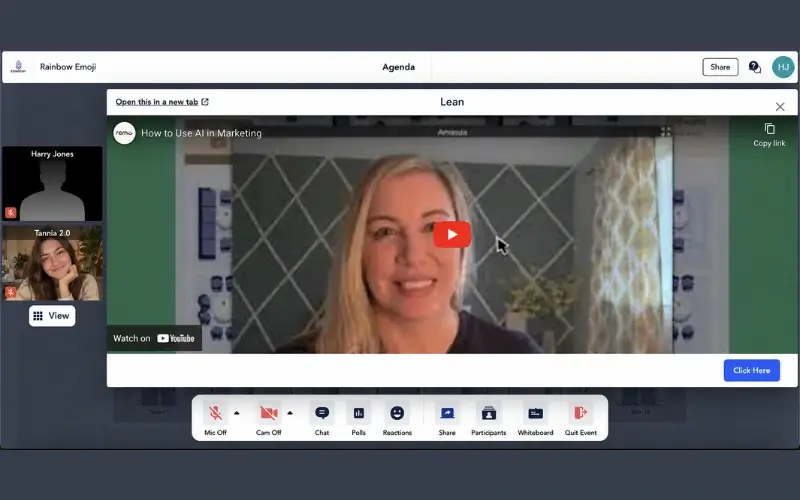
What it is: A how-to webinar teaches attendees how to complete one practical process from beginning to end. It works best when the outcome is specific enough to achieve within a single session.
How to run it: Start with the result you want attendees to reach, then break the process into a manageable sequence of steps. Demonstrate each step in order, show a real example as you go, and reserve time for questions around the parts people are most likely to struggle with. For a live tutorial, it can also help to give attendees the template, tool, or working document in advance so they can follow the process rather than only watch it.
Example: Instead of “How to Use AI in Marketing,” you could host “How to Build Your First AI-Assisted Content Workflow.”
.webp)
7. Masterclass
Best for: Advanced education, authority, and demand generation.
What it is: A masterclass is an in-depth educational webinar led by someone with significant expertise in a particular subject. Unlike an introductory tutorial, it assumes the audience already understands the basics and is ready for more advanced strategy, scenarios, or decision-making.
How to run it: Choose one advanced skill or problem rather than trying to cover an entire discipline. Build the session around expert instruction, realistic scenarios, trade-offs, and practical application instead of spending too much time explaining fundamentals.
Example: A sales expert could run “Advanced Negotiation Strategies for Enterprise Sales Teams.”
8. Lunch-and-Learn or Micro-Webinar
Best for: Ongoing education, demand generation, and customer learning.
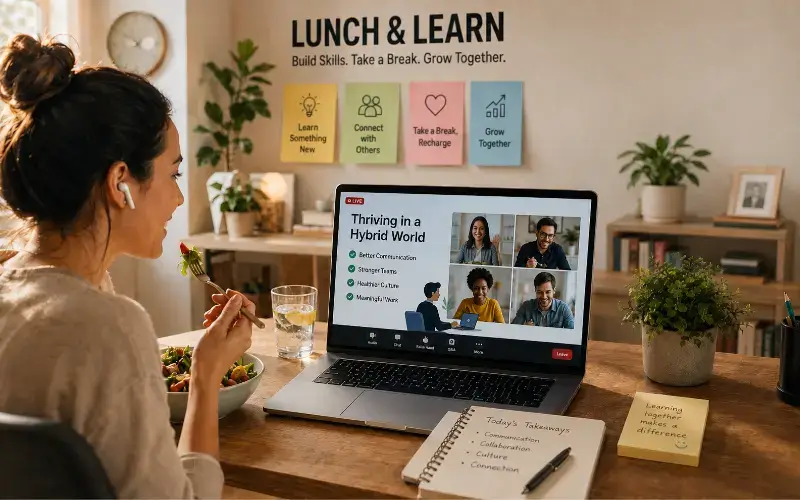
What it is: A lunch-and-learn is typically a recurring series of short educational sessions designed to fit easily into the working day. A micro-webinar follows the same principle: one narrow topic, one useful takeaway, and a shorter time commitment than a traditional webinar.
How to run it: Choose questions that can realistically be answered in 15 to 30 minutes and build the series around a consistent theme or cadence. That might mean one session every Friday, a monthly industry update, or one short lesson at lunchtime each week.
You can also lean into the “lunch” part. For smaller or higher-value audiences, sending attendees a meal voucher or lunch credit can turn a short educational webinar into more of an experience and give people another reason to show up live.
Examples: “Better Sales Follow-Ups in 20 Minutes,” “One Useful AI Workflow Every Friday,” or a monthly compliance briefing.
9. Myth-Busting Webinar
Best for: Education, awareness, and differentiation.
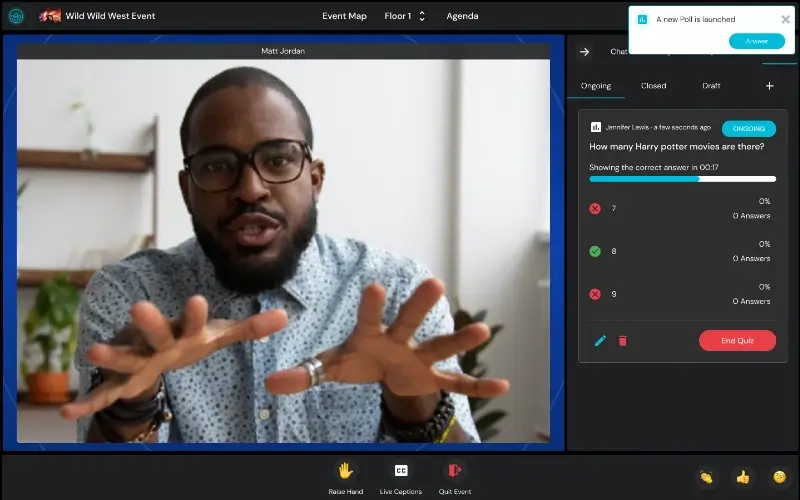
What it is: A myth-busting webinar takes common assumptions, outdated advice, or widely repeated beliefs in an industry and examines whether they still hold up.
How to run it: Choose a small number of myths your audience is likely to recognize. Address each one with evidence, examples, or first-hand experience, explain where the belief came from, and replace it with a more useful way of thinking or working.
Example: A cybersecurity company might host “Five Security Practices That No Longer Protect Your Team.”
10. Live Product Demonstration
Best for: Product-aware prospects and sales conversion.
What it is: A live product demonstration shows an audience how a product works in the context of a real problem or use case. Instead of presenting a long list of features, the webinar follows a workflow from problem to outcome.
How to run it: Choose one or two use cases that matter most to the target audience. Set up the problem first, demonstrate how the product handles each stage, and explain what the user is doing and why as you go.
Example: A software company could host “How to Automate Customer Onboarding From Signup to First Success.”
11. Customer Case-Study Webinar
Best for: Building trust and helping consideration-stage buyers evaluate a solution.
What it is: A customer case-study webinar lets an existing customer explain their experience in their own words. It gives prospects a clearer view of what the problem looked like before the purchase, what implementation involved, and what changed afterward.
This format is particularly useful when prospects are already researching independently and looking for evidence from people who have actually used the product. A customer can talk about the trade-offs, implementation realities, and results in a way that company-led marketing usually cannot.
How to run it: Structure the conversation around the customer's journey: the original challenge, the alternatives they considered, why they chose the solution, what implementation was actually like, the results, and what they would do differently.
Example: A finance software company could host “How One Finance Team Cut Its Monthly Reporting Workload in Half.”
12. Product or Feature Launch
Best for: Product marketing, pipeline acceleration, and customer adoption.
What it is: A launch webinar introduces a new product, feature, or major update and shows the audience what they can now do with it.
How to run it: Build the session around three things: what has changed, why the change matters, and what users can do differently as a result. Follow the explanation with a live demonstration so people can see the new capability in context.
If the launch involves several updates, group them around a common use case rather than presenting a long sequence of release notes.
Example: A project-management platform launching new AI planning features could host “Plan Your Next Quarter in Half the Time: Live Demo of Our New AI Planning Tools.”
13. Buyer Q&A or Objection Clinic
Best for: Consideration-stage leads and sales enablement.
What it is: A buyer Q&A is a webinar built around the questions prospects commonly ask before making a purchase. An objection clinic takes the same idea further by addressing concerns that frequently slow or stop the buying process.
How to run it: Start with questions or objections collected from sales calls, product demos, customer conversations, or previous webinars. Group them into themes such as implementation, pricing, integrations, security, migration, or change management, then answer each one clearly. Virtual event platforms such as Remo can make the Q&A easier to manage by letting attendees submit questions anonymously, upvote the ones they most want answered, and giving hosts tools to mark questions as answered as the session progresses.
Example: A finance-software company might run “Everything Finance Leaders Ask Before Moving to Automated Forecasting.”
14. Hands-On Workshop
Best for: Deep engagement and practical skill development.
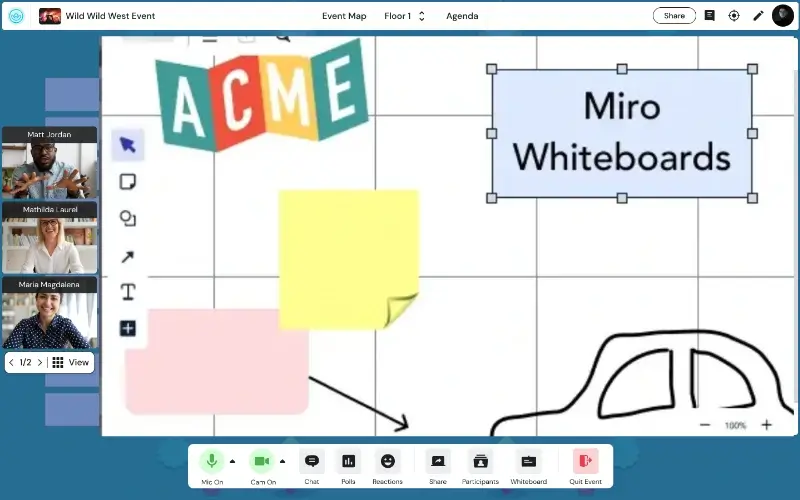
What it is: A hands-on workshop is less a standalone webinar format than a way of turning an educational webinar into a more active experience. Instead of spending the entire session watching a presenter, attendees complete part of the work themselves.
How to run it: Choose one realistic outcome, then divide the webinar into short teaching and working blocks. Explain a step, give attendees time to apply it, check progress, and then move to the next stage. By the end, participants should have created or completed something tangible.
A platform that lets you move between a main presentation and smaller working groups is particularly useful here. On Remo, for example, the host can explain an activity to the full audience, let attendees move into virtual tables to work together, and then bring the discussion back to the main session.
Example: Attendees could build a 30-day LinkedIn content plan, create an AI workflow, or map their team's onboarding process during the session.
15. Ask-Me-Anything Session
.webp)
Best for: Deep engagement, executive access, and community trust.
What it is: An ask-me-anything session, or AMA, is a webinar where audience questions drive most of the conversation. It works best when attendees have access to someone whose experience or expertise they would not normally be able to question directly.
How to run it: Give the session a clear subject so people know what kinds of questions to bring. Collect some questions during registration, use a moderator to group similar ones, and keep space for live submissions during the event.
Example: “Ask a CFO Anything About Preparing for Your First Fundraising Round” gives attendees much more direction than a generic company-wide AMA.
16. Peer Roundtable
.webp)
Best for: Deep engagement, peer learning, and senior audiences.
What it is: A peer roundtable is a facilitated discussion where attendees learn from one another rather than relying on one presenter for all the answers. It works particularly well when participants share similar responsibilities or challenges.
How to run it: Choose one focused question and divide a larger audience into small discussion groups. Make it easy for attendees to see what each group is discussing and move if another conversation is more relevant. On Remo, hosts can rename virtual tables around different themes, so attendees can choose their own conversation and move between tables as they please. You can also add prompts in table chat or send event-wide messages to keep discussions moving.
Example: HR leaders could discuss “How Are Organizations Approaching Four-Day Workweeks?”
17. Mini Hackathon
Best for: Applied learning and professional communities.
What it is: A mini hackathon gives attendees a real challenge and asks them to work through possible solutions. The value comes from applying knowledge rather than simply hearing advice.
How to run it: Start with a clearly defined scenario, provide enough background for people to understand the problem, then ask individuals or small groups to diagnose what is going wrong and recommend what they would change.
Example: A customer-success community could present a customer journey with unusually high churn and ask attendees to identify the likely problem points before an expert reveals how they would approach it.
18. Live Teardown or Critique
Best for: Practical education and deep engagement.
What it is: A live teardown is a webinar where an expert reviews a real example and explains what works, what does not, and what they would change.
How to run it: Choose something that closely matches the audience's work and review it systematically in real time. For demand-generation marketers, that might mean critiquing landing pages. For job seekers, it could be resumes. Product managers might get more value from reviewing onboarding flows.
You can use your own examples or invite attendees to submit theirs before the webinar, as long as you have permission to review them publicly.
Example: A demand-generation consultant could host “Live Landing Page Teardown: Why These B2B Pages Convert — and Why These Don't.”
19. Scenario Simulation Webinar
Best for: Practical learning, decision-making, and team training.
What it is: A scenario simulation webinar puts attendees inside a realistic situation and asks them to decide how they would respond as it unfolds. Instead of simply hearing what they should do, attendees get to test their judgment in a low-risk setting.
How to run it: Choose a scenario your audience could realistically encounter and reveal it in stages. At each stage, give attendees new information and ask them to choose a response, either individually or in small groups. Use their decisions to shape the discussion before revealing what an expert would recommend or what happened in a real-world version of the scenario.
Example: A cybersecurity company could run “Your Company Has Just Been Hit by Ransomware: What Do You Do Next?” Attendees would receive new developments throughout the session and decide how they would respond at each stage.
How to Make Any Webinar Idea More Engaging
.webp)
You do not need to overhaul your entire webinar plan to make it more engaging. Small changes to when and how attendees participate can make a much bigger difference. The aim is to give people useful reasons to join in, not to add interaction for the sake of it. Here are six simple ways to design a more interactive webinar without overcomplicating the experience:
- Ask questions that matter: Use polls or questions that influence the discussion instead of collecting responses you never return to.
- Break up long presentations: Add short moments for discussion, reflection, or applying what was just covered.
- Use attendee input: Invite people to submit questions, examples, or challenges before or during the webinar.
- Create smaller conversations: Use small-group discussions when attendees can learn from one another.
- Give people a takeaway: Offer a template, worksheet, benchmark, recommendation, completed plan, or useful new connection.
- Keep interaction purposeful: Every activity or idea should add something to the experience rather than simply filling time.
Choose the Webinar Idea That Matches Your Goal
There is no single webinar format that works best for every objective. It’s important to pick the webinar idea that helps you achieve your specific goal.
For example, panels, fireside chats, and research reveals are useful when you want awareness and authority. Tutorials, masterclasses, and lunch-and-learns are stronger for education and demand generation. Product demos and customer stories can help move prospects further down the funnel by giving them the proof and context they need to evaluate a solution more confidently. Workshops, AMAs, and roundtables give attendees a more active role.
The strongest webinar idea is one that gives the right audience a clear reason to attend, stay engaged, and participate throughout the session.
Want to create a webinar where attendees can do more than watch? Book a demo with Remo to see how virtual tables, attendee movement, multiple screen shares, and small-group conversations can support more interactive sessions.
Frequently Asked Questions About Webinar Ideas
1. What are some good webinar ideas?
Good webinar ideas include tutorials, expert panels, fireside chats, product demos, customer case studies, workshops, lunch-and-learns, AMAs, roundtables, networking sessions, and interactive challenges. Choose based on whether your goal is awareness, education, leads, engagement, or community.
2. What are good B2B webinar ideas?
Good B2B webinar ideas focus on professional challenges, business outcomes, or buying decisions. Examples include expert panels, research reveals, co-branded webinars, product demos, customer case studies, buyer Q&As, and peer roundtables. Choose the format based on whether you want to build awareness, generate demand, or move prospects closer to a decision.
3. How do I choose a webinar topic?
Start with a problem, question, or goal your audience already cares about. Look at customer conversations, sales objections, search behavior, community discussions, event feedback, and industry changes. Then narrow the topic to one clear takeaway.
4. How can I make a webinar more engaging?
Give attendees something meaningful to do. Let them ask questions, solve a challenge, contribute examples, work through an exercise, or discuss ideas with peers. Useful participation matters more than adding extra features.
5. What is the best platform for interactive webinars?
The best webinar platforms for interactive webinars should make it easy for attendees to participate, not just watch. Look for features such as live polls, Q&A, screen sharing, small-group discussions, networking, and audience movement. Remo is especially suited to interactive webinars where attendees need to move between virtual tables, join smaller conversations, and participate more actively.
Aniqa Iqbal
Aniqa is a content writer at Remo, where she merges her love for storytelling from movies and TV shows with her passion for creating compelling content. With a knack for blending pop culture references and relatable narratives, Aniqa crafts content that informs and resonates deeply with readers. She aims to strike a chord with her audience, fostering genuine connections through words that inspire, engage, and entertain. When she's not writing, Aniqa can be found binge-watching her favorite shows, always on the lookout for the next story to tell.