What Is a Webinar? Types, Uses, and How It Works

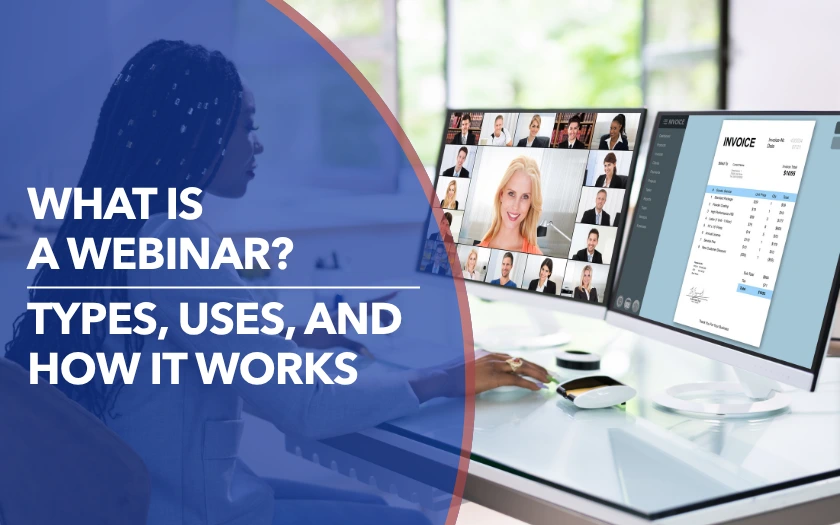
A webinar is an online seminar or presentation where one or more speakers share information with a remote audience. Most webinars follow a structured, one-to-many format, but attendees can still participate through features such as live chat, Q&A, polls, and reactions.
Organizations use webinars for everything from employee training and customer education to product demonstrations, lead generation, and industry discussions. And while webinars are often held live, they can also use pre-recorded content or be made available to watch on demand. For event organizers, understanding the definition is only the starting point. The type of webinar you run, how you deliver it, and the platform you choose all depend on what you want attendees to learn, do, or experience.
In this guide, we’ll break down what a webinar is, how it works, the different types and ways they can be delivered, what organizations use them for, and how to choose the right webinar platform.
{{table-of-contents}}
What Is a Webinar?

The word webinar combines “web” and “seminar.” At its simplest, it describes a seminar, presentation, workshop, or similar session delivered over the internet using a webinar platform instead of in a physical venue.
A webinar usually has one or more hosts or presenters sharing content with a larger group of attendees. That content might include a slide presentation, speaker video, a screen share, a product walkthrough, or a panel discussion. Attendees typically have more controlled participation than they would in a regular online meeting, using tools such as chat, polls, and Q&A rather than all speaking freely at once.
That balance between structured presentation and audience participation is what separates a webinar from a one-way online broadcast.
Webinars are particularly useful when an organization needs to reach people across different locations without the cost and logistics of an in-person event. Attendees can join remotely, while organizers can deliver the same session to a larger audience and make the recording available afterward. This combination of reach, flexibility, and scalability is one reason webinars are widely used for education, training, marketing, and customer communication.
How Does a Webinar Work?
A webinar typically follows a simple journey: promote the event, register attendees, prepare them to join, deliver the session, encourage participation, and follow up afterward. Depending on the format, the recording can also be repurposed into on-demand content or other resources after the live event.
1. Promote the Webinar
A webinar starts before anyone joins the virtual room. Organizers first need to promote the event and give potential attendees a clear reason to register. This might involve email, social media, website content, or promotion through the speakers themselves.
The goal is not simply to collect registrations. The promotion should make the topic, value, timing, and reason to attend clear enough that people want to show up. A strong webinar promotion strategy can also build anticipation between registration and the event.
2. Registration and Joining
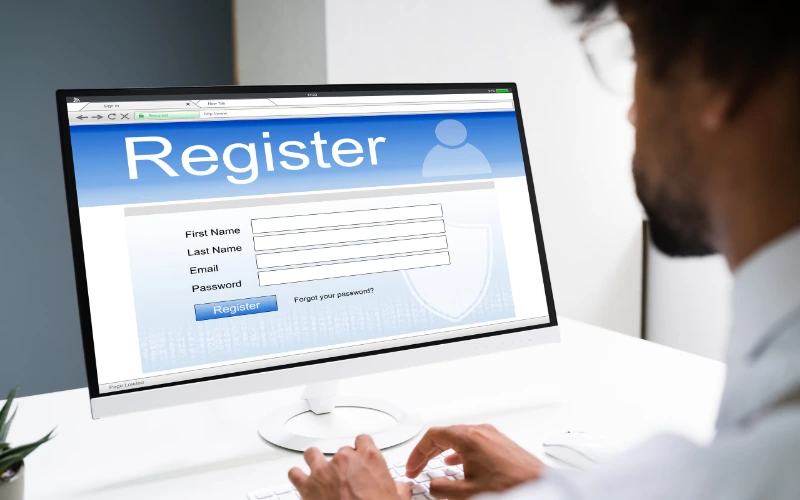
Once someone decides to attend, they typically register through a registration page. Organizers may collect basic information such as a name and email address, along with questions that help them understand their audience, such as job role, company size, or what they hope to learn from the session.
After registering, attendees receive confirmation details and instructions for joining. Organizers can also send reminders before the session and give attendees an easy way to add the event to their calendar. These touchpoints help keep the webinar on their radar instead of letting the registration become something they forget about.
3. Presentation
When the webinar begins, the presenter takes the lead and delivers the main content. This could be a presentation, product demonstration, interview, panel discussion, or another structured session depending on the webinar's purpose.
The presenter might share slides, demonstrate software, play video, or bring another speaker into the conversation. The format can vary, but the basic idea remains the same: the presenter or presenters guide the audience through a focused topic while the platform provides the tools needed to deliver it online.
4. Audience Interaction
Presentation is only one part of how a webinar works. Attendees can also participate through tools such as live chat, Q&A, polls, reactions, and surveys. These give organizers ways to collect questions, gauge audience responses, and make the session feel more like an exchange than a one-way presentation.
Event organizers can go beyond basic chat and polling and get into designing interactive webinars. Organizers may use breakout rooms for smaller discussions, invite attendees onto the stage, or build interactive activities into the session. These approaches can give people more reasons to participate and help keep attention on the webinar.
.webp)
5. Recording, Follow-Up, and Repurposing
The webinar does not necessarily end when the live presentation does. Organizers can share the recording with attendees or people who registered but could not join, making the session available as on-demand content.
Follow-up can also include additional resources, feedback requests, or a clear next step such as downloading a guide, requesting a demo, or continuing the conversation with the team. Organizers can review webinar metrics such as attendance, viewing time, poll responses, and questions to understand how people engaged with the session.
The recording can also become useful content beyond the original event. Organizers may turn sections of the webinar into short videos, social posts, articles, or other resources, extending the value of the work that went into the original session.
For marketing teams, this makes the webinar more than a single live event. Promotion brings people in, the live experience creates engagement, and follow-up and repurposing extend its value after the session ends.
What Are Webinars Used For?

Webinars are used to educate, sell, train, communicate, and build relationships with a remote audience. The same webinar technology can support very different goals depending on what an organization wants attendees to learn or do.
Common webinar goals include:
- Lead or demand generation: Attract prospective customers around a relevant topic, collect registrations, and use engagement data to identify interested prospects. For more strategies, see how to use webinars for lead generation.
- Training and knowledge sharing: Educate employees, customers, partners, or students at scale.
- Building authority: Share useful expertise, research, or industry insights with a target audience.
- Customer success: Support onboarding, product adoption, and ongoing customer education.
- Product education and demos: Show prospects or customers how a product, feature, or workflow works. A product demo can help audiences understand a solution in a practical, guided way.
- Internal communication: Share company updates or important information with distributed teams.
The goal tells you why you are running the webinar. The next step is choosing the type of webinar that best supports it.
What Are the Main Types of Webinars?
The main types of webinars include educational sessions, training webinars, product demos, how-to sessions, panels, and interviews. The type describes the kind of session you run, rather than the business goal behind it.
How Are Webinars Delivered?
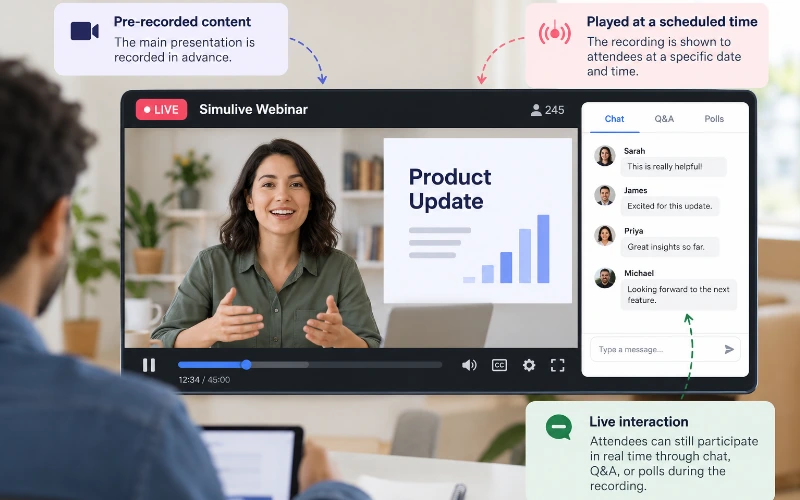
Webinars can be delivered in several ways depending on how much real-time interaction and flexibility the organizer wants to offer. The most common options are live, simulive, and on-demand, and each works slightly differently for the audience.
- Live webinars: A live webinar happens in real time, with presenters and attendees joining at the same time. This format works well when immediate Q&A, polling, or audience response is important. It also gives presenters the opportunity to respond to audience questions and adjust the discussion as it happens.
- Simulive webinars: A simulive webinar uses content recorded in advance but plays it at a scheduled time to create a live-style experience. Organizers can still add real-time elements such as chat, moderation, or Q&A around the recording. This can be useful when organizers want more control over the presentation while keeping a scheduled event experience.
- On-demand webinars: An on-demand webinar can be watched whenever the attendee chooses. It may be a recording of a previous live session or content created specifically for on-demand viewing. This gives attendees more flexibility, although it usually means less opportunity for real-time interaction.
Automation can support any of these formats through features such as registration, reminders, scheduled playback, and follow-up workflows.
How Is a Webinar Different From a Virtual Meeting or Virtual Conference?
A webinar can be considered a type of virtual event, but it is usually more structured and presentation-led than a virtual conference or meeting. A virtual conference typically brings together multiple sessions, speakers, or discussions around a broader theme, while a virtual meeting is designed for more direct collaboration between participants.
If attendees mainly need to consume structured content while participating through controlled interaction, a webinar may be the right format. If everyone needs to contribute directly to the conversation, a virtual meeting is more suitable. If the event needs to bring together multiple sessions and topics around a broader theme, a virtual conference may be a better fit.
What Should You Look for in a Webinar Platform?
The right webinar platform depends on the type of experience you want to create. A simple presentation, a customer training session, and an interactive networking event all require different capabilities.
At a minimum, webinar software should support the essentials: reliable audio and video, screen sharing, registration, attendee management, built-in recording, and analytics. These features help organizers deliver a smooth experience and understand what happened after the session ends.
If audience participation is important, look beyond presentation tools. Features such as Q&A, polls, chat, reactions, and surveys can help attendees stay involved instead of passively watching.
For organizations using webinars for marketing, sales, or customer education, additional capabilities may matter. These can include branding options, email or CRM integrations, and engagement data that helps teams understand attendee interests and plan follow-up.
Finally, consider whether attendees need to interact with each other, not just the presenter. If your goal includes networking, peer discussions, or smaller conversations, look for webinar platforms with breakout rooms that can support smaller group discussions and more direct attendee interaction.
The best webinar platform is not necessarily the one with the most features. It is the one that supports the experience you want your audience to have. Compare the best webinar platforms based on your goals, audience, and level of interaction required.
Choosing the Right Webinar Experience
A webinar works best when you need to share structured content with a remote audience while still giving people opportunities to ask questions, respond, and participate. The right setup depends on the goal of the event, the level of interaction you want, and how much flexibility attendees need before, during, and after the session.
The webinar also doesn't have to end when the live session does. On-demand viewing and content repurposing can extend the value of a webinar beyond its original broadcast, while interactive features can give attendees more ways to participate during the event. Recent webinar benchmarks show that both approaches are becoming a bigger part of how organizations use the format.
If you want attendees to do more than watch, such as meet each other, move into smaller conversations, or network around the content, the platform becomes an important part of the experience. Remo combines webinar presentation tools with interactive spaces designed for attendee participation and conversation. Book a demo to see how it could work for your next webinar.
Frequently Asked Questions About Webinars
1. Does a webinar have to be live?
No. A webinar can be live, simulive, or available on demand. Pre-recorded content can also be used in scheduled or on-demand experiences.
2. What is the difference between a webinar and a virtual meeting?
A webinar is usually presenter-led with controlled audience participation. A virtual meeting is more collaborative, with participants expected to speak and contribute directly.
3. How many people can attend a webinar?
It depends on the platform and plan. Webinar capacity can range from small professional groups of 20-50 to audiences in the thousands.
4. What features should webinar software include?
Look for reliable audio and video, screen sharing, registration, attendee controls, interaction tools, recording, and analytics. Additional needs depend on your event goal.
5. Can attendees speak or appear on camera during a webinar?
Sometimes. Many webinar platforms keep attendee microphones and cameras off by default unless the host grants permission.
Aniqa Iqbal
Aniqa is a content writer at Remo, where she merges her love for storytelling from movies and TV shows with her passion for creating compelling content. With a knack for blending pop culture references and relatable narratives, Aniqa crafts content that informs and resonates deeply with readers. She aims to strike a chord with her audience, fostering genuine connections through words that inspire, engage, and entertain. When she's not writing, Aniqa can be found binge-watching her favorite shows, always on the lookout for the next story to tell.



%20(2).png)