Best Virtual Meeting Platforms of 2026: Which One’s Worth Your Time?


The best virtual meeting platform depends on whether you need reliable communication or active participant engagement. Some platforms, such as Zoom, Google Meet, and Microsoft Teams, are built for everyday team meetings, client calls, and internal collaboration. Others, such as Remo and Kumospace, are designed for interactive experiences like workshops, training sessions, all-hands meetings, networking events, and virtual conferences.
This guide compares eight of the best virtual meeting platforms across both use cases. We evaluated each platform based on audio and video quality, engagement features, ease of use, AI capabilities, integrations, pricing, and overall value to help you choose the right fit for your business.
{{table-of-contents}}
Quick Answer: Best Virtual Meeting Platforms at a Glance
If you're short on time, here are our top recommendations based on the type of meetings you run.
For interactive meetings and events
- Remo: Best for interactive workshops, training sessions, networking events, all-hands meetings, and virtual conferences where participation and engagement matter.
- Kumospace: Best for distributed teams that want a persistent virtual workspace for ongoing collaboration and spontaneous conversations.
For everyday team meetings
- Zoom: Best for webinars, client presentations, and structured meetings with larger audiences.
- Microsoft Teams: Best for internal collaboration, recurring team meetings, and organizations already using Microsoft 365.
How We Chose These Virtual Meeting Platforms
There are plenty of online meeting platforms to choose from, and the biggest name isn't always the best fit. To build this list, we evaluated platforms designed for both everyday team meetings and more interactive meeting experiences, focusing on the factors that have the greatest impact on hosts and participants alike.
Here's what we considered:
- Ease of use: How quickly can hosts and participants get started?
- Meeting quality: Does the platform deliver reliable audio and video for a smooth meeting experience?
- Engagement: Does it encourage participation through interactive features rather than passive viewing?
- Accessibility: Can people join easily from a browser or mobile device?
- Features and integrations: We looked at AI capabilities, screen sharing, calendars, and productivity integrations.
- Customization: Can businesses tailor the experience to their brand and meeting format?
- Meeting flexibility: Can the platform support different meeting types, from everyday team meetings and client calls to workshops, webinars, networking events, and virtual conferences?
- Pricing and value: Are the features worth the cost, and is pricing transparent?
To arrive at our recommendations, we reviewed official platform documentation, compared features and pricing, analyzed G2 reviews, and evaluated how each platform performs across real-world business use cases.
Virtual Meeting Platform Comparison Table
The best virtual meeting platform depends on your goals, budget, and team size. Quickly compare the leading online meeting platforms below and find the right option for your needs.
*Pricing, attendee limits, and ratings are subject to change. Check each provider's website for the latest information.
8 Best Virtual Meeting Platforms of 2026
A comparison table can only tell you so much. The real differences often come down to how a platform feels to use, how people interact on it, and whether its features match the way your team works.
Below, we'll take a closer look at each virtual meeting platform, including its standout features, pricing, pros and cons, and the types of meetings and teams it's best suited for.
1. Remo
.webp)
Remo is an interactive virtual meeting platform built for meetings where participant interaction matters as much as the content being presented. Unlike traditional virtual meeting platforms, where small-group discussions are often limited to breakout rooms, Remo makes table-based conversations the core meeting experience. When it's time to bring everyone together, Presentation Mode lets hosts seamlessly switch from interactive discussions to broadcast presentations before attendees return to their tables.
This approach makes Remo a strong choice for workshops, training sessions, collaborative meetings, networking events, town halls, and virtual conferences where participation is just as important as information sharing.
Trusted by event organizers, HR teams, educators, and marketing professionals, Remo has hosted more than 16,500 events with over 910,000 attendees, demonstrating its ability to support interactive meetings and events at scale.
Key Features
Remo combines presentation, collaboration, and networking tools within a single interactive meeting experience.
- Conversation Mode and Presentation Mode: Switch seamlessly between presenting to the entire audience and table-based discussions within a single session.
- Table-based conversations with free attendee movement: Participants can move between discussions naturally without waiting for a host to assign breakout rooms.
- Multiple screen sharing: Share content from multiple presenters during workshops, collaborative meetings, and training sessions.
- Customizable floor plans and branded spaces: Design meeting environments that reflect your brand and suit different meeting formats.
- Broadcast in Conversation Mode: Make announcements or share content with every table without interrupting ongoing discussions.
Pricing
Remo pricing starts at $299/month for recurring events and $699 per event for one-time events. Enterprise plans are also available, and every plan includes a 14-day free trial.
Pros
- Supports a wide range of meeting formats, from team workshops and training sessions to conferences and networking events
- Browser-based access makes it easy for guests to join without downloading software
- Easy for hosts and attendees to learn, even without extensive onboarding
- Highly rated by G2 reviewers for responsive customer support
Cons
- First-time attendees may need a brief introduction to Remo's interactive meeting format.
- Offers fewer native integrations than some enterprise-focused collaboration platforms.
G2 Rating: 4.5/5 from 323 reviews
Best For: Interactive meetings where participant engagement matters, including workshops, training sessions, collaborative meetings, and virtual conferences.
Interested in creating more interactive meetings and events? Book a demo to see how Remo works in practice.
2. Zoom
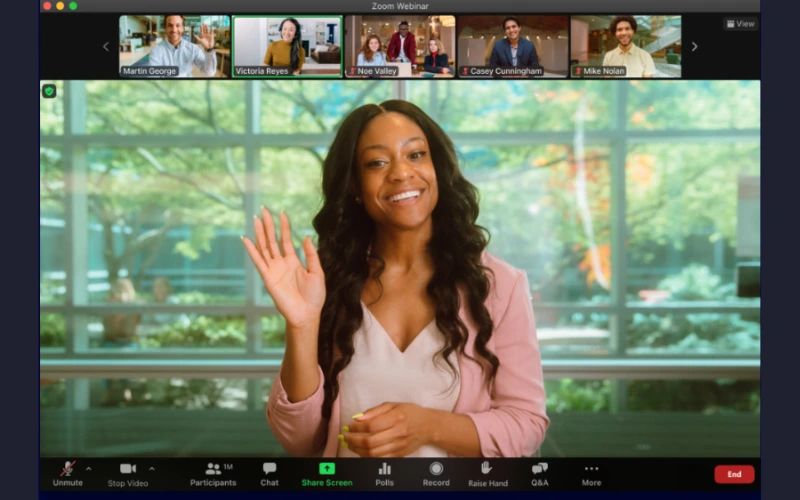
Zoom is a virtual meeting platform built for webinars, presentations, training sessions, and large virtual meetings. It combines reliable video conferencing with AI-powered productivity tools and a broad ecosystem of integrations. While Zoom excels at structured meetings, its video-first format places less emphasis on spontaneous interaction and networking than platforms designed specifically for engagement.
Key Features
Zoom's features are designed to support structured meetings, presentations, and webinars, with AI-powered productivity tools that help teams stay organized before, during, and after every meeting.
- AI Companion: Automatically generates meeting summaries, action items, and notes.
- Webinar hosting tools: Support large presentations with audience management and engagement controls.
- Extensive third-party integrations: Connect Zoom with calendars, CRMs, and productivity applications.
- Breakout rooms: Split participants into smaller groups for discussions before bringing everyone back to the main session.
- Cloud recording: Record meetings for sharing, playback, and future reference.
Pricing
Zoom offers a free plan for up to 100 participants, with a 40-minute limit on group meetings. Paid plans start at $16.99 per user/month, while larger teams will typically need the Business plan from $21.99 per user/month.
Pros
- Familiar interface with broad adoption
- Excellent webinar and large meeting capabilities
- Strong ecosystem of integrations
Cons
- Zoom’s Breakout rooms offer less flexibility for spontaneous interaction than platforms designed around participant movement.
- Advanced settings can feel overwhelming for new users.
G2 Rating: 4.5/5 from 56,460 reviews
Best For: Webinars, company-wide meetings, training sessions, and structured business meetings where presentations take center stage.
.webp)
3. Microsoft Teams

Microsoft Teams is a virtual meeting and collaboration platform built for organizations that want meetings, chat, and file sharing in a single workspace. It combines video meetings with persistent team communication, making it a natural choice for businesses already using Microsoft 365.
Teams is particularly well suited for hybrid and distributed teams that rely on the Microsoft ecosystem, where meetings, conversations, and documents work together seamlessly. Organizations outside Microsoft 365, however, may find the platform more complex than lighter virtual meeting platforms focused primarily on meetings.
Key Features
Microsoft Teams combines meeting tools with Microsoft 365 collaboration features, allowing teams to communicate, share files, and collaborate from a single workspace.
- Together Mode: Places participants in a shared virtual environment to create a more engaging meeting experience.
- AI-powered meeting recap: Automatically generates meeting summaries, notes, and action items.
- Microsoft 365 integrations: Collaborate on Word, Excel, and PowerPoint files directly within Teams.
- Persistent chat and collaboration channels: Keep conversations, files, and projects connected before, during, and after meetings.
- Enterprise administration controls: Manage users, permissions, and compliance from a centralized admin console.
Pricing
Microsoft Teams offers a free plan, while Microsoft Teams Essentials starts at $4 per user/month (billed annually). Higher-tier Microsoft 365 plans add desktop Office apps, Microsoft 365 Copilot, advanced security, compliance, and administration features.
Pros
- Deep integration with Microsoft 365 streamlines collaboration across meetings, documents, and chats.
- AI-powered meeting recaps reduce manual note-taking and follow-up work.
- Supports up to 1,000 interactive participants, making it suitable for both team meetings and large company-wide sessions.
Cons
- Interface can feel cluttered for new users
- Best value is realized by organizations already invested in Microsoft 365
G2 Rating: 4.4/5 from 19,135 reviews
Best For: Enterprise organizations and teams already using Microsoft 365 for communication, collaboration, and document management.
4. Google Meet

Google Meet is a virtual meeting platform built for simple, reliable team meetings and everyday collaboration. Deep integration with Google Workspace makes it a natural choice for organizations already using Gmail, Google Calendar, and Google Drive, while its streamlined interface keeps meetings easy to host and join.
The trade-off is that Google Meet offers fewer engagement and customization features than dedicated interactive meeting platforms, making it better suited for straightforward team meetings than workshops, networking sessions, or other highly interactive experiences.
Key Features
Google Meet focuses on making everyday meetings simple and productive, combining Google Workspace integrations with AI-powered tools and features designed for hybrid events.
- Adaptive Audio: Automatically synchronizes nearby microphones and speakers to reduce echo and audio feedback when multiple people join from the same room.
- Google Calendar integration: Schedule, join, and manage meetings directly from Google Calendar.
- Live captions: Improve accessibility with real-time captions during meetings.
- Gemini-powered meeting summaries and transcripts: Automatically capture key discussions, notes, and action items.
- Companion Mode for hybrid meetings: Lets in-room participants join from their own devices without creating audio feedback while still accessing chat, polls, captions, and screen sharing.
Pricing
Google Meet offers a free plan, while paid Google Workspace plans start at $8.40 per user/month (billed annually). Higher-tier plans increase participant limits and add Gemini AI features, advanced security, and enterprise administration tools.
Pros
- Minimal learning curve for hosts and attendees
- Quick to deploy across teams and external meetings
- One of the easiest virtual meeting platforms for guests to join
Cons
- Limited customization and branding options
- Less suited for interactive workshops and networking experiences
G2 Rating: 4.6/5 from 48,088 reviews
Best For: Lightweight team meetings and organizations already using Google Workspace for communication and collaboration.
5. Webex

Webex is an enterprise virtual meeting platform built for organizations that prioritize security, compliance, and centralized administration. It combines video meetings with AI-powered productivity tools and asynchronous communication, making it a strong fit for businesses with complex governance and collaboration requirements.
Its biggest strength is its enterprise-first approach. Organizations with strict compliance, data protection, and administrative requirements will benefit most, while smaller teams with simpler meeting needs may find lighter virtual meeting platforms easier to manage.
Key Features
Webex combines enterprise-grade meeting tools with AI-powered productivity features to support secure collaboration across large organizations.
- AI Assistant: Generates meeting summaries, action items, and recaps.
- Gesture recognition: Lets participants use hand gestures to trigger meeting reactions.
- Real-time transcription: Captures spoken conversations with live transcription.
- Vidcast: Record and share asynchronous video updates without scheduling a meeting.
- Slido integration: Run live polls and Q&A sessions to increase audience participation.
Pricing
Webex offers a free plan, while Webex Meet starts at $14.50 per user/month. Higher-tier plans add business calling, advanced administration, enterprise security, and expanded collaboration capabilities.
Pros
- AI Assistant helps reduce manual note-taking and follow-up work
- Built-in polling and Q&A support more engaging presentations
- Robust administration tools for managing meetings at scale
Cons
- The breadth of features can feel unnecessary for smaller teams with simpler meeting needs.
- Advanced collaboration and administration capabilities are primarily available on higher-tier plans.
G2 Rating: 4.3/5 from 18,905 reviews
Best For: Enterprise organizations that prioritize security, compliance, and AI-assisted collaboration.
6. Zoho Meeting

Zoho Meeting is a virtual meeting platform built for small businesses and growing teams that need reliable meetings and webinars without the complexity of enterprise software. Its tight integration with Zoho CRM, Projects, and Mail makes it a natural choice for organizations already using the Zoho ecosystem.
The trade-off is that Zoho Meeting focuses on everyday meetings and webinars rather than highly interactive experiences, offering fewer tools for audience participation and small-group collaboration than dedicated interactive meeting platforms.
Key Features
Zoho Meeting focuses on the essentials, combining reliable meeting and webinar capabilities with integrations that fit naturally into the broader Zoho ecosystem.
- AI-powered meeting transcription: Automatically transcribe meetings for easy reference.
- Native Zoho integrations: Connect meetings with Zoho CRM, Projects, Mail, and other Zoho applications.
- Webinar functionality: Host webinars with registration, moderation, and attendee management tools.
- Virtual backgrounds: Maintain a professional appearance during meetings.
- Meeting recording: Record sessions for playback, sharing, and future reference.
Pricing
Zoho Meeting offers a free plan, while the Standard plan starts at $2 per host/month. The Professional plan starts at $3 per host/month and adds features such as breakout rooms, multiple co-hosts, custom domains, and meeting widgets. Webinar plans are priced separately based on attendee capacity, and Zoho does not publicly disclose a starting price.
Pros
- Affordable pricing for small businesses and growing teams
- Includes both meetings and webinars in one platform
- Seamlessly integrates with the broader Zoho ecosystem
Cons
- Free plan limits meetings to 100 participants.
- Lacks purpose-built tools for highly interactive or large-scale meetings.
G2 Rating: 4.5/5 from 1,245 reviews
Best For: Small businesses and budget-conscious teams looking for affordable, browser-based virtual meeting software.
7. RingCentral Video

RingCentral is a unified communications platform built for organizations that want meetings, messaging, and business calling in one solution. By bringing team communication into a single platform, it helps reduce tool switching and streamline day-to-day collaboration.
Its biggest strength is its all-in-one approach to business communications, though organizations looking primarily for advanced meeting engagement, networking, or interactive collaboration may find dedicated virtual meeting platforms a better fit.
Key Features
RingCentral combines virtual meetings with business messaging and cloud calling, making it easy for teams to manage all communication channels from a single platform.
- AI Assistant: Generates meeting summaries, action items, and conversation insights.
- Seamless device switching: Move meetings between desktop and mobile devices without interrupting the call.
- RingCentral Phone: Make and receive business calls from the same platform used for meetings.
- Team messaging: Keep conversations, files, and meeting discussions connected in shared workspaces.
- RingSense AI: Analyzes conversations to surface key insights and recommended follow-up actions.
Pricing
RingCentral Video offers a free plan for everyday meetings. Paid meeting solutions start at $40 per organizer/month for RingCentral Town Halls, while webinar and event plans start at $119 per organizer/month. Organizations that need unified communications, business calling, and AI capabilities can also choose from separate RingEX plans.
Pros
- Reduces the need to switch between multiple communication tools.
- Offers a 30-day free trial for its interactive meeting and events products, giving organizations more time to evaluate the platform than many competitors.
- Extensive integrations with business and productivity applications.
Cons
- Advanced meeting products such as Town Halls, Rooms, and Events are sold separately, making pricing more complex than some competitors.
- Many advanced communication and AI features are reserved for higher-tier plans.
G2 Rating: 4.2/5 from 503 reviews
Best For: Businesses looking for meetings, messaging, and business communications within one unified platform.
8. Kumospace

Kumospace is a virtual meeting platform built around persistent virtual offices rather than scheduled meetings. Teams create a shared digital workspace they can return to each day, with spatial audio and immersive layouts that let people move naturally between conversations.
Unlike session-based meeting platforms, Kumospace is designed to create an ongoing sense of presence for distributed teams rather than support one-off meetings, workshops, or event experiences.
Key Features
Kumospace is built around a persistent virtual workspace, with features designed to make remote collaboration more immersive than traditional video meetings.
- Spatial audio: Conversations change naturally as participants move around the workspace.
- Persistent virtual offices: Teams can return to the same workspace between meetings instead of creating a new room each time.
- Customizable workspaces: Design branded offices with dedicated rooms for different teams and activities.
- Built-in collaboration apps: Use whiteboards, games, and shared tools without leaving the workspace.
- Interactive room objects: Add games, whiteboards, and collaborative activities directly into the workspace to encourage team interaction.
Pricing
Kumospace offers a free plan, with the Business plan starting at $16 per user/month. A 14-day free trial is available, while Enterprise plans include additional customization and administration features with custom pricing.
Pros
- Creates an ongoing sense of presence for distributed teams instead of starting from scratch every meeting.
- Spatial audio encourages spontaneous conversations that are difficult to recreate in traditional video meetings.
- Makes it easy for remote teams to drop into conversations without scheduling a formal meeting.
Cons
- Can feel unfamiliar for users accustomed to traditional meeting platforms.
- The persistent office model delivers the most value when adopted across the entire team.
G2 Rating: 4.7/5 from 264 reviews
Best For: Remote teams looking to create immersive virtual offices and persistent collaboration spaces.
Each of these virtual meeting platforms brings something different to the table. Some are built for webinars and presentations, while others focus on collaboration, networking, or creating immersive experiences.
So, how do you decide which one is right for your team? It starts with understanding how you meet, collaborate, and want people to interact.
Key Features to Look for in Virtual Meeting Software
Many virtual meeting platforms offer similar features on paper, but the experience can vary dramatically depending on how those features are implemented. Here's what to look for.
Flexible collaboration spaces
Breakout rooms are useful, but the best platforms make it easy for people to move between conversations instead of waiting for a host to assign them to a room. This creates more natural interactions and encourages spontaneous discussions. Platforms like Kumospace or Remo do this well by allowing attendees to move freely between virtual tables and join conversations that interest them.
AI that saves time
The most valuable AI features do more than generate transcripts. For example, Microsoft Teams' AI-powered meeting recap automatically summarizes discussions, highlights action items, and captures notes, helping participants catch up quickly without replaying an entire meeting recording.
Participation tools that keep people engaged
The best meetings aren't one-way presentations. Features like polls, chat, Q&A, reactions, and collaborative workspaces encourage attendees to contribute instead of simply watching. Multiple screen sharing and interactive discussion spaces can be especially valuable for workshops and training sessions.
Customization that matches the experience
A customer event, a networking session, and a weekly team meeting all have different needs. Platforms that offer branded spaces, customizable layouts, and flexible room designs make it easier to create experiences that feel intentional rather than generic.
Reliable and secure performance
Even the most feature-rich platform falls short if participants struggle with poor audio, video issues, or security concerns. Look for dependable meeting quality, strong administration controls, and privacy features that can support your team as meetings and events grow in size and complexity.
How to Choose the Right Virtual Meeting Platform
The best virtual meeting platform often becomes obvious once you think about how you'll actually use it.
- Hosting webinars and presentations? Choose a platform built for large audiences and structured sessions, such as Zoom.
- Running workshops, interactive meetings, or networking events? Prioritize platforms that encourage participation rather than passive viewing. For example, Remo combines Presentation Mode with interactive discussions, making it well suited for workshops, training sessions, networking events, and virtual conferences.
- Supporting day-to-day team collaboration? Microsoft Teams and Google Meet are well suited for recurring meetings and ongoing communication, while Kumospace is a stronger fit for distributed teams that want a persistent virtual workspace rather than scheduled meetings alone.
- Managing a growing business? Consider whether the platform can support larger events, additional users, and changing requirements over time.
The right platform isn't necessarily the one with the longest feature list. It's the one that best supports the way your team communicates and the experience you want to create.
Which Virtual Meeting Platform Is Best for Your Team?
No single virtual meeting platform is the best for every organization because different platforms are built for different types of collaboration. Zoom is a strong choice for webinars and presentations, Microsoft Teams excels at enterprise collaboration, and Google Meet is ideal for straightforward team meetings. For organizations where participation and relationship-building are priorities, Remo stands out by making interaction the focus rather than an afterthought.
Want to create more engaging virtual meetings and events? Book a demo to see how Remo can bring your next workshop, townhall, or team meeting to life.
Frequently Asked Questions about Best Virtual Meeting Platform
1. What is the best virtual meeting platform?
The best virtual meeting platform depends on your needs. Zoom is a popular choice for webinars, Microsoft Teams works well for enterprise collaboration, and Google Meet is ideal for simple team meetings. For interactive workshops, networking, and engagement-focused events, platforms like Remo stand out.
2. What is the best virtual meeting platform for remote teams?
Remo is a strong choice for remote teams that prioritize collaboration, training, and interactive meetings. For recurring internal meetings, Microsoft Teams works well for Microsoft 365 users, while Google Meet is ideal for simple, ad hoc meetings. Teams looking for a persistent virtual office may also consider Kumospace.
3. What is the best virtual meeting platform for networking?
Remo is the best virtual meeting platform for networking because it allows attendees to move freely between conversations, join smaller discussions, and interact more naturally than traditional video meeting platforms.
4. What features should a virtual meeting platform have?
Look for features that improve collaboration and participation, such as AI meeting summaries, browser accessibility, interactive tools, breakout rooms, and strong security. The best platforms make it easy for people to connect and engage, not just join a video call.
5. Are free virtual meeting platforms good enough for businesses?
Free plans can work well for small teams and occasional meetings, but they often come with limitations such as participant caps, time restrictions, and fewer collaboration features. Growing businesses typically benefit from paid plans that offer better scalability, integrations, and engagement tools.
Zainab Asad
Zainab Asad is a Content Writer at Remo, contributing to the platform's mission of fostering authentic virtual connections. With a keen eye for detail and a passion for effective communication, she crafts engaging content that empowers event professionals to create memorable virtual experiences.