31 Virtual Event Best Practices From Experienced Event Organizers

Successful virtual event best practices include setting measurable goals, choosing the right platform, creating an engaging agenda, encouraging audience participation, and preparing for technical issues. Organizers should also simplify event access, provide networking opportunities, and measure results to improve future events.
From large-scale virtual conferences to intimate networking sessions, success usually comes down to the details. How easy is it for attendees to log in? Are they actually engaging with each other, or just watching passively in another tab? And how quickly can your team handle a sudden tech glitch?
Drawing on years of hosting online events at Remo alongside insights from experienced event organizers, we compiled 31 practical best practices to help you plan, execute, and improve your next virtual event.
{{table-of-contents}}
What Are the Most Important Virtual Event Best Practices?
Following the right virtual event best practices helps organizers create engaging experiences, avoid common planning mistakes, and achieve their event goals. Here's a quick overview of the key practices at each stage:
Virtual Event Planning Best Practices
1. Set Measurable Goals Before Planning Your Event
Before choosing speakers or building an event agenda, establish one primary goal for your virtual event alongside concrete metrics to track success. Deciding what you want to achieve upfront, whether that is lead generation, customer education, community building, or peer networking, makes every subsequent decision much easier.
Instead of setting a vague goal like "generate more leads," commit to a specific target, such as capturing 20 qualified demo requests from a product webinar. Clear metrics eliminate guesswork when it comes time to evaluate your virtual event's return on investment.
2. Ask Attendees About Their Interests During Registration
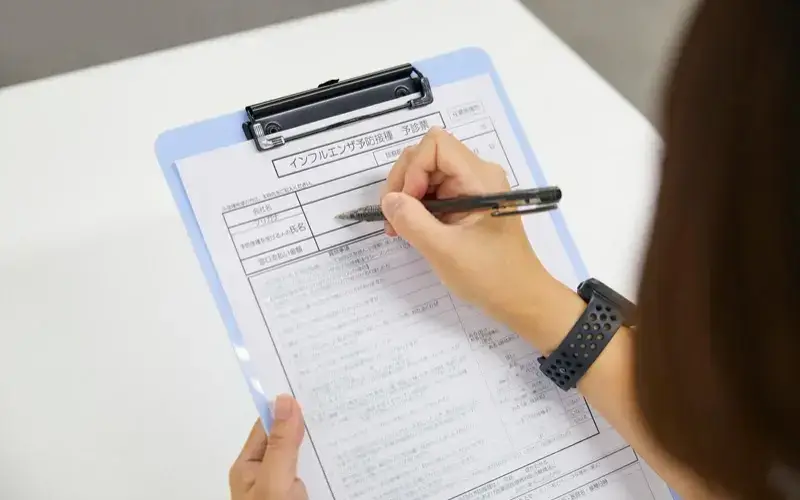
Use your registration form to understand attendees' interests and challenges before your event begins. One or two multiple-choice questions can help you tailor the virtual event agenda to what participants actually want to learn.
For example, a marketing virtual conference might ask registrants to choose their biggest challenge: AI workflows, content strategy, or lead generation. If most responses point to AI, you could give that topic more discussion time, prepare relevant live polls, or organize dedicated breakout conversations. Keep questions relevant and registration simple.
3. Schedule Your Event Around Your Audience's Time Zones
Finalize your event schedule based on your audience's geographic distribution rather than your internal team's local business hours. If you've hosted similar events before, review past registration and attendance data to identify time slots that worked well for your audience.
For audiences spread across North America, Europe, and Asia-Pacific, consider splitting attendees into regional groups and hosting separate sessions at convenient local times. Check out our guide on the best times for webinars to help plan your schedule. You can also run pre-recorded sessions or offer on-demand recordings so attendees can access the content whenever it suits them.
4. Match Your Virtual Event Platform to Your Event Format
Choose a virtual event platform based on how attendees need to participate, not just how many people you expect to host. A presentation-focused webinar needs reliable screen sharing, polls, and Q&A, while a networking event needs spaces where attendees can easily start and join conversations.
Use your event format to identify which virtual event platform features are worth prioritizing:
Before committing, test the experience as an attendee. Can participants join easily, find sessions, and use interaction tools without assistance? Also compare capacity, pricing, accessibility, integrations, and customer support. Our roundup of the best virtual event platforms can help you compare your options.
If networking is your primary goal, prioritize how easily attendees can meet and switch conversations. A virtual networking platform like Remo, with interactive tables and free attendee movement, can help you create those opportunities for connection.
Virtual Event Agenda and Engagement Best Practices
5. Break Up Long Presentations With Different Session Formats
Divide long virtual presentations into shorter, multi-format segments to maintain attendee attention throughout your event.
Try replacing a traditional hour-long slide deck with a 20-minute keynote, a 15-minute moderated discussion, and a hands-on small group exercise. Rotating through different formats creates natural transition points that keep attendees actively involved rather than watching passively.
6. Schedule Short Breaks and Allow Buffer Time Between Sessions
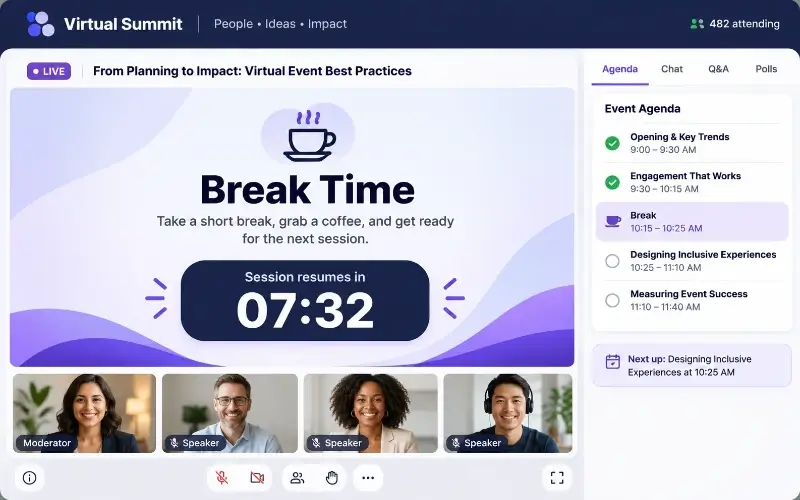
Build 5- to 10-minute breaks and buffer windows into your schedule to accommodate speaker transitions, technical delays, and overrunning discussions. Back-to-back agendas leave no room for human needs like grabbing water, which often leads to drop-offs later in the event.
Display break countdown timers clearly on screen so participants know exactly when to return. Additionally, mark specific flexible agenda items in advance so your team knows which sections can be trimmed if an earlier session runs long.
7. Use Interactive Tools to Encourage Meaningful Participation
Integrate polls, live chat, and reactions to inform the session’s direction rather than just inflating vanity engagement numbers. Interactive features work best when attendee responses actively shape the conversation.
For instance, during an AI workflow webinar, poll your audience on their biggest operational bottleneck. Ask them to expand in the chat, and have your speaker address the top responses in real time. The goal is to make attendee input genuinely matter to the outcome of the talk.
8. Reserve Dedicated Time for Audience Q&A

Set aside a specific portion of your session for audience questions rather than squeezing them into the final minutes. For a 45-minute webinar, for example, you might reserve around 10 minutes for Q&A.
Let attendees submit questions throughout the presentation and assign a moderator to group similar submissions, prioritize relevant topics, and direct questions to the speaker. For longer or more interactive sessions, consider shorter Q&A intervals throughout the agenda instead of one final question period.
.webp)
9. Organize Networking Tables Around Specific Topics
Organize virtual networking tables around specific topics, shared interests, or professional roles so attendees can choose conversations that matter to them. Instead of placing everyone in one large virtual room and telling them to “network,” give participants a clear idea of who they can meet and what each table is about.
At a leadership summit, for example, you could create tables labeled "Scaling Remote Teams," "Executive Coaching," and "Leadership Challenges." With a platform like Remo, attendees can browse table topics and move freely between conversations, making it easier to find like-minded people, build relevant connections, and get more value from networking.
10. Provide Conversation Prompts for Networking Sessions
Give every networking group an open-ended icebreaker prompt to help attendees skip small talk and jump into meaningful discussions. Starting a conversation with strangers online is often the most intimidating part of virtual events.
Instead of a generic self-introduction, post a prompt at the table like: "What is one strategy you tested this year that actually failed?"
You can also use Remo's Free Icebreaker Generator to come up with creative, relevant conversation starters for different groups. A specific, thought-provoking question gives participants an easy starting point and helps conversations flow more naturally.
11. Use Timed Networking Rotations to Help Attendees Meet More People

If you want to maximize attendee connections, consider adding a virtual speed networking session. Divide your networking session into short, structured rounds so attendees can connect with different groups instead of staying at one table throughout the event.
For example, a 30-minute networking session could include three eight-minute conversations with short transitions. Provide a discussion prompt for each round and let participants know when it's time to move. Remo's timed shuffle feature lets organizers schedule networking rotations, automatically moving attendees between tables so they can meet more people without manual coordination.
Virtual Event Attendee Experience Best Practices
12. Simplify Event Entry With One-Click Access Links
Use personalized one-click access links to make joining your virtual event easier. Asking attendees to navigate multiple login screens or remember passwords creates unnecessary friction right before the session begins.
Remo supports private attendee links that can automatically sign registered participants in and take them into the event. Include these links in confirmation emails and reminders, along with a note explaining that each link is private and shouldn't be shared.
13. Show Attendees How to Navigate the Event Space
Kick off your event with a brief orientation showing attendees how to navigate the platform, find sessions, move between networking tables, and access support. Don't assume everyone will immediately understand how the event space works.
A two-minute visual walkthrough can help attendees get comfortable with the platform. Make sure late arrivals don't miss out by including a short onboarding guide or video in reminder emails, on the event floor, or during the joining process. This way, everyone can find their way around and participate confidently, regardless of when they join.
14. Let Attendees Participate Without Turning On Their Cameras
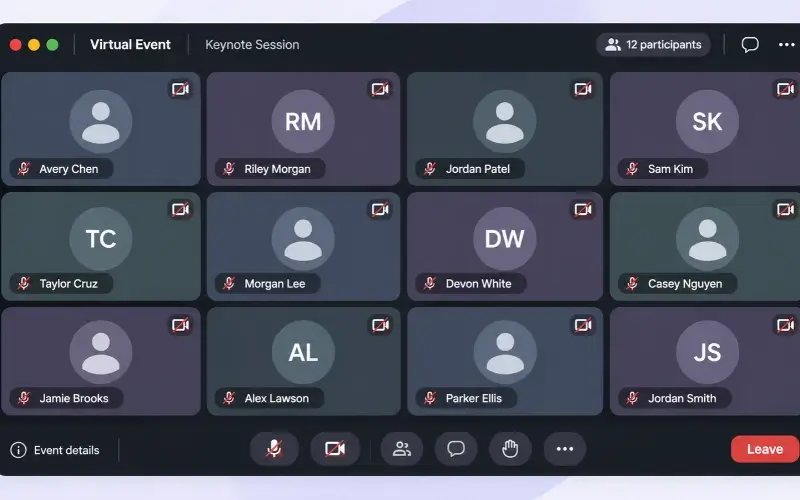
Offer participation options such as chat, polls, and written Q&A so attendees can contribute without appearing on video. Not everyone feels comfortable turning on their camera, particularly in large groups or when joining from shared spaces.
If face-to-face interaction is important to your event, encourage camera use through smaller discussions and clear participation expectations rather than making it mandatory.
For more ideas, read our guide to encouraging camera and microphone use.
Virtual Event Accessibility Best Practices
15. Enable Captions for Live Presentations
Provide live captions to make presentations more accessible to attendees who are deaf or hard of hearing, as well as people joining from noisy environments or those who benefit from reading along.
Choose a platform or captioning service that supports captions and test accuracy before the event, particularly when presentations include technical terminology, brand names, or specialist vocabulary. Let attendees know what captioning options are available and how to enable them.
16. Test Your Event for Keyboard and Screen-Reader Accessibility
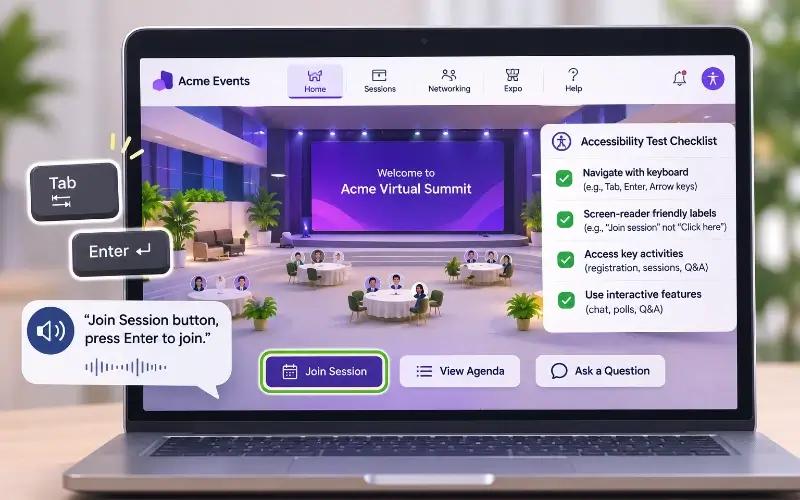
Test whether attendees can complete essential activities, including registration, joining sessions, navigating menus, and submitting questions, using only a keyboard or screen reader.
Check that important controls have understandable labels, keyboard navigation follows a logical order, and interactive features can be used without a mouse. If you discover accessibility barriers, work with your platform provider to resolve them or arrange accessible alternatives before the event.
Virtual Event Technical Best Practices
17. Test Audio and Video Quality Before Going Live
Ask speakers to test their microphones, cameras, lighting, and internet connections using the same equipment and location they'll use on event day. Check for background noise, poor camera framing, or unstable connections that could affect the presentation.
From our experience, we recommend speakers use headphones or external microphones for clearer audio and wired internet connections wherever possible.
18. Run a Full Rehearsal With Speakers and Moderators
Conduct a full rehearsal with speakers and moderators to walk through your event's run of show, including speaker introductions, screen sharing, poll launches, and presentation handoffs.
This allows your team to practice the event's flow, identify potential issues with transitions, and confirm everyone's responsibilities. It's also a good opportunity to establish private communication channels, such as a moderator chat, to coordinate behind the scenes and handle unexpected issues during the live event.
19. Prepare a Backup Plan for Speaker Connectivity Issues
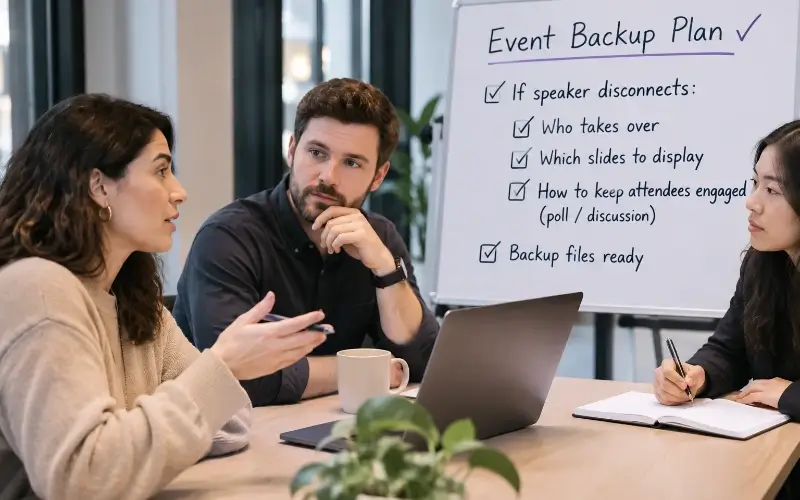
Create a contingency plan detailing who takes over, what slide deck displays, and how the audience is engaged if a speaker loses connection. Technical outages happen, but clear recovery protocols prevent panic when they do.
Keep backup copies of all presentation slides in a shared host folder and prepare a filler activity, such as an audience poll or open discussion prompt, so the moderator can keep attendees engaged while the speaker reconnects.
20. Assign a Dedicated Moderator for Technical Support
Assign someone other than the presenter to handle attendee technical questions so speakers can focus on delivering their presentations without interruptions. Make your support channel easy to find and prepare troubleshooting instructions for common issues like browser permissions and audio settings.
Alternatively, choose a virtual event platform like Remo that offers live technical support across all plans. This allows your team to focus on running the event while the platform's support team helps attendees resolve technical issues as they arise.
Virtual Event Marketing Best Practices
21. Communicate the Specific Benefits of Attending
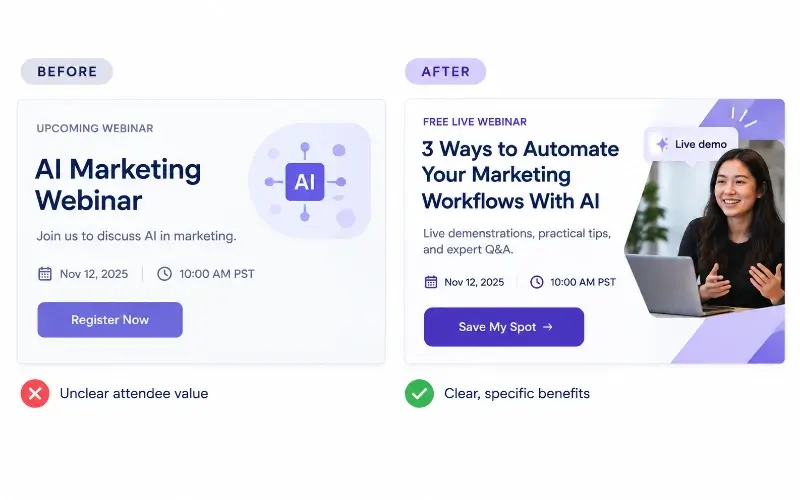
Promote your event around the practical skills, solutions, or insights attendees will gain rather than relying on generic topic titles. Give potential attendees a clear reason to invest their time by showing exactly what they'll learn or accomplish.
For example, instead of a vague title like "AI Marketing Webinar," use "3 Ways to Automate Your Marketing Workflows With AI." You can then reinforce the value in your event description by highlighting live demonstrations, practical takeaways, or opportunities to ask questions.
22. Create a Registration Page That Clearly Explains What Attendees Will Gain
Make your registration page easy to understand by clearly displaying the event topic, date, time, speakers, intended audience, and key takeaways.
Focus on what attendees will learn or experience instead of filling the page with generic promotional language. For a workshop, explain which skills participants will develop and whether they'll take part in live exercises.
Keep registration forms short, request only essential information, and use a prominent call-to-action button so interested visitors can sign up without unnecessary steps.
23. Promote Your Event Through Channels Your Audience Already Uses
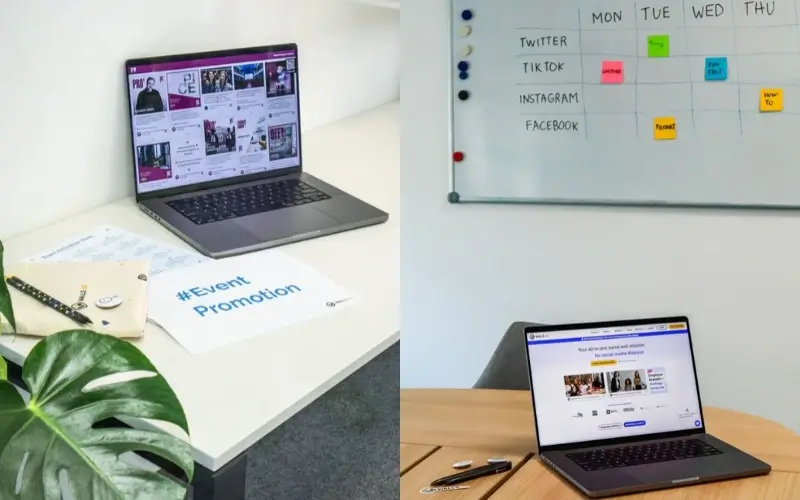
Choose your promotional channels based on your event type, target audience, and where potential attendees are most active. Rather than promoting across every platform, focus on channels that are most likely to reach people genuinely interested in your event.
For example, a B2B professional webinar might perform better through LinkedIn, targeted email campaigns, and industry newsletters. A virtual music festival, on the other hand, could benefit more from Instagram, TikTok, and online fan communities. Explore more event marketing strategies to find the right promotional approach for your audience.
24. Give Speakers and Partners Ready-to-Share Promotional Materials
Equip speakers, sponsors, and event partners with custom promotional kits to tap into their established networks. Partners are much more likely to cross-promote your event if you remove all friction for them.
Supply a simple media kit containing custom co-branded graphics, sample social media copy, and unique registration links for each speaker to track referral sign-ups effortlessly.
25. Use UTM Parameters to Track Event Registrations
Attach unique UTM tracking parameters to all promotional links to measure which marketing channels actually drive event registrations. Without tracking, identifying which campaigns delivered real ROI becomes guesswork.
Maintain consistent campaign naming conventions across email blasts, social posts, partner channels, and paid ads so you can analyze performance metrics and optimize future event marketing budgets.
26. Use Short Preview Videos to Promote Your Event
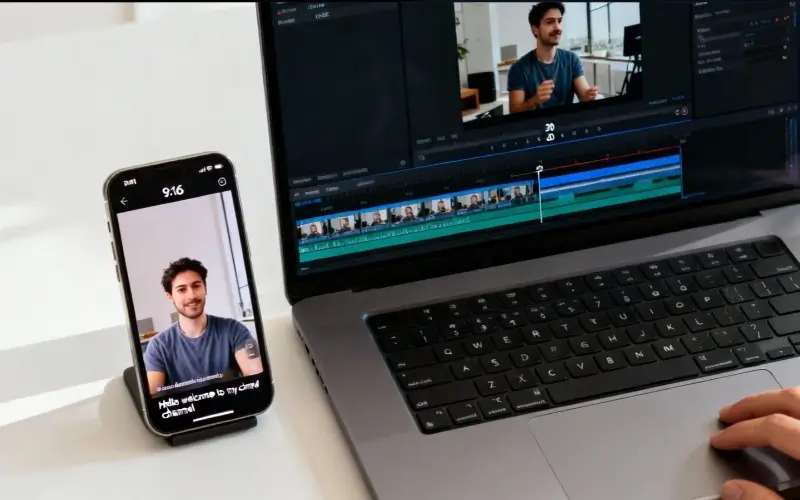
Short-form video continues to be a powerful marketing format. According to HubSpot's 2026 State of Marketing Report, 49% of marketers identified short-form video as a top ROI-driving content format.
Use this trend to your advantage by creating 20- to 30-second event teasers featuring speaker highlights, event activities, or platform walkthroughs.
For example, when promoting a networking event on Remo, show a quick clip of attendees talking and moving between virtual tables. This gives prospective attendees a clearer idea of the experience and what makes it worth joining.
27. Send Multiple Reminders Before the Event
Deploy an automated sequence of event reminder emails to maintain registrant interest and boost live show-up rates. A high registration count does not translate to high attendance without timely calendar prompts.
Send an immediate confirmation email upon sign-up, followed by a reminder 24 hours prior, and a final "We're live in 15 minutes" message containing the direct join link right as the event starts.
Post-Event Best Practices
28. Send Attendees the Event Recording and Relevant Resources
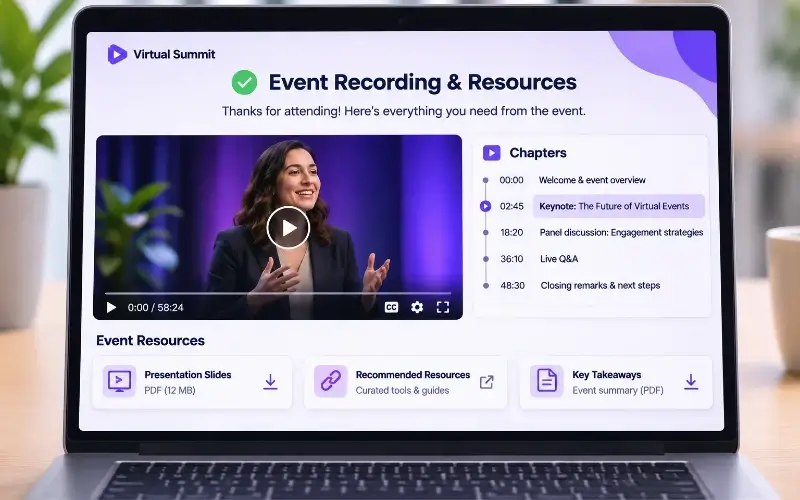
Distribute presentation slides, resource links, and full event recordings within 24 hours while the content remains top-of-mind. Extending value post-event builds trust with both live attendees and no-shows who couldn't attend live.
Organize resource pages cleanly with timestamps or chapter links so viewers can jump directly to the specific keynote talks or Q&A segments that interest them most.
29. Personalize Follow-Up Emails Based on Attendee Participation
Segment your post-event email lists by attendance status and engagement level to deliver relevant next steps. Sending the exact same boilerplate email to active participants and no-shows wastes valuable conversion opportunities.
Send live attendees detailed post-event surveys or specific calls-to-action, like booking a sales demo, while providing no-shows with direct recording links and a brief summary of top takeaways.
30. Collect Attendee Feedback With a Short Post-Event Survey
Gather attendee feedback using a brief post-event survey consisting of one rating scale question and one open-ended improvement prompt. Keeping feedback forms short maximizes response rates while yielding actionable insights.
Even better, platforms like Remo offer a built-in Guest Experience Survey that lets organizers collect real-time, five-star attendee ratings and gauge satisfaction while the event is still underway.
31. Measure Event Results Against Your Original Goals
A large registration number doesn't automatically mean your event succeeded. Return to the objectives you established during planning and evaluate the virtual event metrics that matter.
If your goal was 20 qualified demo requests, measure how many you generated rather than celebrating registrations alone.
Common Virtual Event Mistakes to Avoid
Even experienced organizers can overlook decisions that affect the attendee experience. Here are six common mistakes worth checking before your next event:
Make Your Next Virtual Event a Success
Executing a successful virtual event comes down to understanding your audience, defining clear goals, and designing an experience built for active participation. Every detail, from platform selection and agenda pacing to post-event follow-up, directly impacts how attendees perceive your brand and retain your content.
Ultimately, attendee experience should dictate your tech stack. A well-structured event featuring frictionless navigation, valuable takeaways, and room for genuine human connection will always leave a lasting impression over a complex setup filled with unused features.
Putting these best practices into action becomes easier when your virtual event platform is built to support them. With Remo, you can simplify attendee access, encourage participation through live polls and Q&A, and create meaningful networking opportunities with interactive tables and free attendee movement.
Ready to put these best practices into action? Book a demo to see how you can bring them to life at your next virtual event.
Frequently Asked Questions About Virtual Event Best Practices
1. What makes a virtual event successful?
A successful virtual event achieves its intended objectives while giving attendees a valuable experience. Success might mean generating leads, facilitating useful connections, delivering training, or building community. Evaluate attendance, participation, satisfaction, and outcomes relevant to your goals.
2. How do you keep attendees engaged during a virtual event?
Avoid lengthy, uninterrupted presentations. Include purposeful polls, chat prompts, moderated Q&A, and opportunities for small-group discussions. Give attendees meaningful ways to contribute instead of expecting them to remain passive viewers.
3. How long should a virtual event last?
It depends on the format and audience. Focused webinars often run for 30–60 minutes, while virtual conferences may last several hours. For longer events, schedule breaks and vary session formats to prevent fatigue.
4. How far in advance should you plan a virtual event?
Simple webinars may need a few weeks of preparation. Larger conferences involving multiple speakers, sponsors, and networking activities may require several months. Allow enough time for promotion, rehearsals, and technical testing.
Aniqa Iqbal
Aniqa is a content writer at Remo, where she merges her love for storytelling from movies and TV shows with her passion for creating compelling content. With a knack for blending pop culture references and relatable narratives, Aniqa crafts content that informs and resonates deeply with readers. She aims to strike a chord with her audience, fostering genuine connections through words that inspire, engage, and entertain. When she's not writing, Aniqa can be found binge-watching her favorite shows, always on the lookout for the next story to tell.